ATS vs recruitment software vs recruiting CRM vs HRIS: What's the difference?
Compare an ATS, recruitment software, recruiting CRM, and HRIS by purpose, users, data, and hiring stage so you can choose the right system.

CONTENTS
- 00Introduction
- 01Key takeaways
- 02ATS vs recruitment software vs recruiting CRM vs HRIS at a glance
- 03What is an applicant tracking system?
- 04What is recruitment software?
- 05What is a recruiting CRM?
- 06How is a recruiting CRM different from an ATS?
- 07What is an HRIS?
- 08How is an ATS different from an HRIS?
- 09Do you need both an ATS and an HRIS?
- 10Can one platform be an ATS, CRM, and HRIS?
- 11Which system should you choose?
- 12Where does Recooty fit?
- 13Frequently asked questions about ATS, CRM, and HRIS software
An ATS manages active applicants and hiring workflows. Recruitment software is the wider category of tools used to find, assess, interview, and hire people. A recruiting CRM builds relationships with prospective candidates, while an HRIS stores employee records and supports HR work after a person joins the company.
The labels overlap because many products combine features from two or more categories. I would choose based on the work that needs a home, the people who will use the system, and the point where candidate data should become employee data.
Key takeaways
- An applicant tracking system manages open jobs, applications, hiring stages, interviews, feedback, and decisions.
- Recruitment software is an umbrella term that includes ATS products and specialist hiring tools.
- A recruiting CRM focuses on prospects and talent relationships before someone applies.
- An HRIS manages employee records and HR processes after hire.
- One platform may contain ATS, CRM, onboarding, and HRIS functions, but the product name does not prove that each function is deep enough for your process.
- Companies often connect an ATS to an HRIS so recruiting data can move into onboarding and employee administration.
ATS vs recruitment software vs recruiting CRM vs HRIS at a glance
The simplest difference is the person and process each system treats as its primary record. An ATS centers on an application, a recruiting CRM centers on a prospective candidate relationship, and an HRIS centers on an employee. Recruitment software can describe any tool used across those hiring activities.
| Category | Main purpose | Primary record | Typical users | Main stage | Common capabilities |
|---|---|---|---|---|---|
| Applicant tracking system | Manage applicants and hiring work | Application linked to a job | Recruiters, HR, hiring managers, interviewers | Application to hire | Job posting, pipelines, screening, scheduling, scorecards, offers, reports |
| Recruitment software | Support one or more recruiting tasks | Varies by product | Recruiters, sourcers, HR, hiring teams | Any recruiting stage | ATS, sourcing, assessments, interviews, recruitment marketing, analytics |
| Recruiting CRM | Find and nurture prospective candidates | Person, relationship, or talent community | Sourcers, recruiters, talent acquisition teams | Before application and between hiring cycles | Talent pools, campaigns, events, segmentation, engagement history |
| HRIS | Manage employee data and HR administration | Employee | HR, payroll, managers, employees | Hire through employment and exit | Employee records, time off, benefits, payroll connections, reporting, workflows |
| When the role is ready, you can post a job for free to start reaching candidates. |
These are category-level differences. A specific vendor may combine them, use another label, or emphasize a particular industry.
What is an applicant tracking system?
An applicant tracking system is recruitment software that organizes open jobs and the people who apply to them. It tracks each application through stages such as review, screening, interview, assessment, offer, hired, rejected, or withdrawn.
An ATS usually includes:
- Job and requisition records
- Careers page publishing
- Job board distribution
- Application forms and resume storage
- Resume parsing and candidate search
- Screening questions and matching tools
- Custom hiring pipelines
- Interview scheduling
- Notes, mentions, and scorecards
- Candidate email templates
- Offer and disposition tracking
- Recruiting reports
The application is the working unit. One person can have several applications over time, and each application may have its own stage, interview history, feedback, and decision.
That structure makes an ATS a practical replacement for shared spreadsheets and recruiting inboxes. Our guide on what an applicant tracking system is explains the category and common use cases.
What is recruitment software?
Recruitment software is the broad category of technology used to attract, source, evaluate, interview, select, and hire candidates. Every ATS is recruitment software, but some recruitment tools solve only one part of the process.
Products in this category may include:
- Applicant tracking systems
- Candidate sourcing tools
- Recruitment marketing platforms
- Recruiting CRM systems
- Employee referral tools
- Skills assessment platforms
- Video interview software
- Interview scheduling tools
- Background and reference check services
- Offer management products
- Recruitment analytics tools
This is why a search for "recruitment software" returns very different products. One may run the full hiring workflow, while another finds contact information or hosts technical tests.
I would read the category label as a starting point, then map the product to an actual recruitment process. A tool belongs on the shortlist only if it owns a real step, passes the right information forward, and fits the way the hiring team works.
What is a recruiting CRM?
A recruiting CRM, or candidate relationship management system, helps recruiters build and maintain relationships with people who may become applicants later. It is designed for proactive sourcing, talent communities, segmented outreach, and long-term candidate engagement.
The CRM record begins before a vacancy has an applicant. A sourcer may add someone who attended an event, joined a talent network, received outreach, or showed interest in a future role.
Common recruiting CRM features include:
- Prospect profiles and searchable talent pools
- Tags, lists, and audience segments
- Outreach campaigns and email sequences
- Candidate engagement history
- Event and talent community management
- Source tracking
- Consent and communication preferences
- Rediscovery of previous applicants
- Campaign reporting
A CRM is most useful when the company cannot rely only on inbound applications. Executive recruiting, specialist hiring, campus programs, and recurring talent needs often require relationships that start months before a suitable vacancy opens.
How is a recruiting CRM different from an ATS?
A recruiting CRM manages people who may apply, while an ATS manages people in a formal hiring process. The CRM supports discovery and ongoing communication; the ATS supports application review, interviews, evaluation, and a documented hiring outcome.
| Question | ATS | Recruiting CRM |
|---|---|---|
| Who is in the system? | Applicants tied to open or past jobs | Prospects, leads, talent community members, and past candidates |
| What starts the record? | A job application or recruiter-added candidacy | Sourcing, outreach, an event, referral, or talent network signup |
| What is the main workflow? | Hiring pipeline | Relationship and campaign workflow |
| What is the main goal? | Fill an approved role | Build a relevant audience for current and future roles |
| What communication is common? | Application updates, scheduling, offers, rejections | Outreach, newsletters, role alerts, event invitations, nurture campaigns |
| What reporting matters? | Time to hire, source of hire, stage conversion | Engagement, response, pipeline creation, campaign contribution |
Many ATS products include talent pools and messaging, while many recruiting CRM products can push a prospect into an active hiring process. The distinction still helps because it reveals which workflow received most of the product's design attention.
What is an HRIS?
An HRIS, or human resources information system, is the central record for employee data and HR administration. It usually begins its main work after a candidate accepts an offer and becomes a new hire.
An HRIS may manage:
- Employee profiles and organizational details
- Job, department, manager, and location data
- Documents and policy acknowledgements
- Time off and attendance
- Benefits administration
- Payroll data or payroll connections
- Compensation history
- Performance processes
- Employee changes and approvals
- HR reports and compliance records
- Offboarding
The employee is the central record, not the application. An HRIS needs accurate personal and employment data that can support ongoing administration, access, reporting, and legal obligations.
Some HRIS suites have a recruiting module. Its depth can range from a basic applicant list to a capable ATS, so buyers should test the module against the same hiring requirements they would use for a standalone system.
How is an ATS different from an HRIS?
An ATS is built around candidates and vacancies, while an HRIS is built around employees and employment. The ATS manages competitive selection and candidate communication; the HRIS becomes the continuing record once the person joins.
| Area | ATS | HRIS |
|---|---|---|
| Primary population | Prospects and applicants | Employees and former employees |
| Main owner | Talent acquisition or recruiting | HR operations or people team |
| Core record | Job application | Employee profile |
| Typical data | Resume, source, screening answers, interview feedback, stage | Role, manager, pay data, benefits, time off, employment documents |
| External user interaction | Candidates apply, schedule, and receive updates | Employees view or update HR information |
| Main reporting | Hiring funnel and recruiting performance | Workforce and HR operations |
| End point | Hire, rejection, withdrawal, or archived candidacy | Employment changes and exit |
The handoff between them deserves careful design. Candidate data that the HRIS needs should transfer once the hire is confirmed, while interview notes and rejected applications should stay governed by recruiting permissions and retention rules.
Do you need both an ATS and an HRIS?
A company often needs both functions, although they may come from one suite or two connected products. The answer depends on hiring complexity, employee administration needs, integrations, budget, and how much depth the team needs in each workflow.
Two connected systems can make sense when:
- Recruiters need advanced sourcing, pipelines, scorecards, or job distribution.
- HR uses a separate system for employee records, payroll, benefits, or time off.
- Different teams own recruiting and HR operations.
- The business wants to change one system without replacing the other.
- Data fields and ownership are clearly defined for the hiring handoff.
One suite can reduce vendor management and provide a familiar login. It can also force the recruiting team to accept a shallow module because the HRIS decision came first.
I would test both paths with the same scenarios. Ask a recruiter to move a candidate through a real pipeline, ask a manager to submit feedback, and ask HR to turn the accepted candidate into an employee without retyping routine data.
Can one platform be an ATS, CRM, and HRIS?
Yes. HR suites may include recruiting and candidate relationship features, while some recruiting platforms add onboarding or employee modules. A combined platform can share data across functions, but each module should still be evaluated on its own work.
Product packaging creates a common buying mistake: assuming that a feature name equals a complete workflow. A vendor may list "CRM" because users can save candidates to a pool, even if it lacks segmentation, campaigns, consent management, or engagement reporting.
Ask the vendor to demonstrate the boundary between modules:
- What turns a prospect into an applicant?
- Can one person have several job applications without duplicate profiles?
- Which data moves into the employee record after hire?
- Can HRIS users see interview notes?
- What happens when a hire withdraws before the start date?
- Can each team control fields, permissions, and reports?
- How do data exports and integrations preserve record history?
Specific demonstrations reveal more than a long feature list.
Which system should you choose?
Choose an ATS if your immediate problem is managing open jobs and active applicants. Choose a recruiting CRM if your team spends substantial time finding and warming prospective candidates. Choose an HRIS if employee records and HR administration are the primary need.
Use this decision guide:
| Your recurring problem | Best place to start |
|---|---|
| Applications are spread across email and spreadsheets | ATS |
| Hiring managers cannot see candidate status or submit feedback consistently | ATS |
| Recruiters repeatedly source the same specialist profiles from scratch | Recruiting CRM |
| Talent communities and outreach campaigns are hard to manage | Recruiting CRM |
| Employee records, time off, and HR documents are scattered | HRIS |
| New hire data is re-entered after every accepted offer | ATS to HRIS integration or combined suite |
| Interview scheduling is the only major pain point | Specialist scheduling tool or ATS with scheduling |
| Skills testing is the main gap | Assessment tool connected to the ATS |
The guide to choosing recruitment software goes further into requirements and evaluation. Start with the broken workflow, then decide how broad the platform should be.
Where does Recooty fit?
For a current comparison, see this guide to AI-powered applicant tracking systems.
Recooty is an ATS with recruiting automation and candidate relationship features such as a talent pool. Its core work covers job distribution, a careers page, application management, customizable pipelines, collaborative feedback, interview scheduling, pre-hire checks, access controls, and recruiting analytics.
It also has AI Candidate Matching, explainable AI resume scoring and screening, and generators for job descriptions, interview questions, and email templates. Its salary estimator uses live market data.
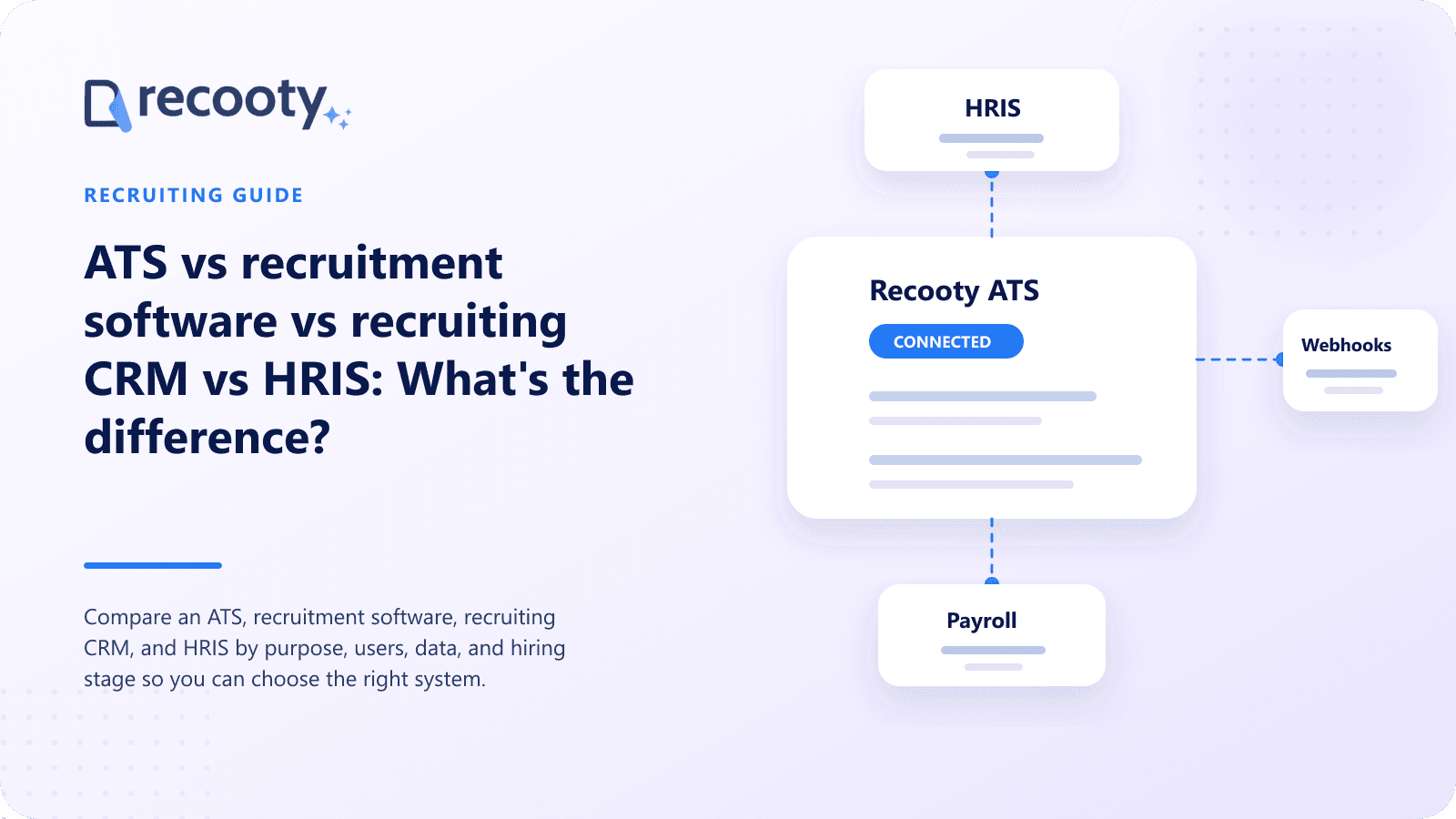
Recooty connects with more than 100 third-party tools, which matters when an employer wants recruiting to remain focused while passing completed hires or related data to other business systems. Buyers should confirm the specific integration and field mapping needed for their HRIS or onboarding process.
Frequently asked questions about ATS, CRM, and HRIS software
Is an ATS a CRM?
An ATS and a CRM use some similar concepts, but they center on different workflows. An ATS manages candidates who are being considered for jobs, while a recruiting CRM manages prospective candidates and ongoing talent relationships.
A product can include both. Look for application pipelines in the ATS portion and segmentation, campaigns, engagement history, and talent communities in the CRM portion.
Is an ATS part of an HRIS?
An ATS can be a module inside an HRIS suite, or it can be a standalone product connected to an HRIS. Neither structure is automatically better.
The suite route may simplify contracting and data exchange. A standalone ATS may provide greater recruiting depth, especially for job distribution, sourcing, candidate experience, interviews, and talent acquisition reporting.
What is the difference between recruitment software and an ATS?
Recruitment software is the wider product category, and an ATS is one type within it. An ATS manages applications and hiring stages, while other recruitment software may focus on sourcing, assessments, scheduling, video interviews, background checks, or recruitment marketing.
Some vendors use both labels for the same platform because modern ATS products often combine several recruiting functions.
Does a small business need an ATS or HRIS first?
The first system should address the more expensive recurring problem. A small company hiring often may need an ATS first; a company with many employees and little hiring may gain more from an HRIS.
Consider workload and risk, not employee count alone. Map the hours spent on hiring administration and employee administration, then check which process loses data, delays people, or depends on one person's memory.
What data should move from an ATS to an HRIS?
The HRIS usually needs confirmed new hire data such as legal name, contact details, accepted role, department, manager, location, start date, and approved compensation fields. The exact transfer depends on company policy and local law.
Interview notes, ranking details, and rejected candidate records should not move by default. Keep the handoff limited to data needed for onboarding and employment administration.
Can a recruiting CRM replace an ATS?
A recruiting CRM can replace an ATS only if it also supports the full application and selection workflow the employer needs. That includes job records, application capture, pipeline stages, interview feedback, decisions, permissions, and reporting.
If the CRM mainly manages prospects and outreach, an ATS still needs to own active hiring. Integration can connect the two without forcing either system to do work it was not designed for.
Practical recruiting playbooks, HR tutorials and hiring trends from the team behind Recooty — hiring software for growing teams.