What's new on Recooty?
Now you can customize the color of Recooty’s job widget according to your website’s design styles.

CONTENTS
This update covers five practical parts of the Recooty hiring workflow: job-widget styling, talent pools, branded career pages, multiple locations, and interview scheduling. The release is historical, so confirm the current feature, workflow, plan limit, and account availability before you change your hiring process.
Key takeaways
- Check the current Recooty account or product page before assuming an older release note describes today’s interface.
- Test widget styling against the career page design, mobile layout, accessibility, and publishing workflow.
- Give a talent pool clear search, ownership, candidate-contact, and retention rules.
- Keep company information, open roles, locations, and application paths accurate on a branded career page.
- Include the candidate, interviewer, time zone, location or meeting link, and follow-up owner in interview scheduling.
- Compare the complete hiring workflow instead of counting isolated features.

01Widget color customization
The release added a way to customize the job widget so it can fit the visual style of a company website. A consistent widget helps candidates recognize the careers page as part of the same site, but the published result still needs a usability check.

To change the widget color, go to Job Widget under Settings and update the colors for the design you need. Publish a test role and check the result on a desktop screen and a phone. Make sure the text remains readable and that the application link is easy to find.
If you have not integrated the job widget, use this video guide to integrate the job widget on your website’s career page.
02Talent pool
The talent pool lets recruiters keep groups of contacts or applicants who may suit future roles. Use a tag or note to record why someone belongs in the pool, which role they may fit, and who owns the next contact.

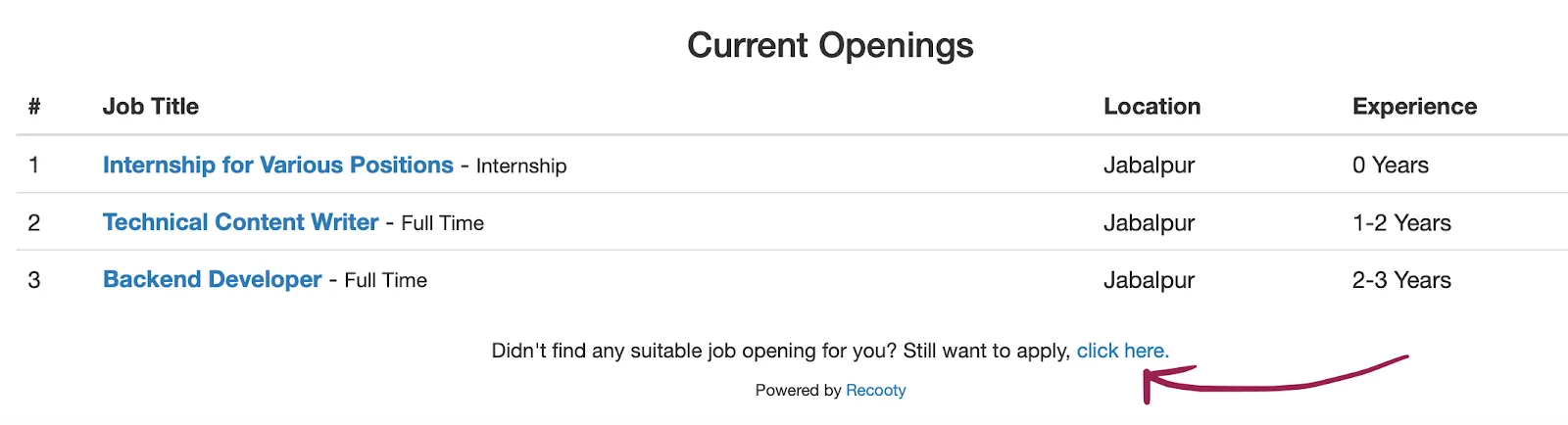
Applicants who cannot find a suitable opening can also apply through the “Didn’t find any suitable job opening for you? Still, want to apply” section at the bottom of the job openings list. Review those contacts regularly and follow your retention and consent rules before contacting them about another job.
03Branded careers page
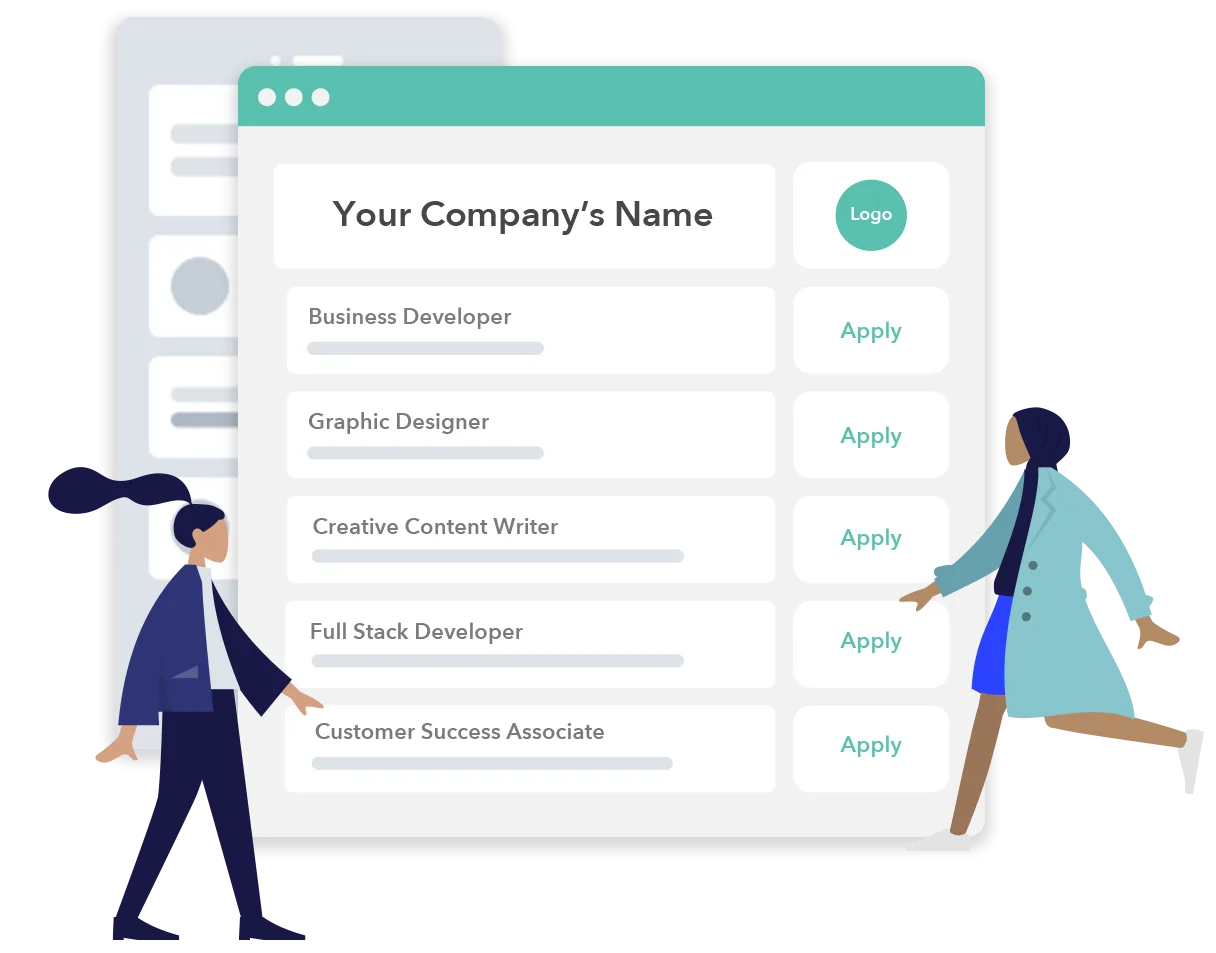
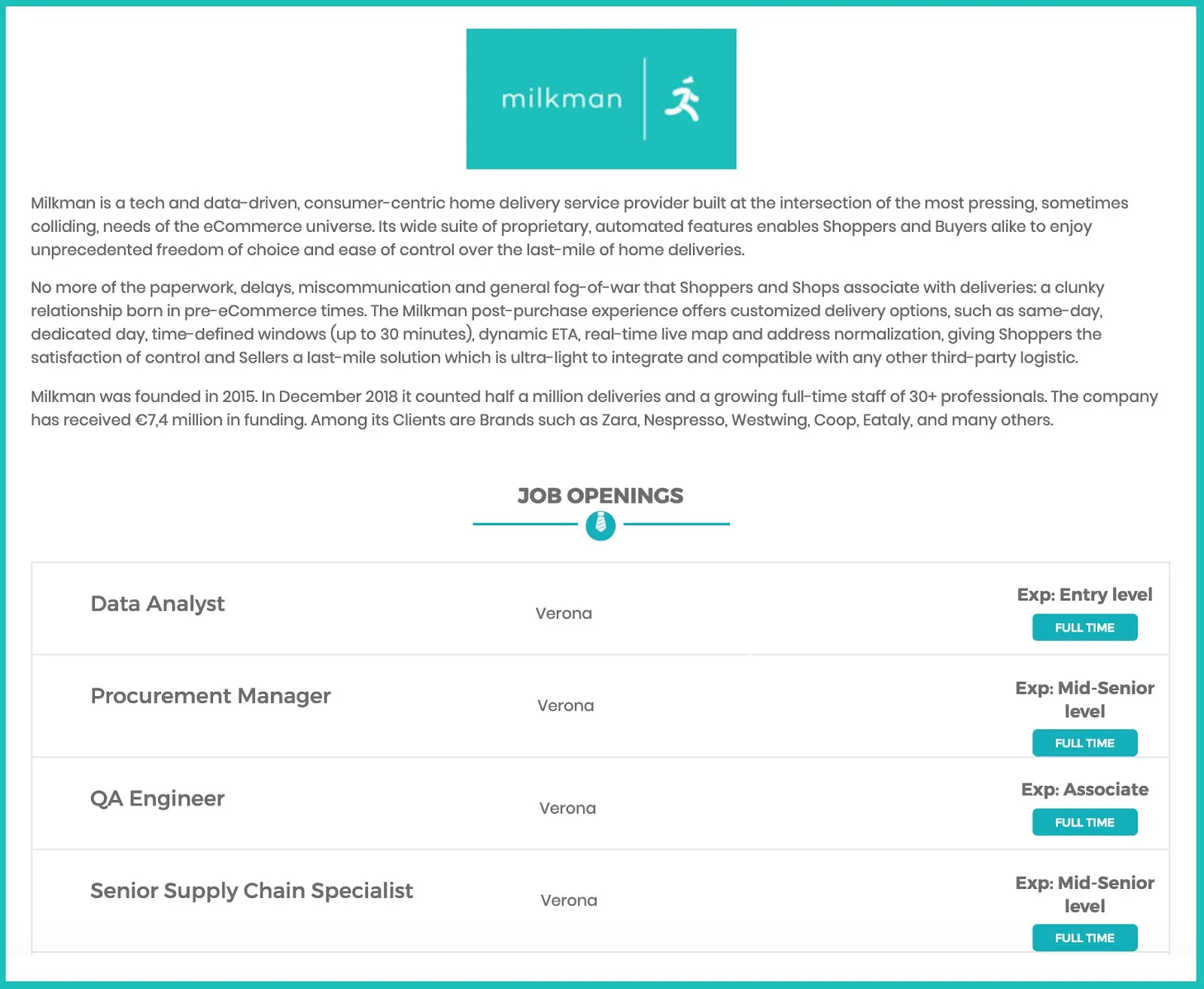
A branded careers page gives candidates one place to learn about the company, see current jobs, and apply. The page should use accurate information rather than promises that the hiring team cannot support.
The page can include:
your company’s logo;
a company description covering its mission, values, or employee benefits; and
current job openings with links to full job descriptions and direct applications.

To set up the page, go to Career’s Page under Settings and update the company details. Select View Career’s Page to check the published openings, company information, and application paths. Close old jobs promptly so candidates do not apply to roles that no longer exist.
04Adding multiple locations
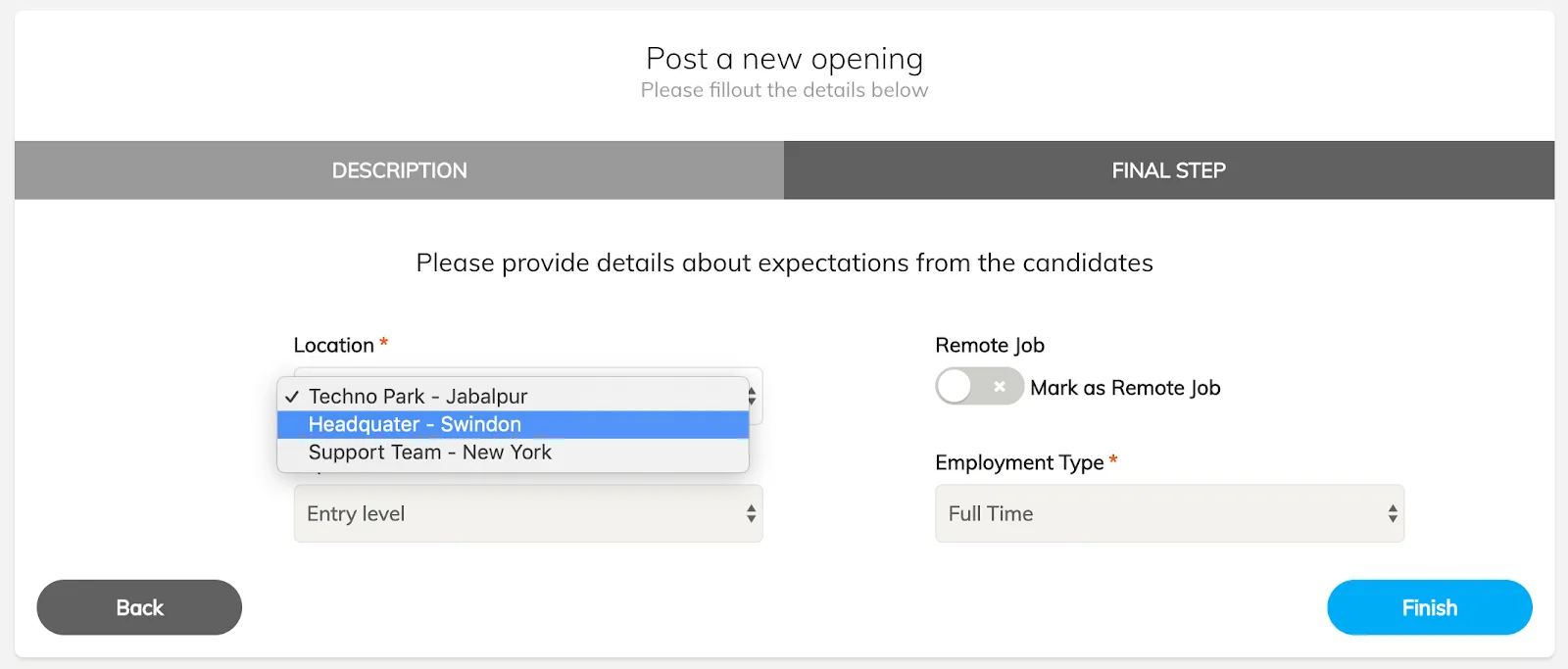
Teams with more than one office can add multiple locations and choose the relevant one when posting a job. Go to Locations under Settings and add each office address.
When you post a job, choose a saved location from the list. Check how the location appears to candidates, including remote or hybrid wording, and make sure the address is still correct.
05Interview scheduling

Interview scheduling keeps the interview type, date, time, location, and contact details together. Recruiters can send those details to shortlisted candidates and keep a record of upcoming and completed interviews.
- Shortlist the candidate.

Open Shortlisted Candidates and select Schedule Interview.
Add the date, time, venue, contact information, and an optional message, then select Send Email to Candidate.
- Open Interviews to review upcoming and completed interviews.
How to verify a Recooty feature before relying on it
Use one open role and test each capability from setup to candidate communication. The current Recooty applicant tracking system page, career page product page, free job posting page, and pricing page are the right places to confirm what is available now.
| Feature area | What to verify now | Evidence worth recording |
|---|---|---|
| Job widget | Where the widget is configured, which colors can be changed, how it behaves on mobile, and how a published role appears | A test page, device check, and time from edit to published result |
| Talent pool | How contacts are added, tagged, searched, assigned, contacted, updated, and removed | A sample record with owner, source, next action, and retention status |
| Branded careers page | Which logo, description, benefits, locations, openings, and application links can be controlled | A desktop and mobile check, including an old-role closure test |
| Multiple locations | Whether locations can be reused and how remote or hybrid arrangements are displayed | A test role with multiple locations and an accessibility check |
| Interview scheduling | Which details can be sent, how updates are handled, and where interviews are visible | A test invitation, calendar check, candidate reply path, and follow-up owner |
| Plan fit | Which users, roles, applications, integrations, support options, and limits apply | A dated plan note and the account’s own settings |
Before recommending a plan, confirm the number of active jobs and hiring users, included workflows, integration limits, data access and deletion rules, candidate testing options, and what happens to active records if the plan changes. Save the date and source used in an internal buying decision.
If you compare AI recruitment software, ask what the system actually automates. A label such as AI may refer to search, matching, resume parsing, chat, scheduling, or candidate summaries. Ask for the input, output, human approval step, audit trail, accessibility support, and data controls. The EEOC guidance on artificial intelligence and the ADA explains why hiring technologies need careful testing for disability-related barriers. For job visibility, also check the Google JobPosting structured data documentation. Markup does not replace accurate job content or a working application path.
Conclusion
These features support different points in the hiring journey. Test each one with a real role, record the manual work it removes, and confirm that candidates and hiring managers see accurate information. For questions or suggestions about the update, contact email protected.
Frequently Asked Questions
What features are described in this Recooty update?
The update describes job-widget color customization, talent pools, branded career pages, multiple locations, and interview scheduling. Confirm current availability through Recooty’s product pages or your account.
How should recruiters test Recooty features?
Use one real or representative job. Test publishing, the candidate application path, talent-pool organization, location display, interview communication, manager visibility, and follow-up. Record manual workarounds and missing ownership.
Where can I check Recooty pricing?
Check the Recooty pricing page, then confirm which limits and features apply to your account. Pricing and availability can change.
Is Recooty an AI recruitment software platform?
This article documents the features listed in the release update and does not establish current AI capabilities. Verify the exact automation, evidence, human review, privacy, accessibility, and plan terms directly with the provider.
Practical recruiting playbooks, HR tutorials and hiring trends from the team behind Recooty — hiring software for growing teams.


