How to Post a Job on CareerBuilder | Comprehensive Guide
A step-by-step guide on how to post a job on CareerBuilder. Complete information about pricing plans, coupons, job posting guidelines, and FAQs.


CONTENTS
- 01Key takeaways
- 02How to Post a Job on CareerBuilder
- Step 1: Start at CareerBuilder’s Hiring Page
- Step 2: Choose a Monster Pricing Plan
- Step 3: Create a Monster Employer Account
- Step 4: Complete Payment (If Required)
- Step 5: Access Your Dashboard and Post Your Job
- Step 6: Publish and Manage Your Job Post
- 03Current Monster+ pricing note for CareerBuilder employers
- How to set a job-posting budget
- 04Cost to Post a Job on CareerBuilder
- 05CareerBuilder, Monster, and recruitment software: choose the workflow
- 06Conclusion
- 07Post Jobs to Global Job Boards with Recooty
- Additional Resources on Job Posting
- 08Frequently Asked Questions
Key takeaways
- CareerBuilder and Monster now operate through a combined employer workflow, so verify the current Monster+ route, account access, pricing, credits, and distribution before publishing.
- Monster+ Standard is performance-based and starts at $8/day on the current official pricing page; Monster+ Pro is listed at $299/month or $2,990 prepaid annually. Prices and terms can change.
- Choose the plan by hiring pattern: occasional promoted jobs, recurring resume search, or enterprise distribution and ATS integration.
- Include salary or pay range where required, a specific job title, location, work pattern, outcomes, screening questions, and a mobile-friendly application route.
- Measure qualified applications, cost per qualified applicant, source-to-interview conversion, offer acceptance, and 90-day retention, not only clicks or applicant volume.
CareerBuilder job posting now follows the Monster employer workflow. To publish a listing, open the CareerBuilder hiring page, choose the Monster route, select a plan, create an employer account, and complete the job form. The right plan depends on how often you hire and whether you need promotion or resume search.
The combined workflow can give you access to a wider pool of candidates. This guide explains each step, the current pricing information shown by Monster, and the checks you should make before you spend a budget.

How to Post a Job on CareerBuilder
To post a job on CareerBuilder, follow these steps:
Step 1: Start at CareerBuilder’s Hiring Page
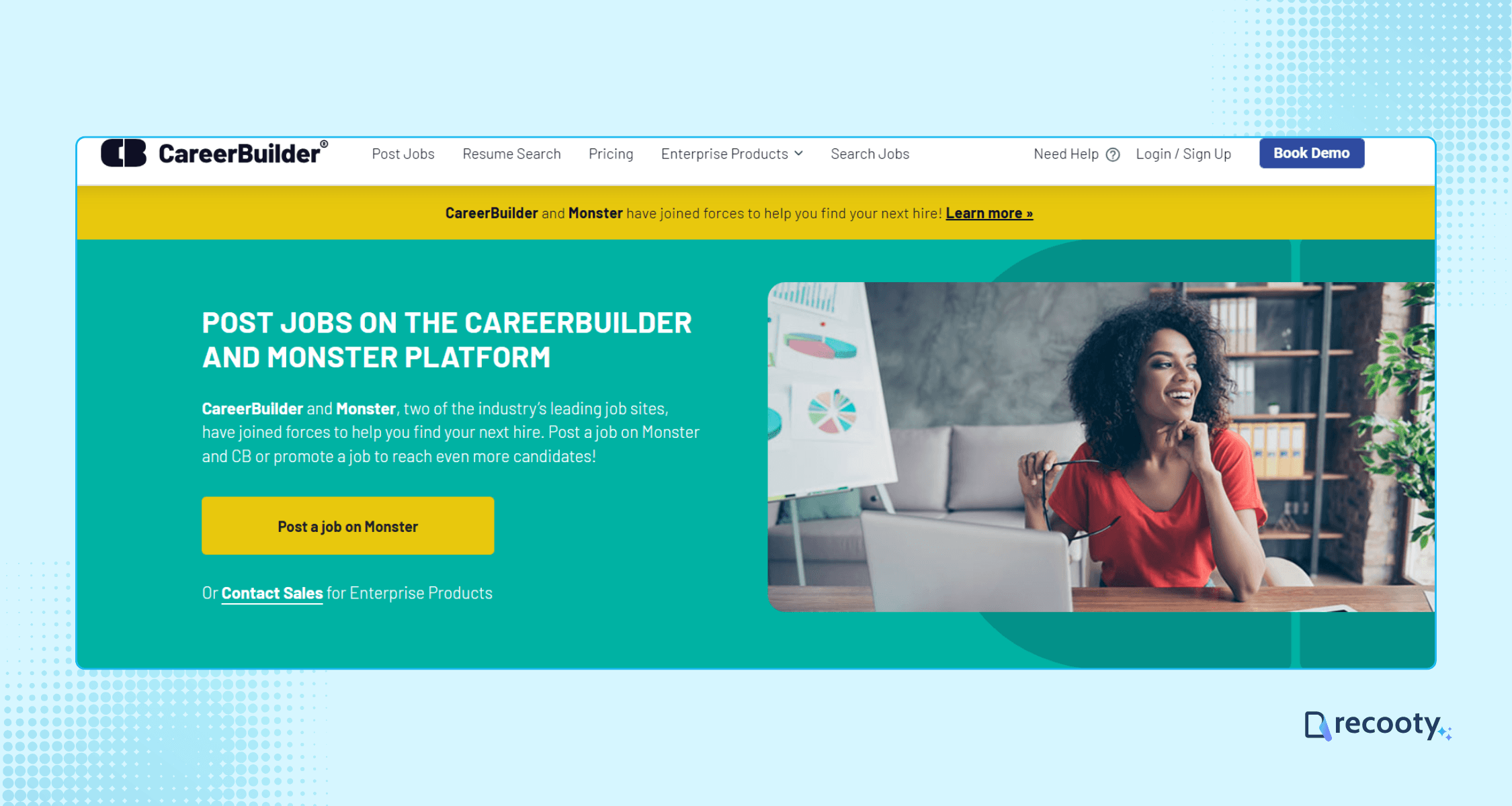
Go to the CareerBuilder hiring page and click the “Post a Job on Monster” button to begin.
This will redirect you to Monster, as all job postings are now managed through their system.
Step 2: Choose a Monster Pricing Plan
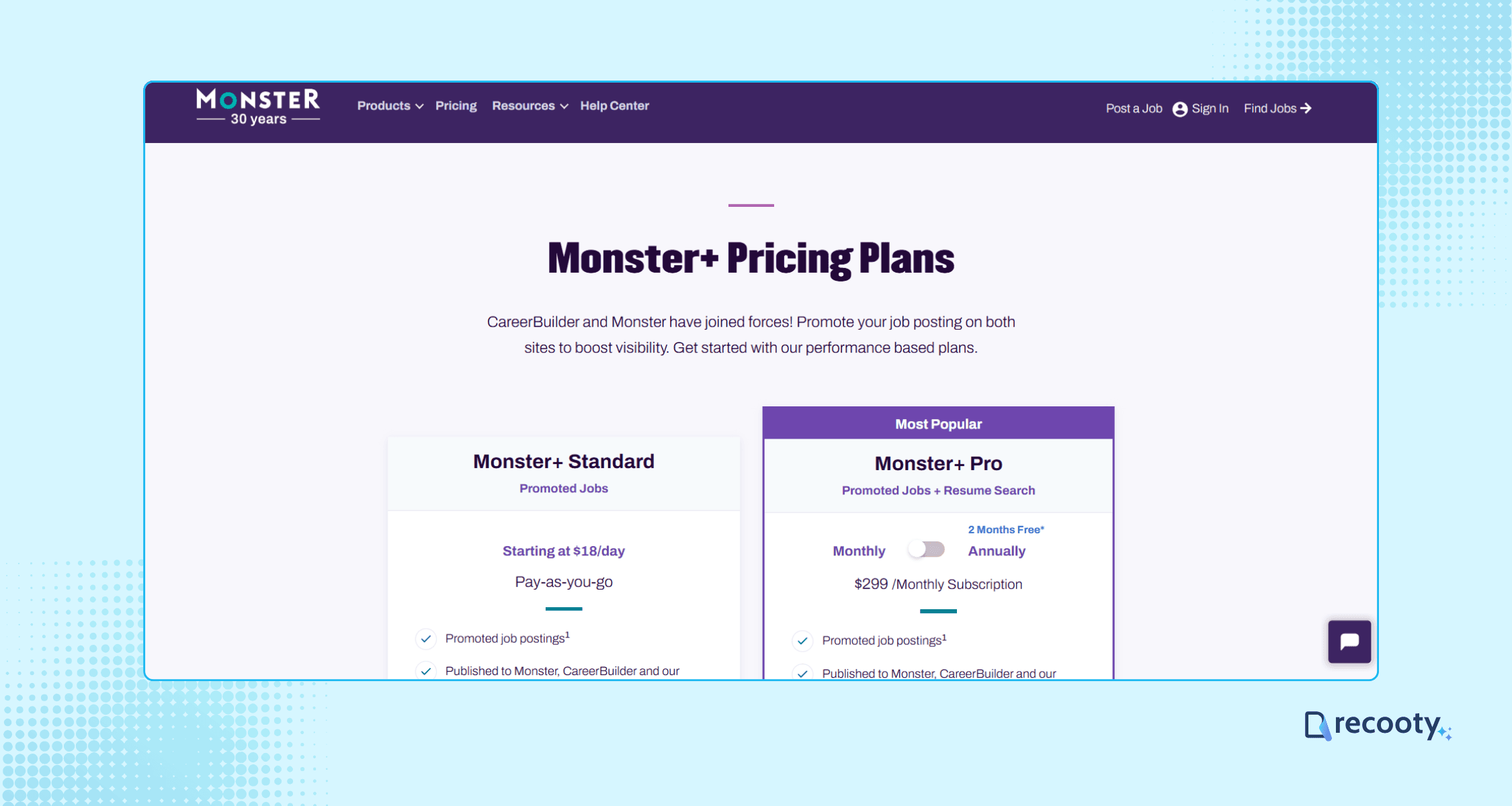
You’ll be redirected to the Monster pricing plans page. Monster offers plans with different features and pricing, so compare the live options before choosing one.
Select the plan that best fits your hiring needs and click “Get Started” to proceed.
Step 3: Create a Monster Employer Account
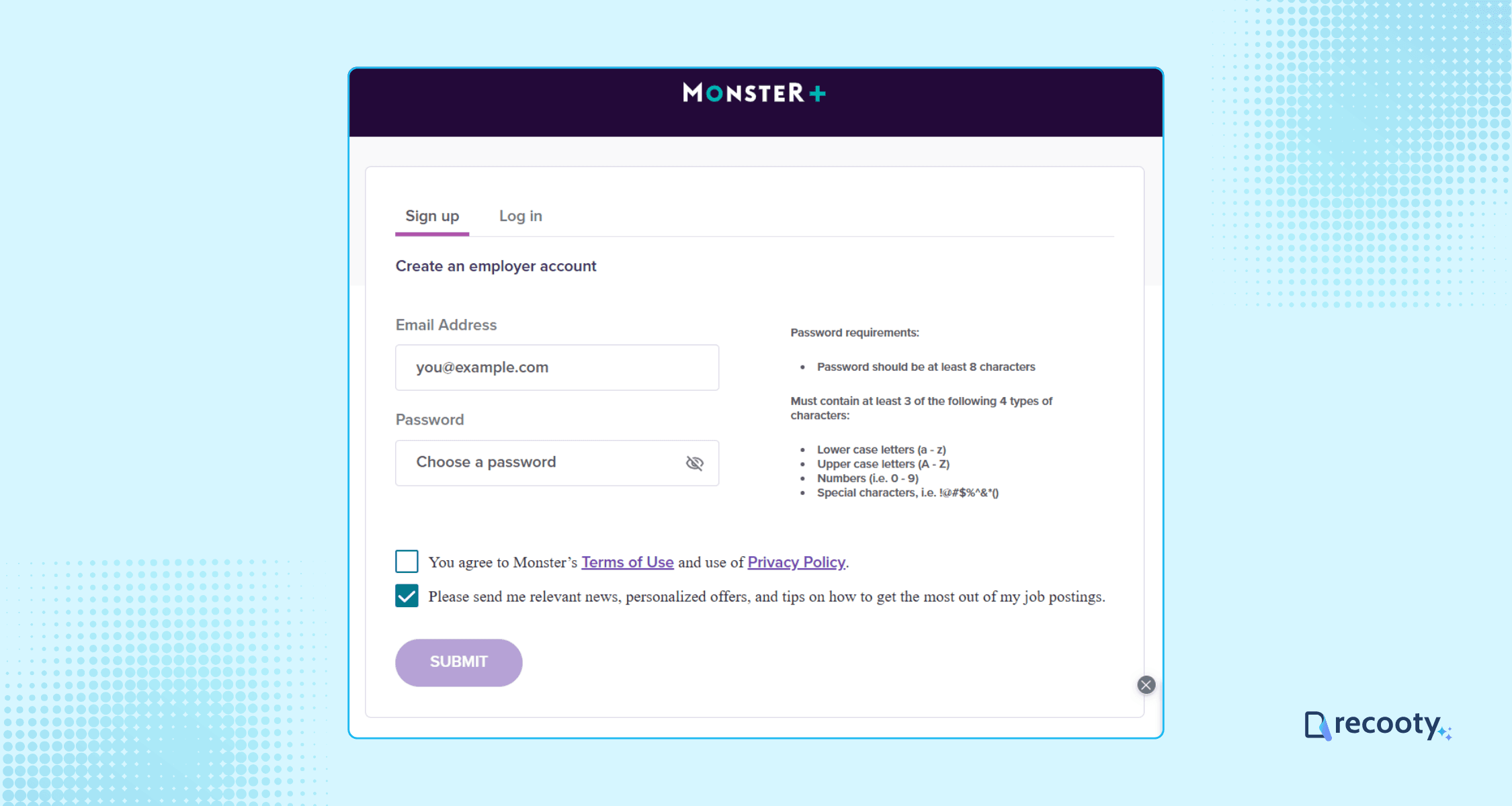
Next, you’ll be prompted to sign up for a Monster employer account. Fill in your company details, including company name, size, and location.
Step 4: Complete Payment (If Required)
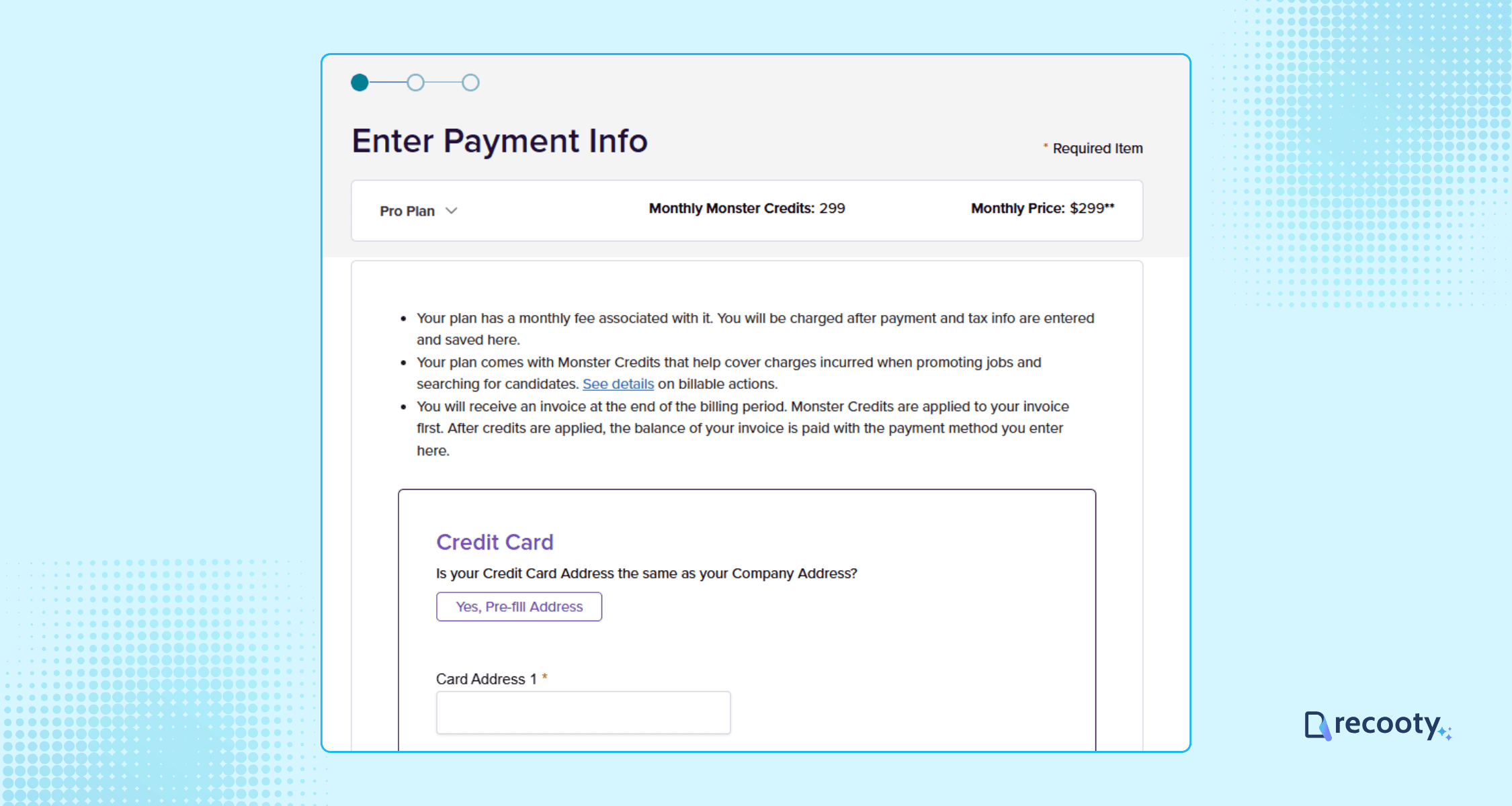
If you select a pro or pro annual plan, you’ll need to enter your payment and billing information.
You can opt for a standard plan where you can pay as you go, but note that premium features will not be there.
Step 5: Access Your Dashboard and Post Your Job
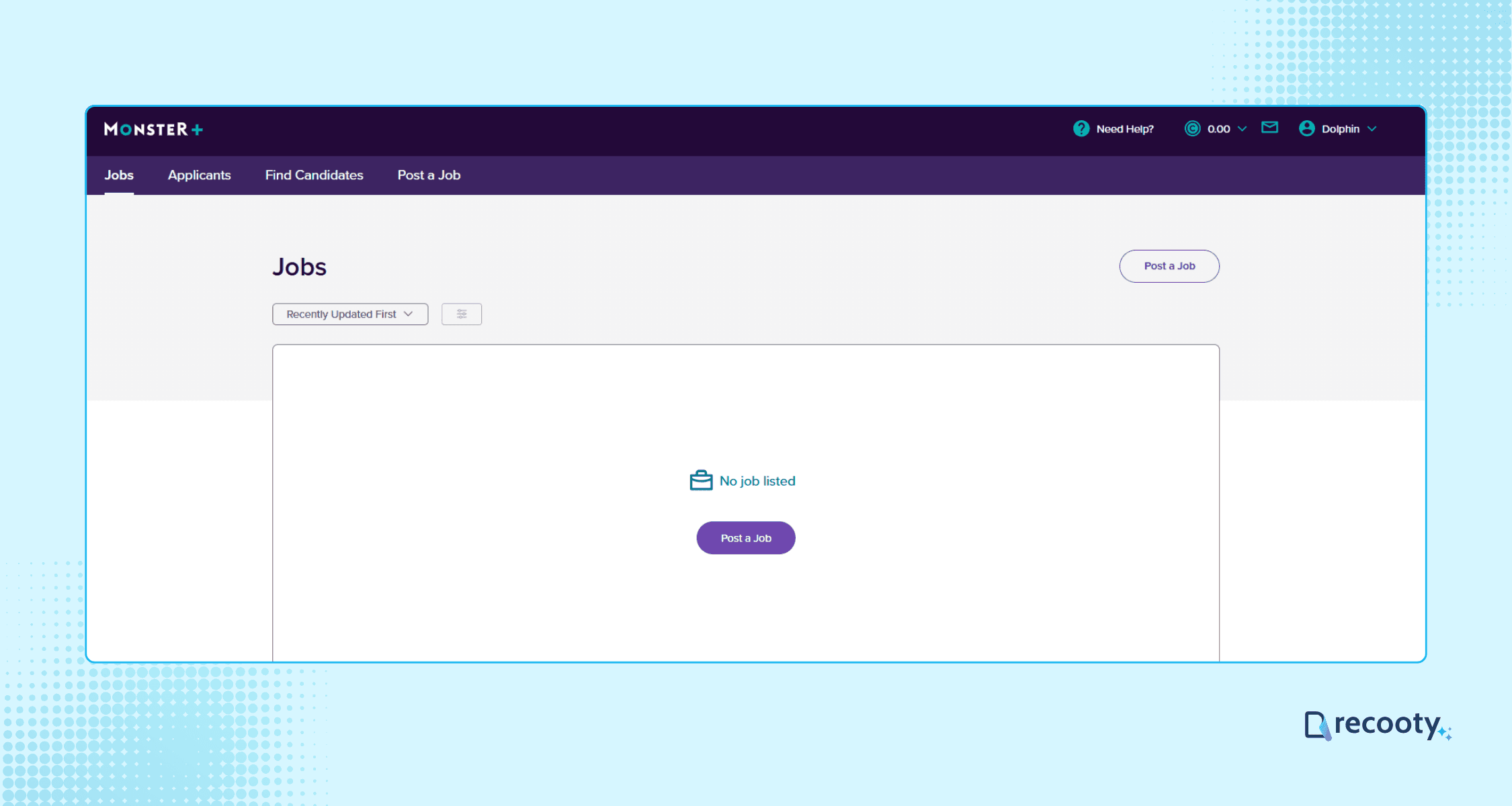
Once your account is set up and payment is complete (if applicable), access your Monster employer dashboard.
Click “Post a Job” to start creating your job listing.
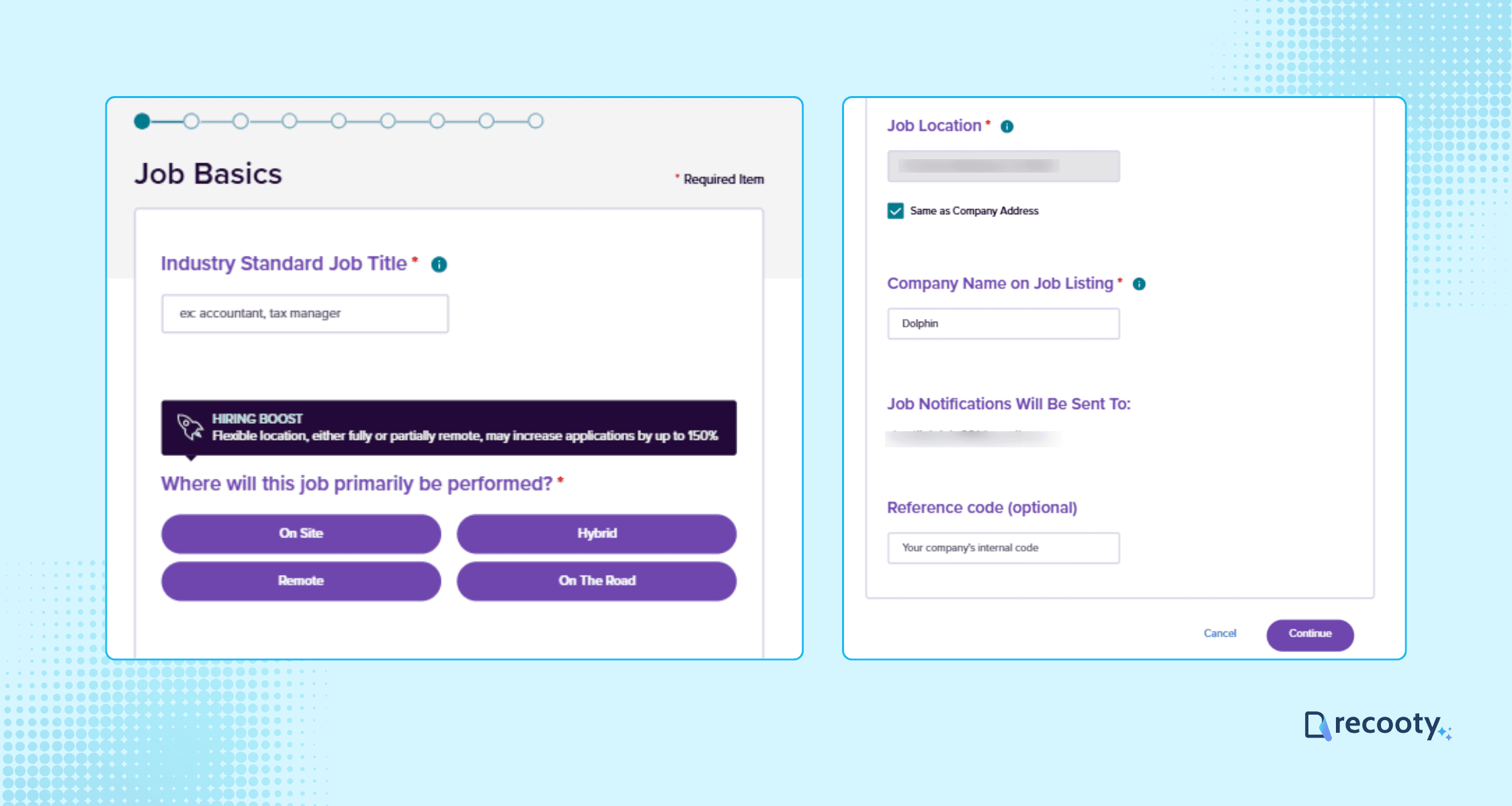
Enter the job title, location, company name (as you want it displayed), and the contact email for applications.
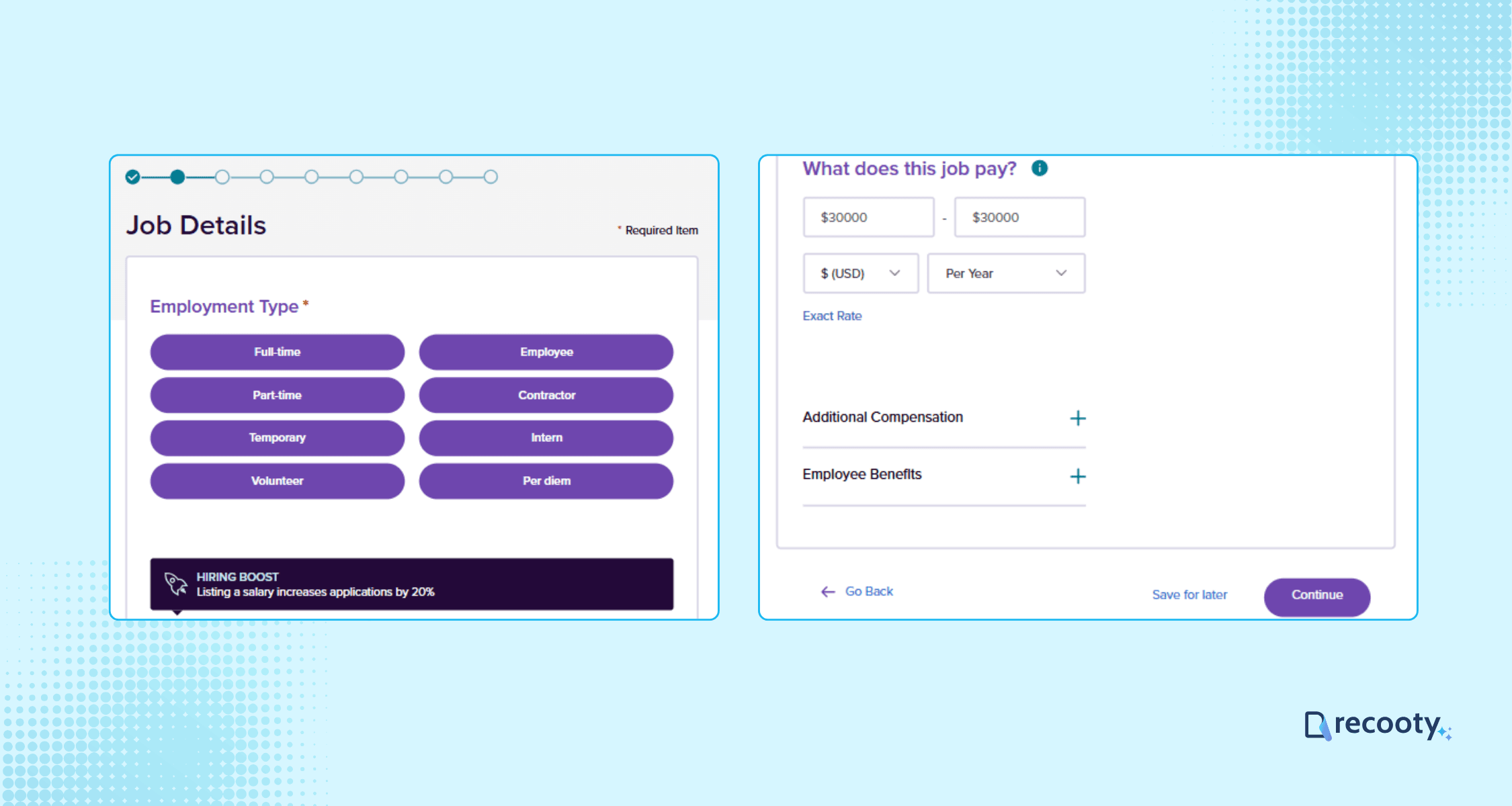
Select the employment type, pay range, and any additional benefits.
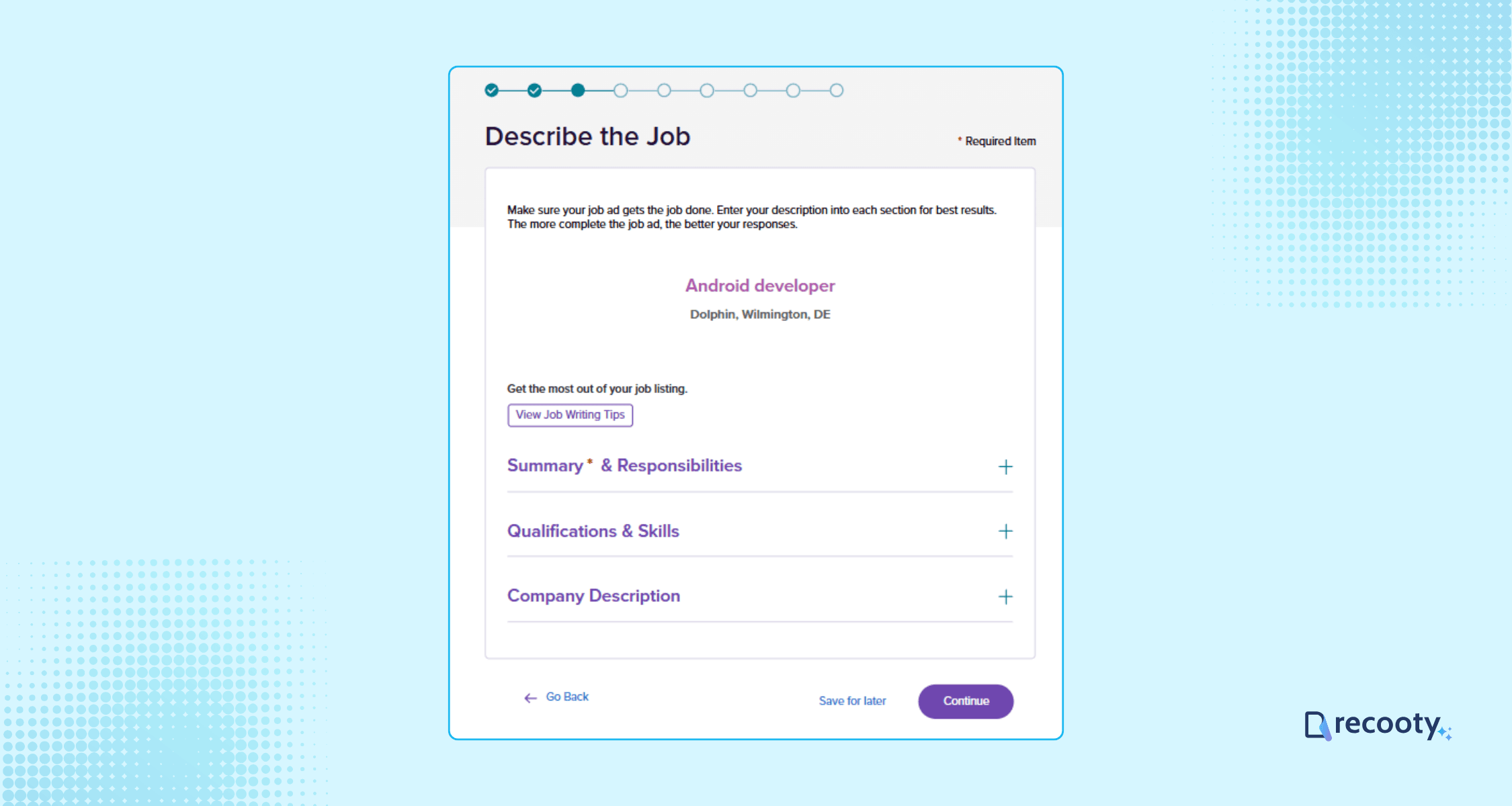
Write a compelling job description, including a summary, responsibilities, required qualifications, and a company overview.
You can use Recooty’s pre-built job description templates, or you can use Recooty’s free AI job description generator.
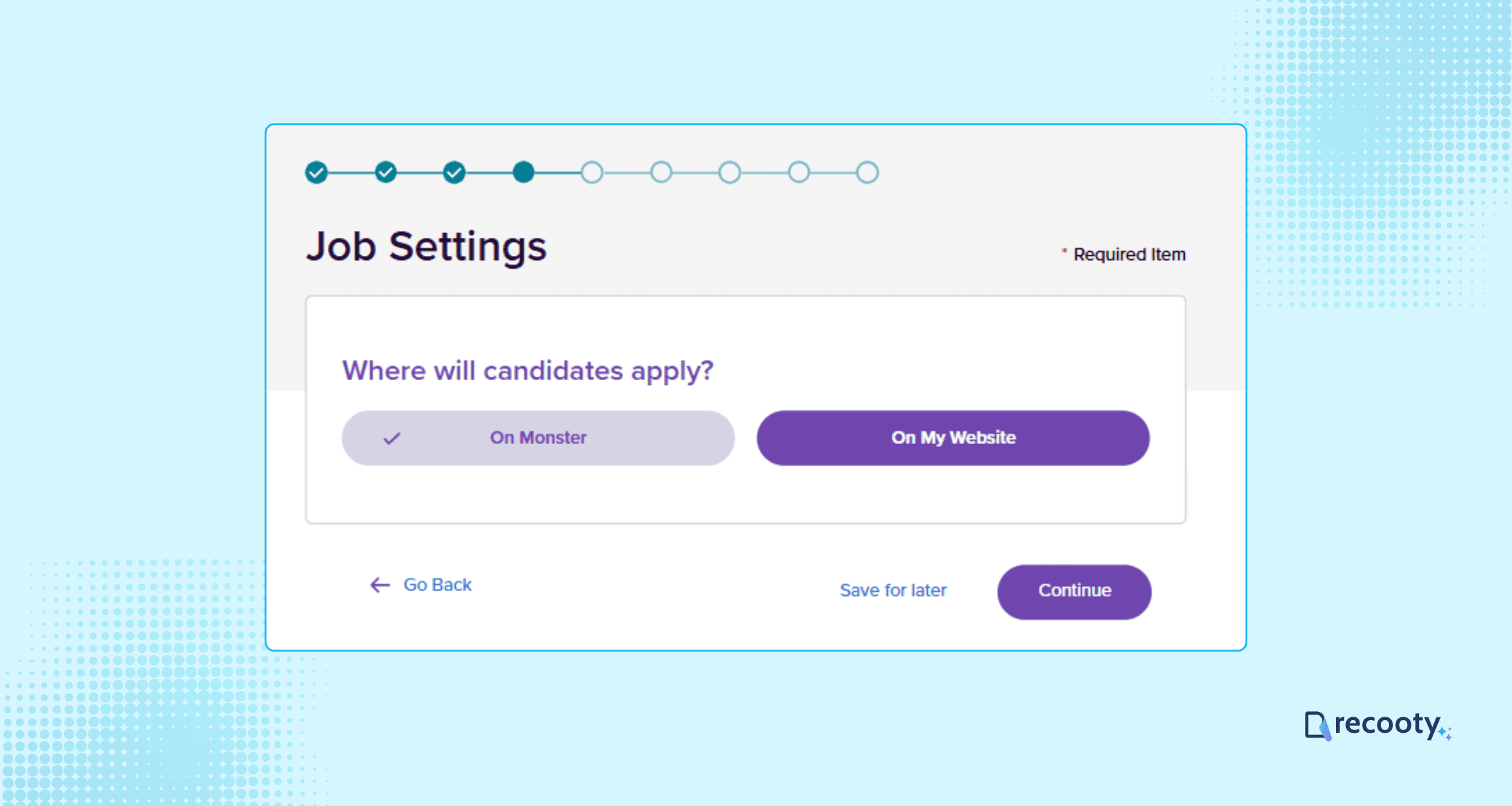
Decide whether you want candidates to apply directly via Monster or be redirected to your company’s website.
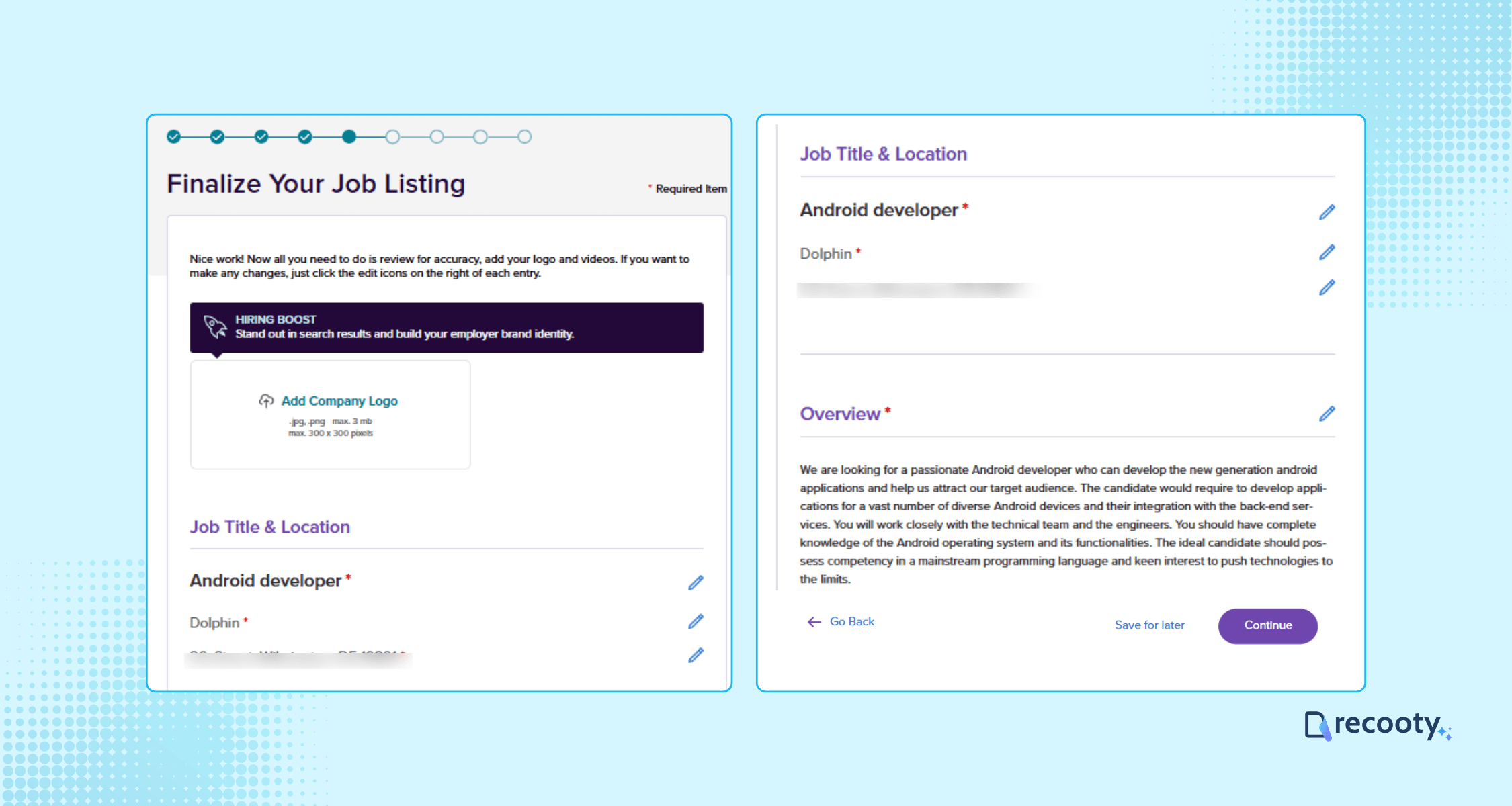
Preview your listing to ensure all details are accurate.
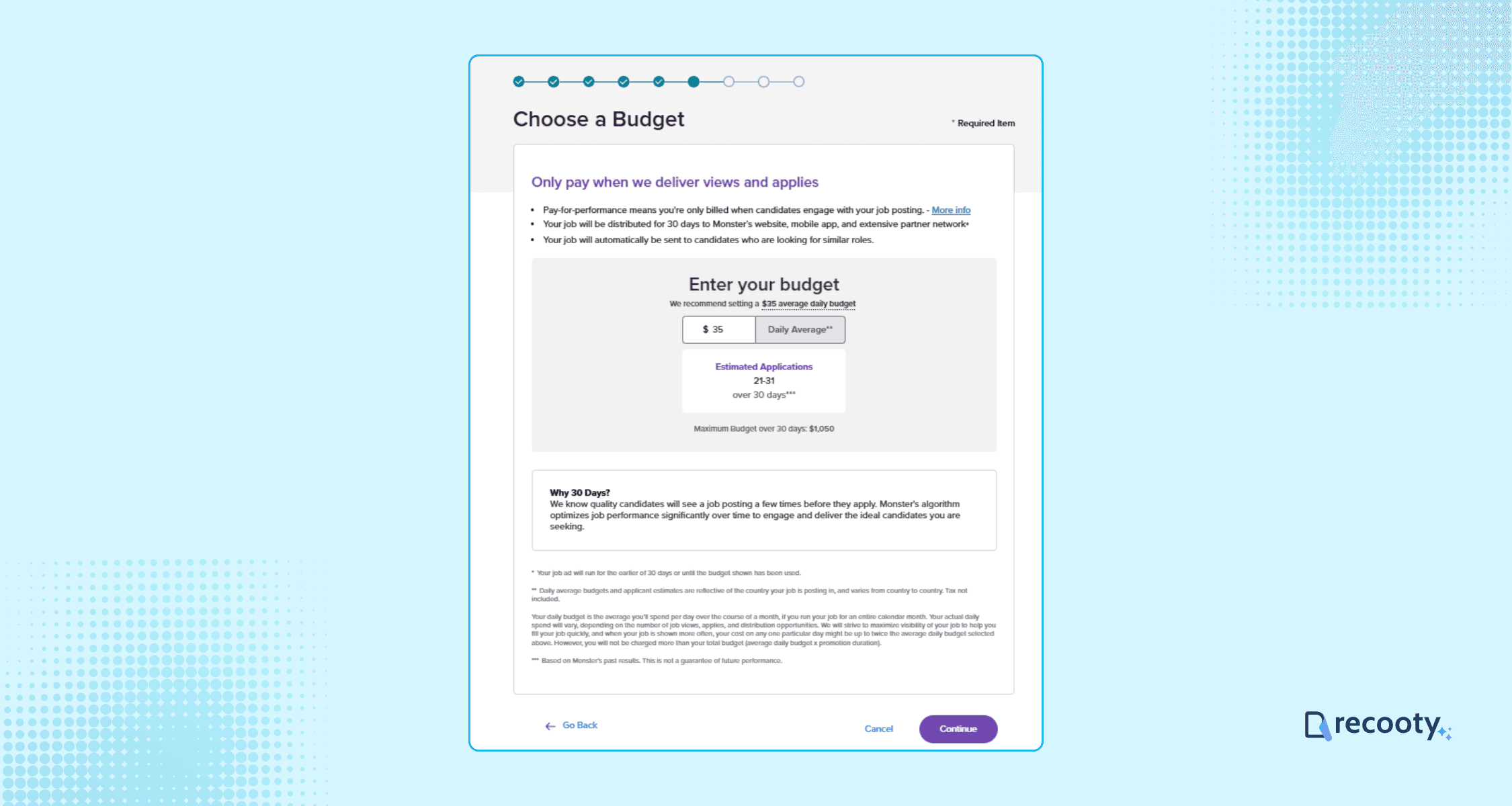
If you choose the standard plan, you’ll be prompted to set a daily budget and complete payment before the job goes live.
Step 6: Publish and Manage Your Job Post
Once you finalize and submit your job post, it will be published on Monster (and, by extension, visible to CareerBuilder’s audience).
You can manage applications, review candidates, and communicate with prospects directly from your Monster dashboard.
Current Monster+ pricing note for CareerBuilder employers
The official pricing page currently lists Monster+ Standard as starting at $8 per day with pay-as-you-go promoted jobs, distribution to Monster, CareerBuilder, and the partner network, and charges based on candidate clicks. It lists Monster+ Pro at $299 per month or $2,990 prepaid annually, including resume search, proactive messaging, unlimited users, and monthly credits. Resume views or actions use two credits, or $2, according to the page. Verify live pricing and credit rules before purchase.
The figures in older sections of this article may reflect an earlier plan or page. Treat this dated note as the current reference, not a permanent quote. Taxes, overages, promotions, eligibility, and regional availability may affect the final cost.
How to set a job-posting budget
- Estimate the number of qualified applicants you need, not the number of clicks.
- Start with a limited daily budget and define a review date.
- Tag the campaign and record source, spend, qualified applications, interviews, offers, and hires.
- Increase spend only when the source produces relevant candidates or when a scarce role justifies broader reach.
- Stop or change the campaign when clicks rise without improvement in qualified applications.
Monster’s help documentation describes promoted jobs as pay-for-performance and says the platform shows budget and application estimates during setup. Read the job-promotion guidance.
Cost to Post a Job on CareerBuilder
When posting a job via CareerBuilder (now partnered with Monster), you can choose from three flexible pricing plans:
Monster+ Standard: Starts at $8/day with a flexible daily budget, promoted job postings, unlimited applicants, and payment based on candidate clicks.
Monster+ Pro: $299/month, includes everything in Standard plus access to Monster’s resume database, the ability to proactively message candidates, unlimited user access, and monthly credits to promote jobs or search for candidates.
Monster+ Pro Annual: $2990/year, includes all Pro features with two months free and upfront Monster Credits for added flexibility and scalability in your hiring.
CareerBuilder, Monster, and recruitment software: choose the workflow
CareerBuilder postings now follow the Monster employer experience. The current official pricing page says Monster+ postings can reach Monster, CareerBuilder, and the partner network. Standard uses a daily budget and charges when candidates click, while Pro adds resume search, proactive messaging, unlimited users, monthly credits, and applicant management. Check the official Monster+ pricing page.
For teams already using recruitment software, decide whether Monster should remain a sourcing channel or whether your ATS should be the system of record. An applicant tracking system can centralize job distribution, source tracking, screening, interview feedback, and hiring reports. If applications stay in the Monster dashboard, export or sync the agreed fields so the team can compare CareerBuilder with other sources.
| Hiring situation | Better starting point | What to watch |
|---|---|---|
| One occasional vacancy | Monster+ Standard or an ATS with distribution | Set a daily budget and review qualified applications |
| Several recurring roles | Monster+ Pro or an ATS plus targeted promotion | Track credits, resume actions, and source-to-interview conversion |
| Hard-to-fill role | Promotion, resume search, and direct outreach | Do not optimize for clicks when the audience is poorly matched |
| Distributed hiring team | ATS or recruitment software connected to the posting | Preserve permissions, scorecards, source data, and candidate history |
| High-volume hiring | Custom package and integration review | Confirm contract terms, data transfer, service levels, and reporting |
Conclusion
Use the Monster employer workflow when CareerBuilder’s audience and resume tools fit your role. Set the budget before publishing, write a specific job description, and send candidate data into one review process so your team can measure quality as well as reach.
Post Jobs to Global Job Boards with Recooty
Why limit your reach?
With Recooty, you can post your job openings to CareerBuilder + Monster and many leading job boards worldwide, subject to current partner availability.
Recooty can save administrative time by keeping job distribution and applicant tracking in one workflow.
Additional Resources on Job Posting
Frequently Asked Questions
Is CareerBuilder still separate from Monster?
CareerBuilder and Monster operate through a combined employer offering. The current Monster pricing page says promoted jobs can be published to both sites and the partner network. Confirm the live employer workflow because product names and account paths can change.
How much does it cost to post a job on CareerBuilder in 2026?
The current official Monster+ page lists Standard starting at $8 per day and Pro at $299 per month or $2,990 prepaid annually. These are published starting terms, not a guaranteed quote. Check taxes, credits, overages, promotions, and regional availability before budgeting.
Should I post through CareerBuilder or an ATS?
Use the Monster employer workflow when its audience and resume search fit your role. Use recruitment software as the system of record when you need multi-board distribution, source reporting, structured feedback, team collaboration, and a complete candidate history. They can work together when the integration or source-tracking process is clear.
What should I measure after posting a job?
Track cost per qualified applicant, application completion, screening pass rate, source-to-interview conversion, time to first qualified candidate, offer acceptance, and 90-day retention. A large applicant count does not prove that the posting is working.
Are there free job posting options on CareerBuilder + Monster?
No, the merger has led to the discontinuation of permanent free job postings. Employers need to purchase a job posting package to list jobs.
How quickly does my job post go live on CareerBuilder?
Once payment and job details are submitted, your job listing typically goes live within hours, giving you access to a large candidate pool.
Can I manage applications directly on CareerBuilder?
Yes, since CareerBuilder merged with Monster, you can post and manage jobs for both platforms using the single Monster dashboard.
How can I post jobs to multiple job boards simultaneously?
Using an ATS like Recooty can let you send a job opening to CareerBuilder + Monster and other job sites from one workflow, depending on the available integration and current partner terms.
Source: https://recooty.com/blog/how-to-post-a-job-on-careerbuilder-pricing-and-coupons/
Practical recruiting playbooks, HR tutorials and hiring trends from the team behind Recooty — hiring software for growing teams.


