How to Post a Job on JobSquare
Finding ways to guide you through your first job posting on JobSquare? Not to worry here’s a step-by-step guide to help you get your task done.


CONTENTS
- 01Key takeaways
- 02What is JobSquare?
- 03How to Post Jobs on JobSquare?
- Step 1: Create an account on the website
- Step 2: Fill in the company and job details
- Step 3: Preview and submit the job
- 04Paid Job Posting Plans by JobSquare
- Additional Resources on Job Posting:
- 05JobSquare hiring workflow and measurement
- The Recooty editorial view
- 06JobSquare job-post quality checklist for better candidate matching
- 07JobSquare hiring metrics to track in an ATS
- 08Conclusion: publish a clear JobSquare listing and own the follow-up
- 09Frequently Asked Questions
Key takeaways
- The current JobSquare India pages describe three useful routes: a free plan, a Featured plan, and a Premium plan. The live plan pages are more reliable than older articles because benefits and prices have changed.
- The current free-plan page says employers can post up to 10 jobs, keep listings active for 30 days, access resumes, manage applications, receive resume alerts, and maintain a company profile. Verify these limits in your account before planning a hiring campaign.
- The current Premium page lists ₹890 including GST on sale and adds social promotion, resume access, analytics, flexible job controls, and priority support. Treat promotional pricing as temporary and check the checkout total.
- JobSquare is a regional job portal and employer workflow, not a replacement for every recruitment channel. Use it when your target candidates are in its active market, then compare qualified applications with other sources.
- Recruitment software becomes useful when multiple people review candidates, you hire across boards, or you need source, stage, and time-to-hire reporting in one place.
You can post a role on JobSquare by creating an employer account, completing the job and company fields, and reviewing the listing before you submit it. This guide explains those steps and shows when a free, Featured, or Premium route makes sense for your hiring plan.
What is JobSquare?
JobSquare is a recruitment consultancy company providing free job postings and a job search platform for employers and job seekers. It allows companies to hire part-time, full-time and freelance skilled candidates for different job profiles.
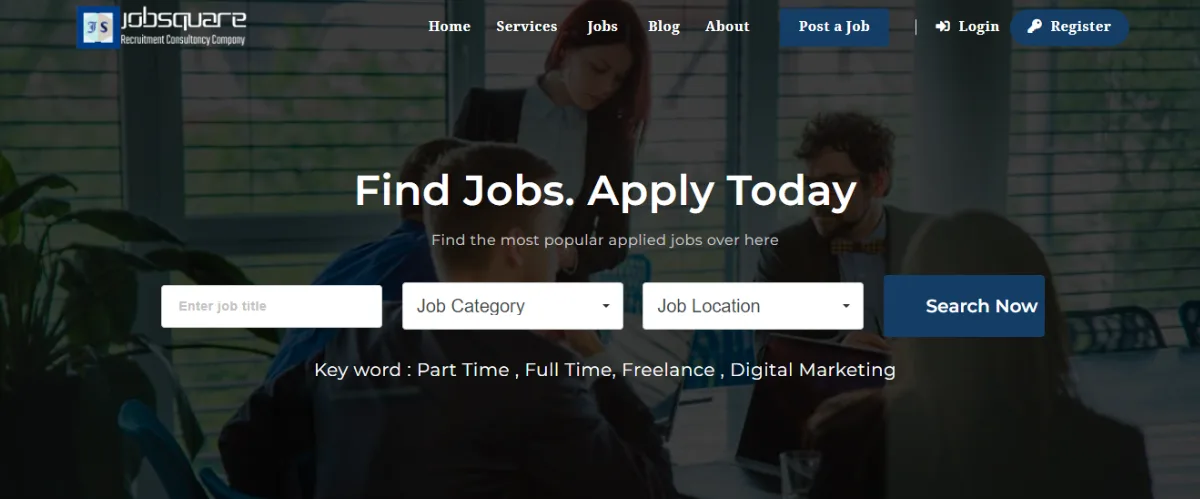
JobSquare supports direct employers, talent-acquisition teams, and third-party recruiters hiring for clients. It lists part-time, full-time, freelance, contract, and internship opportunities.
How to Post Jobs on JobSquare?
Here’s a step-by-step guide for you to ease your job posting process on JobSquare.
Step 1: Create an account on the website
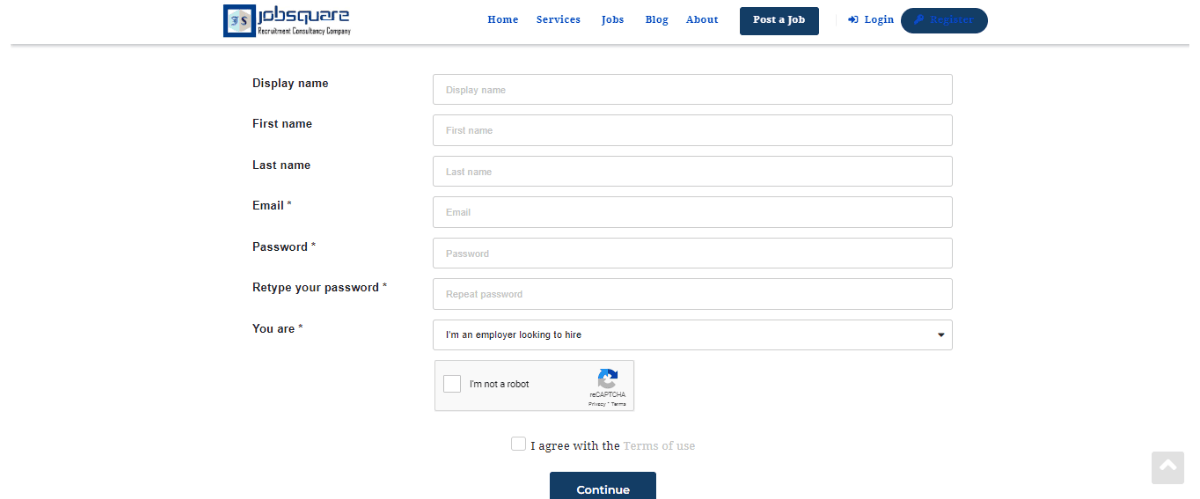
Visit https://jobsquare.co.in/post-job/ and register as an employer. You will enter a display name, your name, email, password, and whether you are hiring or looking for work.
Asterisk(*) marked fields are to be filled mandatorily.
Once you fill in these details and press continue, verify your account to get redirected to the next step.
Step 2: Fill in the company and job details
The fields include:
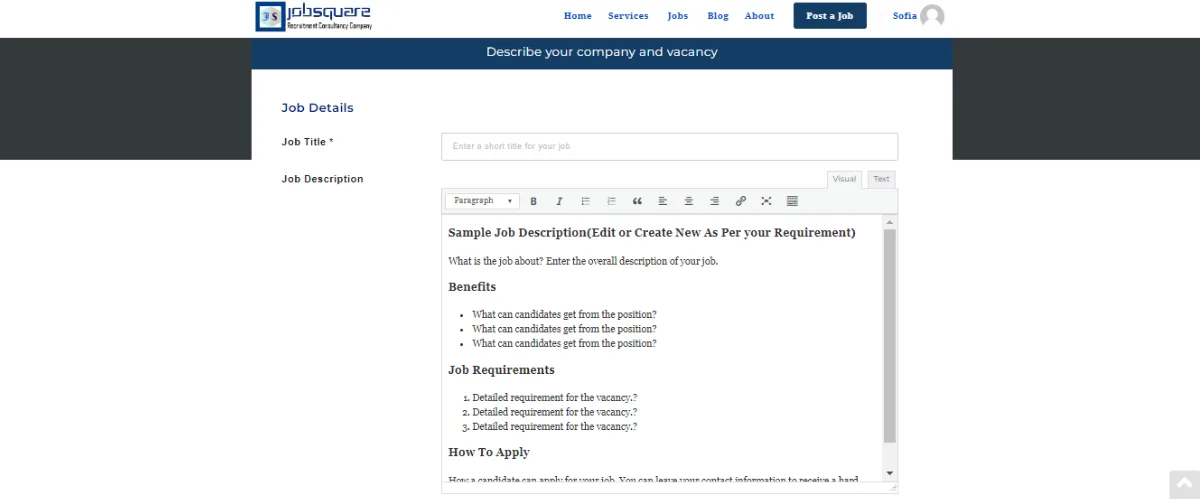
Job Details like Job Title*, Job Description, Cover Image, Job Category*, Job Type*, Job Location*, Address*, Postal Code (PIN Code)*, Salary Offer, and Closing Date (Set the Apply for Job expiry date. If left blank, it will automatically get the Job’s Expiration Date.)
Qualification*, Experience*, Video, Gallery, Company Name*, HR Contact Number, HR Email-Id, Company URL, No. of Openings, Custom Application URL
The Company Profile details also need to be filled in, these include
Company Name*, Company Description, Slogan, Company Logo, Company Cover Image, Portfolio, Category*, Location*, Website, Facebook, Twitter, LinkedIn, Instagram, Google+
Asterisk(*) marked fields are to be filled mandatorily.
Step 3: Preview and submit the job
Once done, you can preview the job details entered, make changes if required and give a final go-ahead.
Paid Job Posting Plans by JobSquare
Along with free job postings, Jobsquare provides two paid plans for job postings, named, featured and premium job postings.
The “Featured Job Post” plan provides all the features in the free plan, boosts the job on the search page, features the jobs on top, option of more than 10 custom fields, provides 50 job postings and a lot more.
The “Premium Job Posting” plan allows you to view and download the resume database, provides flexible job posting, and includes everything in the featured plan.
With RecootyAI ATS, you can post jobs on top job boards including Indeed, Monster, and ZipRecruiter. Its candidate-matching and scorecard features can help you track applicants and compare them against the role requirements.
Additional Resources on Job Posting:
JobSquare hiring workflow and measurement
The JobSquare form creates the listing, but your hiring process determines whether that listing produces a useful hire. A free listing can test demand, Featured visibility can improve placement, and Premium can add sourcing and reporting features. Choose based on the problem your team needs to solve.
| Employer need | JobSquare route | What to verify | Recruitment software role |
|---|---|---|---|
| Test one or two roles | Free Job Post | Current job limit, 30-day validity, resume access, and alert rules | Track applicants and close the role on time |
| Improve visibility in JobSquare | Featured Job Post | Placement, duration, included fields, and renewal terms | Compare qualified-application rate before and after promotion |
| Recruit regularly or across departments | Premium Job Posting | Current price, social promotion, resume access, analytics, and support | Centralize stages, scorecards, source, and team ownership |
| Hire across several boards | JobSquare plus an ATS | Duplicate listings, canonical source, and application handoff | Keep one candidate record and one reporting model |
The current Free Job Posting page says the free plan includes up to 10 jobs for 30 days, resume access, application management, resume alerts, and a company profile. The current Premium page describes ₹890 including GST on sale and adds social-media promotion, resume access, analytics, flexible controls, and priority support. Check those live pages before you plan a campaign.
The Recooty editorial view
Upgrade when extra reach produces more qualified applicants, faster shortlisting, or a lower cost per hire. If the free listing attracts the wrong audience, fix the title, location, salary, experience, and must-have requirements first. Paid visibility cannot make a vague role clearer.
JobSquare job-post quality checklist for better candidate matching
Before you submit the form, prepare the details that influence candidate fit and employer trust:
- Standard job title: Use the title candidates search for, not an internal nickname.
- Employment type: Separate full-time, part-time, contract, freelance, and internship routes.
- Location and work mode: State the city, postal code, remote or hybrid expectation, and travel requirement.
- Salary offer: Use the correct currency and pay period. A precise range helps candidates self-select.
- Qualification and experience: Separate essential requirements from preferences.
- Application route: Use a monitored HR email or a stable custom application URL, and test it on mobile.
- Closing date: Align the expiry date with the hiring plan. Close or renew the post as the role changes.
- Company profile: Complete the description, website, logo, social links, and location.
A listing is one step in a hiring funnel. Candidates discover the role, check the company, apply, and wait for a response. Track each stage instead of judging the post by views alone.
JobSquare hiring metrics to track in an ATS
| Metric | Why it matters | Action |
|---|---|---|
| Views to applications | Shows whether the listing earns a response | Improve title, salary, location, or opening paragraph |
| Applications to qualified applicants | Shows audience fit | Tighten the scorecard and clarify must-have requirements |
| Qualified applicants to interviews | Shows screening consistency | Use structured review criteria and response deadlines |
| Interviews to offers | Shows selection quality | Check whether the assessment matches the job outcomes |
| Offer acceptance | Shows candidate trust and competitiveness | Review pay, benefits, work mode, and communication |
| Cost per qualified applicant | Compares free, Featured, Premium, and other channels | Keep the route that produces quality at an acceptable cost |
For teams that need a broader hiring workflow, connect the page to Recooty’s applicant tracking system and compare it with how to choose the right recruitment software. For additional reach, link this process to how to post a job on LinkedIn and preserve the original source in the candidate record.
Conclusion: publish a clear JobSquare listing and own the follow-up
Complete the required job and company fields, preview the listing, and choose a plan that matches the role's reach and sourcing needs. Then assign someone to review applications, keep the post current, and measure qualified applicants through the hiring decision.
Frequently Asked Questions
What is JobSquare?
JobSquare is a recruitment consultancy and job search platform for employers and job seekers. Employers can advertise part-time, full-time, freelance, contract, and internship roles.
Can I hire freelancers through JobSquare?
Yes. JobSquare supports several employment types, including freelance, contract, full-time, part-time, and internship roles.
How can I download the resume database in JobSquare?
The Premium Job Posting plan describes resume database viewing and downloads, along with flexible posting controls and Featured-plan benefits.
Is JobSquare free for employers?
JobSquare currently offers a free job-posting plan, but the live plan page states limits such as up to 10 jobs and 30-day validity. Features, eligibility, and limits can change, so confirm the current account offer before publishing several roles.
How much does JobSquare Premium cost?
The current Premium page displays ₹890 including GST on sale, but promotional pricing can change. Confirm the final checkout price, plan duration, number of active jobs, resume access, analytics, and support terms before buying.
What is the difference between Featured and Premium Job Posting?
Featured is primarily a visibility upgrade. Premium adds broader benefits described by JobSquare, including social-media promotion, resume database access, analytics, flexible listing controls, and priority support. Compare the incremental qualified applications, not only the placement on the page.
How long does a JobSquare listing stay active?
The current free-plan page says free listings are valid for 30 days. Paid plans may have different terms. Set a calendar reminder to close, renew, or edit the listing when the role status changes.
Should I connect JobSquare to recruitment software?
Use an ATS when you need shared review, structured screening, multi-board distribution, or source-to-hire reporting. For a single low-volume hire, JobSquare’s dashboard may be sufficient. In both cases, preserve JobSquare as the source and test the application handoff.
Source: https://recooty.com/blog/how-to-post-a-job-on-jobsquare/
Practical recruiting playbooks, HR tutorials and hiring trends from the team behind Recooty — hiring software for growing teams.


