How to Post a Job on Seek | Comprehensive Guide [2026]
Discover how to efficiently post a job on Seek with our comprehensive step-by-step guide. Get tips on registering, selecting ad types, and managing applications to attract top…

![How to Post a Job on Seek | Comprehensive Guide [2026]](/_next/image?url=%2Fresources%2Fblogs%2Fmedia%2F2024%2F07%2FHow-to-Post-a-Job-on-Seek-1.png&w=3840&q=75)
CONTENTS
- 01Key takeaways
- 02Steps to Post a Job on Seek
- Step 1: Register as an Employer on Seek
- Step 2: Complete Your Employer Profile
- Step 3: Create a job ad
- Step 4: Select an Ad Type
- Step 5: Write About the Job
- Step 6: Manage Candidate Applications
- Step 7: Pay and Post
- 03Pricing of Posting a Job on Seek
- 04Recruitment software and SEEK: direct job ad or ATS?
- The Recooty editorial view
- 05SEEK ad selection and pricing: what employers should verify
- 06SEEK job ad quality checklist for candidate fit
- 07SEEK and ATS measurement plan
- 08Conclusion: publish a clear SEEK ad and measure the result
- 09Frequently Asked Questions
- More Additional Resources on Job Posting
Key takeaways
- SEEK is a regional hiring marketplace, so product names, pricing, free-ad availability, and account rules depend on the market. Do not copy an Australian Basic, Advanced, or Premium price into an India, New Zealand, or Asia hiring plan.
- SEEK uses variable ad pricing in many markets. Its current terms say price can depend on candidate supply and demand, the role’s average salary, and location, with the price shown to the hirer at purchase on the direct platform.
- The current SEEK product model is broader than an ad tier. Higher-level ads can add search visibility, candidate recommendations, AI targeting, email or app exposure, branding, and sourcing tools.
- Recruitment software is useful when the role must be published to several channels, applications need shared review, or the ATS owns the apply flow. Confirm pricing and application behavior before posting through third-party software.
- Make salary, location, work type, title, screening, and application route consistent. Track qualified applications and hires because visibility alone does not prove that a higher ad tier worked.
To post a job on SEEK, register as an employer, complete the profile and role details, select the available ad type, and review the application settings. This guide also explains how to choose a market-specific product and measure the quality of the applications you receive.

Steps to Post a Job on Seek
To post the job ad on Seek, follow the given steps.
Step 1: Register as an Employer on Seek
- Visit SEEK’s Talent page.
2. Enter your work email address and click on the Register button.
3. Set up a password to create your employer account.
Note: Your email will be verified before you can post a job ad.
Step 2: Complete Your Employer Profile
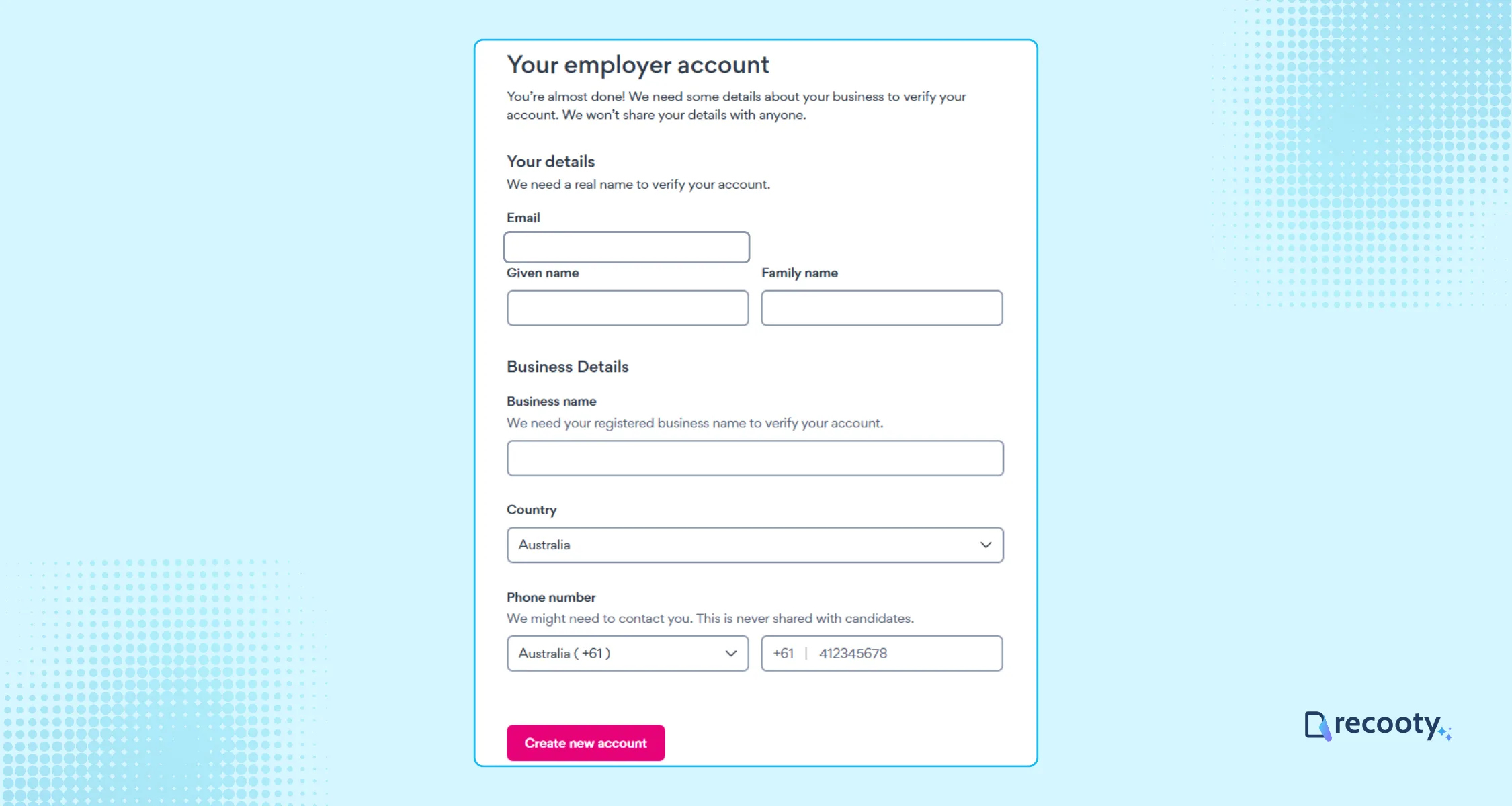
Fill out your profile with essential information, including your name, business details, phone number, and country.
Once completed, click the Create Account button.
Step 3: Create a job ad
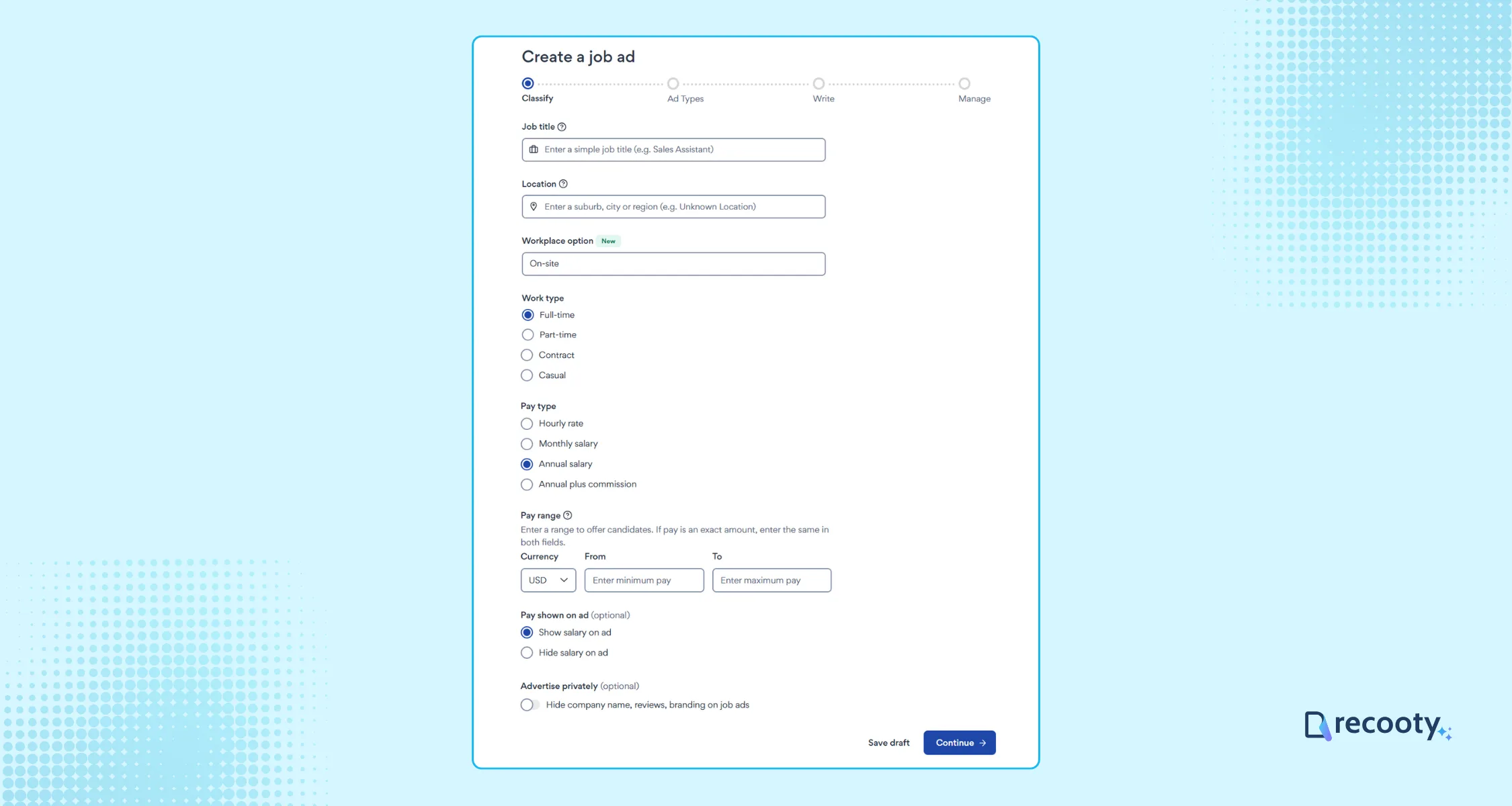
Input key job details such as the job title, location, category, work type, and pay range. You have the option to display or hide salary information. Once done, click Continue.
Step 4: Select an Ad Type
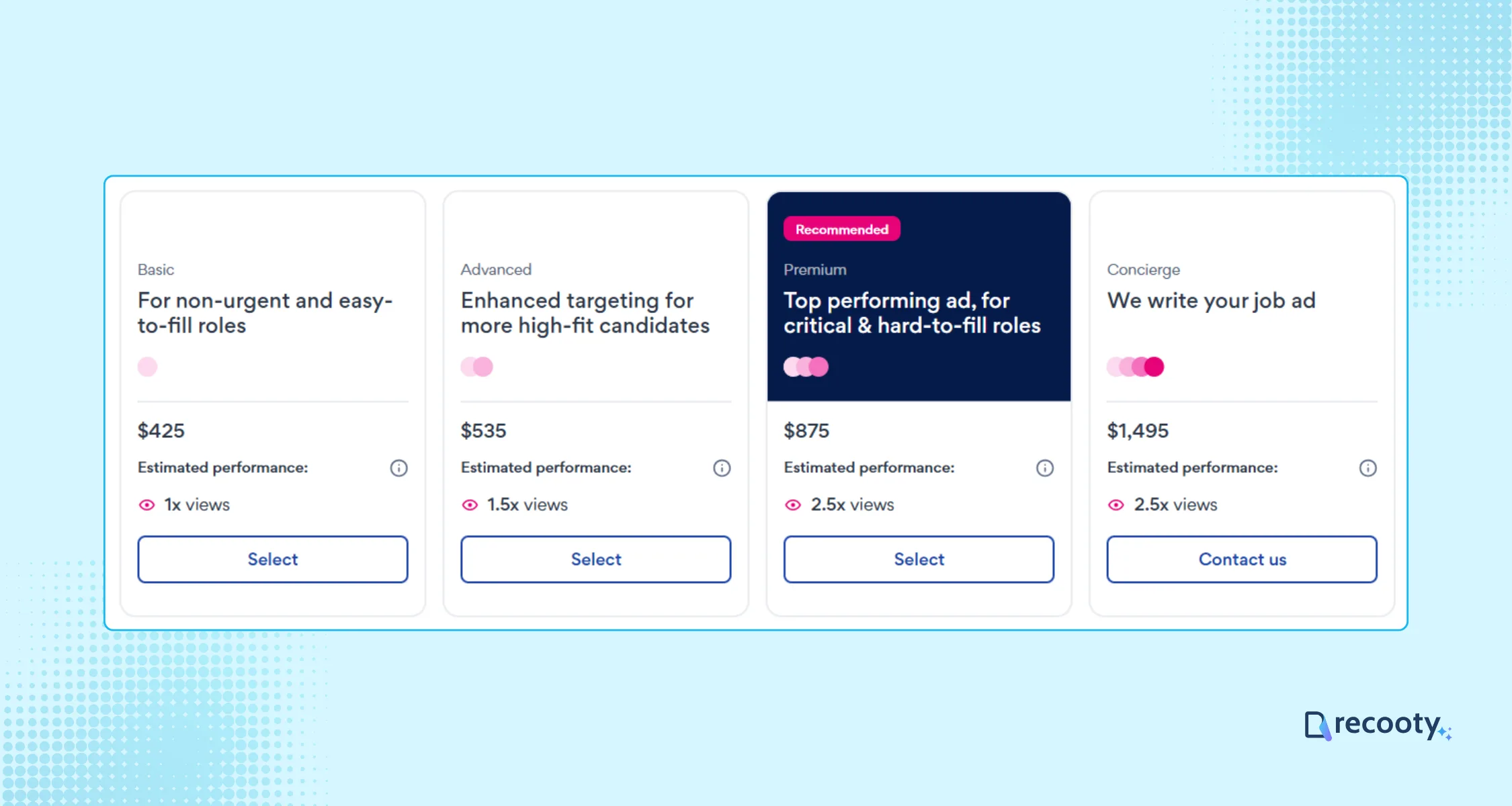
Choose from three ad types according to your preferences, including Basic, Advanced, and Premium.
There is one more plan named Concierge, which includes all the features that Premium plans have, plus more, but this is not applicable for all job roles.
Click the Continue button when ready.
Step 5: Write About the Job
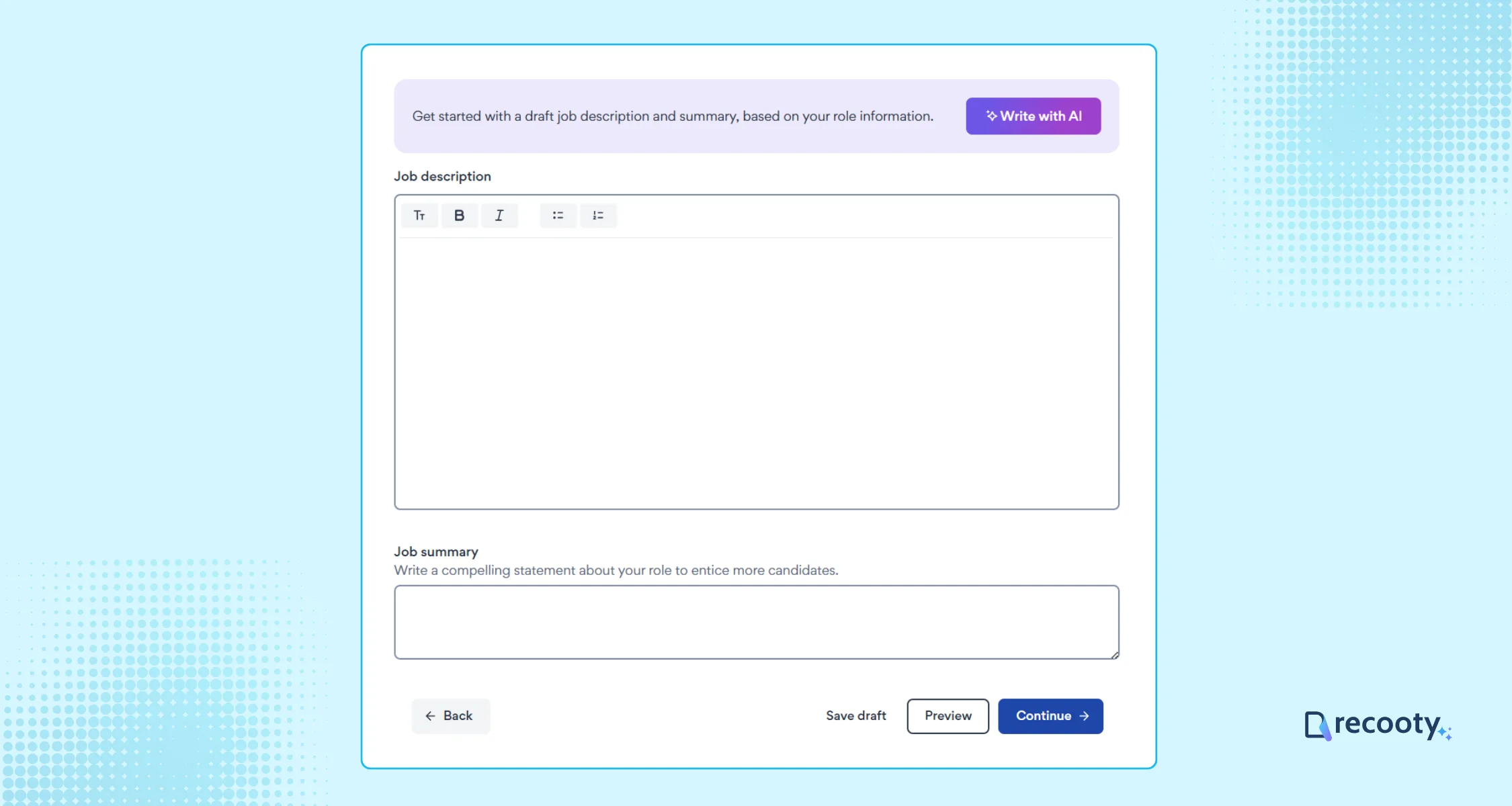
- Draft a compelling job description. Utilize the “Write with AI” feature to ensure clarity and impact.
- Include a job summary that captures candidates’ attention immediately. Showcase your brand image if desired.
You can also utilize Recooty’s free AI job description generator to write a compelling, SEO-optimized, and bias-free job description.
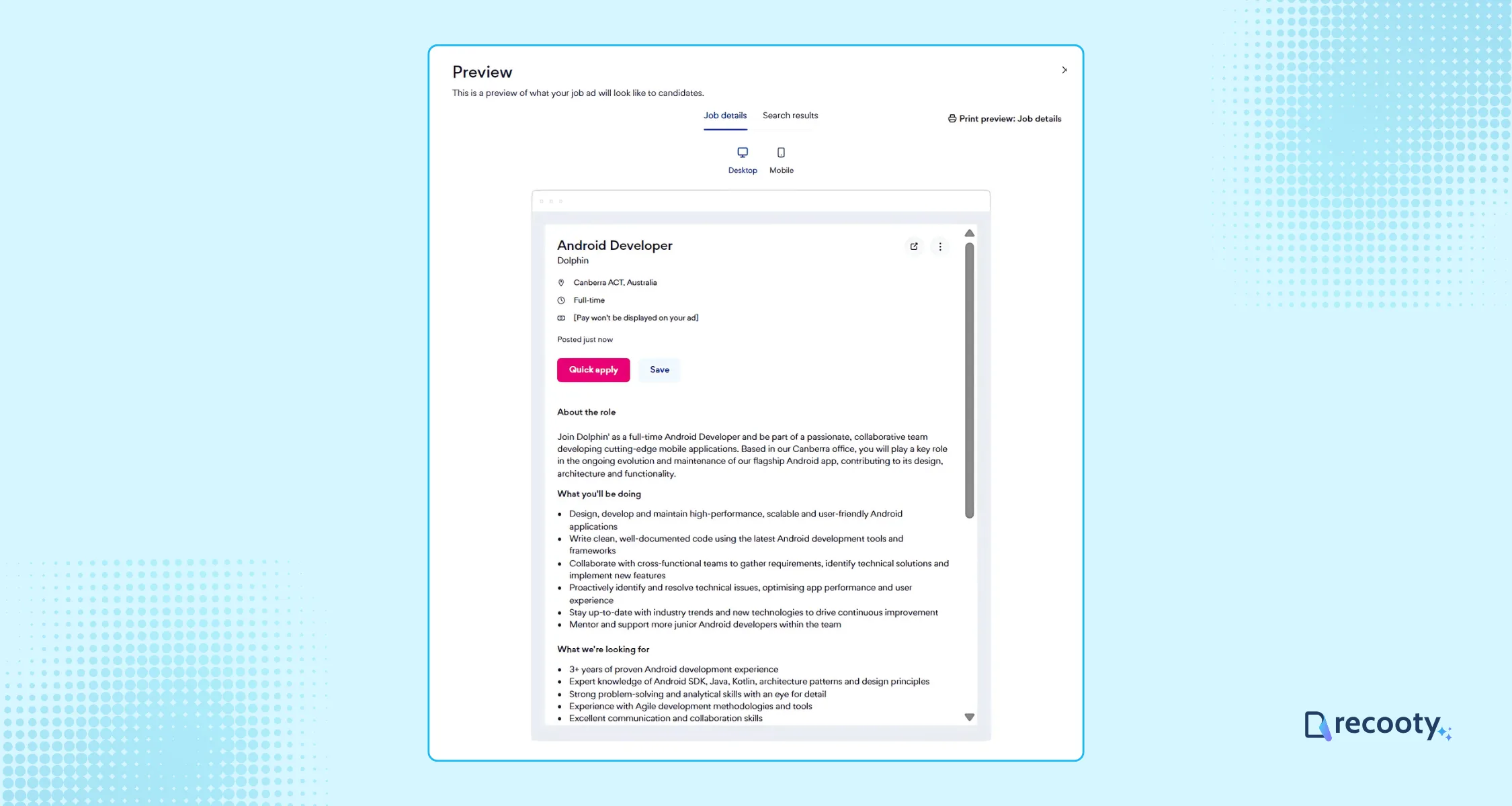
Once done, you can preview the job ad or click Continue to move forward.
Step 6: Manage Candidate Applications
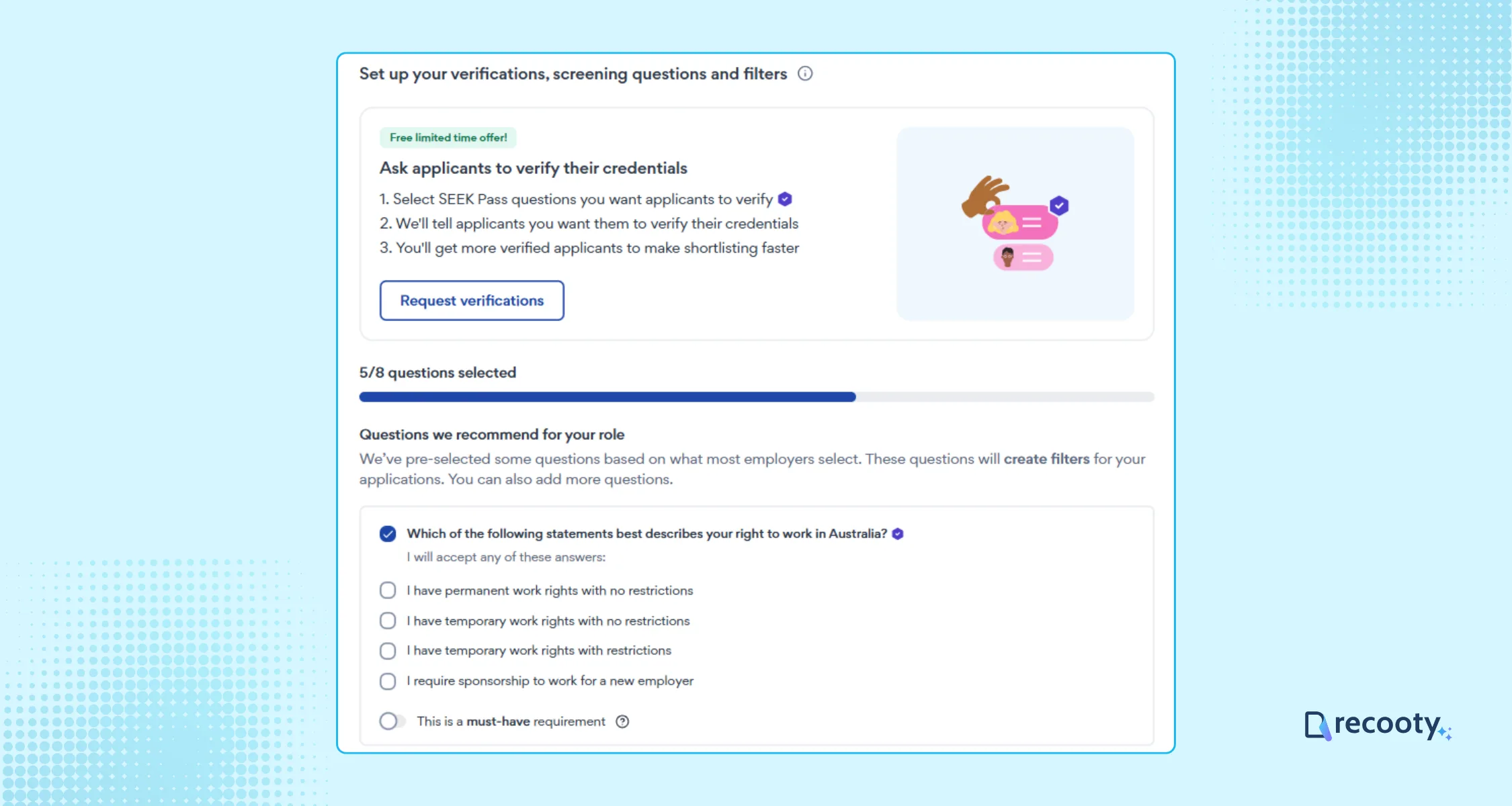
Choose up to 8 screening questions to help filter candidates and add an internal job reference for your records.
Step 7: Pay and Post
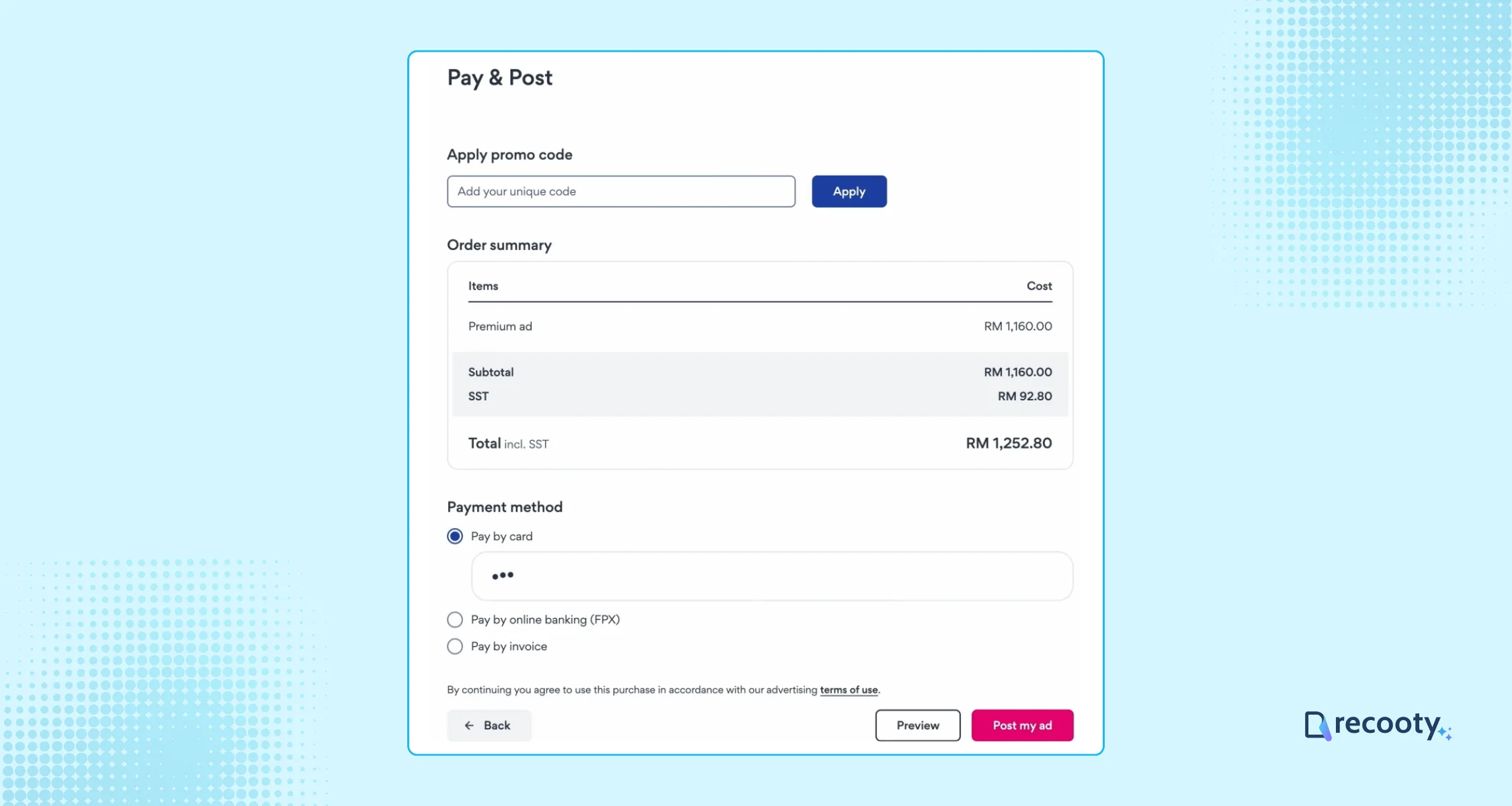
Complete the payment process. Click Post My Ad to finalize your listing.
Pricing of Posting a Job on Seek
The cost of listing a job ad on Seek varies based on the chosen plan.
Seek provides three plans: Basic, Advanced, and Premium, each with distinct features and benefits catering to different business needs.
There is an additional plan called Concierge, which offers all the features included in the Premium plan, along with extra benefits. However, this plan is not applicable to all job roles.
You can explore these options by visiting SEEK’s Product Page.
Recooty allows you to post jobs on world-class job boards in a few clicks. Its integrated AI-powered ATS can help you create job descriptions and manage applications.
Recruitment software and SEEK: direct job ad or ATS?
SEEK gives employers a direct view of the ad products and current price. Recruitment software can make repeat hiring easier to publish and measure, but the integration may show different fields, products, or pricing behavior.
| Hiring situation | Direct SEEK route | Recruitment software or ATS route | Decision check |
|---|---|---|---|
| One local vacancy | Choose the available ad and complete the direct form | Useful only if applications need a shared pipeline | Compare setup time with application volume |
| Several roles across channels | Repeat the ad process for each role | One job record can distribute to SEEK and other boards | Confirm source attribution and duplicate control |
| High-volume hiring | Use premium visibility and sourcing tools | Automate screening, stages, interview scheduling, and reporting | Measure cost per qualified applicant, not only reach |
| Branded candidate experience | Use SEEK employer branding fields | Send candidates to a controlled career page or ATS form | Test the handoff on mobile before launch |
SEEK’s current product terms warn that ad cost may not display at purchase when an employer uses third-party software. Use SEEK’s price checker or direct employer flow to confirm the current price. For an ATS connection, also verify the ad products, application method, salary fields, and status updates.
The Recooty editorial view
Choose the least expensive ad that gives the role a fair chance in the target market, then upgrade when data shows an exposure problem. If the listing receives views but few qualified applications, improve the title, salary visibility, location, or description first. Use recruitment software when inconsistent follow-up costs more than the platform.
SEEK ad selection and pricing: what employers should verify
SEEK’s FY2026 annual-report information describes variable pricing based on placement likelihood, difficulty of finding a qualified applicant, average salary, and location. Current product terms also refer to candidate supply and demand, so an old price table is not a current quote.
| Pricing or product question | Why it matters |
|---|---|
| Which country and employer account is being used? | SEEK’s products and free or Lite routes differ by market |
| Is the price direct or through an integration? | Third-party software may not display the final ad price at purchase |
| What visibility is included? | Basic, Advanced, Premium, Concierge, or local equivalents can differ in search, email, app, and recommendation placement |
| Is candidate targeting included? | Current SEEK materials describe AI-enhanced targeting and recommendations for some ad products |
| What is the ad’s full duration and closure rule? | Closing early may still incur the full ad charge under product terms |
| Can you change the apply method later? | Switching a live ad between SEEK Apply and an external form can complicate tracking |
For a hard-to-fill role, compare similar ads and make details such as salary visible when the listing underperforms. Use local search and application data to choose the next change instead of automatically buying the highest tier.
SEEK job ad quality checklist for candidate fit
- Use a familiar title. Add the genuine specialty, seniority, or shift pattern candidates search for.
- Show the work arrangement. State the location, remote or hybrid status, hours, travel, and start date.
- Make pay clear. Include the range, currency, pay period, commission, and important conditions.
- Separate essential and preferred skills. This helps candidates self-select without excluding viable applicants unnecessarily.
- Use a concise summary. Put the role outcome and strongest reason to join near the top.
- Choose screening questions carefully. Keep questions job-related and use the same scorecard for each applicant.
- Test the application route. Confirm whether applications go to SEEK, email, an ATS, or a careers page.
- Close and update promptly. Do not leave a filled job live or change material details without updating the candidate journey.
SEEK and ATS measurement plan
| Metric | What it reveals | What to change |
|---|---|---|
| Search views and ad clicks | Whether the role is visible to the intended market | Title, category, location, or ad product |
| Apply starts | Whether the listing earns intent | Summary, salary visibility, or apply call to action |
| Completed applications | Whether the application path works | Form length, mobile usability, or redirect |
| Qualified-application rate | Whether SEEK is reaching the right audience | Requirements, screening, targeting, or category |
| Interview and offer rate | Whether the source produces viable candidates | Scorecard, recruiter response, or role competitiveness |
| Cost per qualified applicant and hire | Whether the ad tier is economically useful | Keep, downgrade, upgrade, or change channel |
For the workflow layer, connect the process to Recooty’s applicant tracking system and review how to choose the right recruitment software. If SEEK sends candidates to your own page, use how to create a career page that converts to keep the listing, employer story, and application experience aligned.
Conclusion: publish a clear SEEK ad and measure the result
Complete the employer profile, choose the market-specific ad product, and test the application path before paying. Keep the salary, location, work type, and status current, then compare qualified applications and hires before changing the ad tier.
Frequently Asked Questions
How much does it cost to post a job on SEEK?
SEEK pricing varies by country, account, role, location, candidate supply, demand, average salary, and selected ad product. Use the current SEEK price checker or direct employer flow for the final price instead of relying on an old Basic, Advanced, or Premium estimate.
Is posting a job on SEEK free?
It depends on the market and product. Some SEEK or regional Jobstreet products offer Lite or free routes for selected roles, while other markets require paid ads. Confirm availability in the employer account before assuming a free listing is available.
What is the difference between Basic, Advanced, Premium, and Concierge ads?
The names and features vary by market, but higher tiers generally buy more visibility, recommendations, branding, sourcing, or support. Compare the actual features and estimated candidate outcomes shown in your account rather than choosing by label alone.
Can I post a SEEK job through an ATS?
Yes, eligible recruitment software integrations can offer SEEK job-posting products. Confirm which ad products are available, how pricing is displayed, where applications land, how source attribution works, and how the ATS closes or updates the job.
How long does a SEEK job ad stay active?
The duration depends on the product and market. Do not assume every SEEK ad runs for 30 days. Check the terms shown before purchase and close or update the role promptly when the hiring status changes.
Should salary be visible on a SEEK job ad?
In most cases, a clear salary or range helps candidates decide whether the role fits and gives the team a stronger matching signal. Use the correct currency and pay period, and make sure the displayed range matches the actual hiring budget.
More Additional Resources on Job Posting
Practical recruiting playbooks, HR tutorials and hiring trends from the team behind Recooty — hiring software for growing teams.


