How to Post a Job on Snagajob [Comprehensive Guide 2026]
To post a job on Snagajob, start by creating a free account, providing your company details, and contact information.

![How to Post a Job on Snagajob [Comprehensive Guide 2026]](/_next/image?url=%2Fresources%2Fblogs%2Fmedia%2F2024%2F06%2FHow-to-Post-a-Job-on-Snagajob.png&w=3840&q=75)
CONTENTS
- 00Introduction
- 01Key takeaways
- 02Why post a job on Snagajob?
- 035 Easy Steps to Post a Job on Snagajob
- Step 1: Create a Snagajob Account
- Step 2: Prepare Your Job Posting
- Step 3: Fill in Your Posting Budget and Billing Information
- Step 4: Submit Your Job Posting for Review
- Step 5: Start Attracting Candidates
- 04How Does Snagajob’s Job Posting Work?
- 05How to Manage Candidates on Snagajob
- 06Cost of Posting a Job on Snagajob
- 07Recruitment software and Snagajob: build an hourly hiring workflow
- 08Snagajob free versus sponsored posting: current rules
- 09Snagajob job posting quality checklist for hourly roles
- 10Snagajob hiring metrics to connect to recruitment software
- 11A practical Snagajob publishing decision
- 12Frequently Asked Questions
- 13Additional Resources on Job Postings
Snagajob is a practical channel for hourly, shift-based, and frontline hiring. To publish a role, create an employer account, describe the work clearly, choose free or sponsored placement when eligible, and select the application route your team can manage.
The steps below cover the posting form, the details that help candidates decide quickly, and the checks to make after the listing goes live.
Key takeaways
- Snagajob is designed for hourly hiring across sectors such as restaurants, retail, logistics, grocery, cleaning, and healthcare. The current employer page describes a network of more than 6 million hourly job seekers and 700,000 employers, so older “100 million monthly job seekers” claims should be treated cautiously.
- Free posting is available, but Snagajob’s current employer guide says there is no strict universal free-post limit and that some jobs may require sponsorship, including generic-company and hard-to-fill roles.
- Sponsored jobs use pay-for-performance apply-click pricing. The amount varies with job title, location, and market conditions, so there is no safe universal Snagajob job posting price.
- Wage, location, O*NET category, work type, qualifications, and application method are matching signals. Snagajob says a specified wage can receive a Verified label, while a missing wage may be estimated from labor data, location, and category.
- Recruitment software is useful when hourly applications arrive from Snagajob and other boards. Preserve the source, shift or schedule, wage, screening responses, and response time in one workflow.
Snagajob focuses on hourly roles in areas such as retail, hospitality, healthcare, and other frontline work. It is also listed among Recooty’s premier job boards, so it can be one part of a wider distribution plan.
To post a job, create an employer account, enter the role and worksite details, choose an application method, and submit the listing for review. The account will show the available free or sponsored route for that role.
Why post a job on Snagajob?
Here are four compelling reasons to consider posting your job on Snagajob:
1. Hourly audience: Snagajob is built around hourly employment. Its audience can be relevant when your role depends on shift availability, commute, or start date. The older company profile remains a historical reference rather than a current audience count.
2. Local and national hiring: Add the exact worksite and schedule so candidates can judge the commute and availability before applying.
3. Search and matching: Accurate location, title, category, wage, and availability give the platform useful signals for matching.
4. Screening: Custom questions can help your team check the requirements that matter for the shift.

5 Easy Steps to Post a Job on Snagajob
Step 1: Create a Snagajob Account
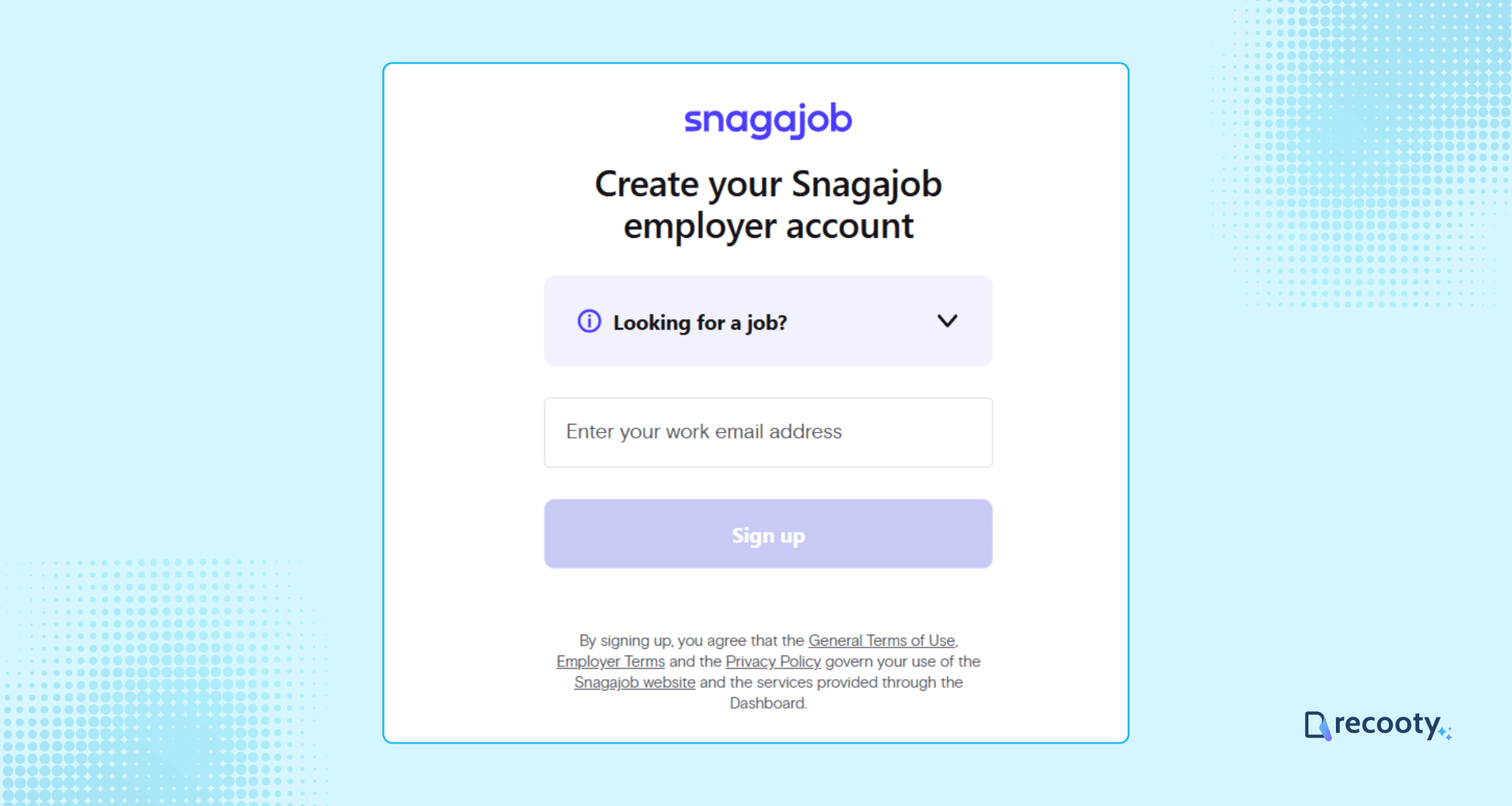
To post a job on Snagajob, begin by registering for a free account. The registration process is user-friendly and requires basic information:
- Work email address
- Full name and password
- Business address (city, state, zip code) and phone number
Be sure to review their Terms of Use for complete guidelines.
Step 2: Prepare Your Job Posting
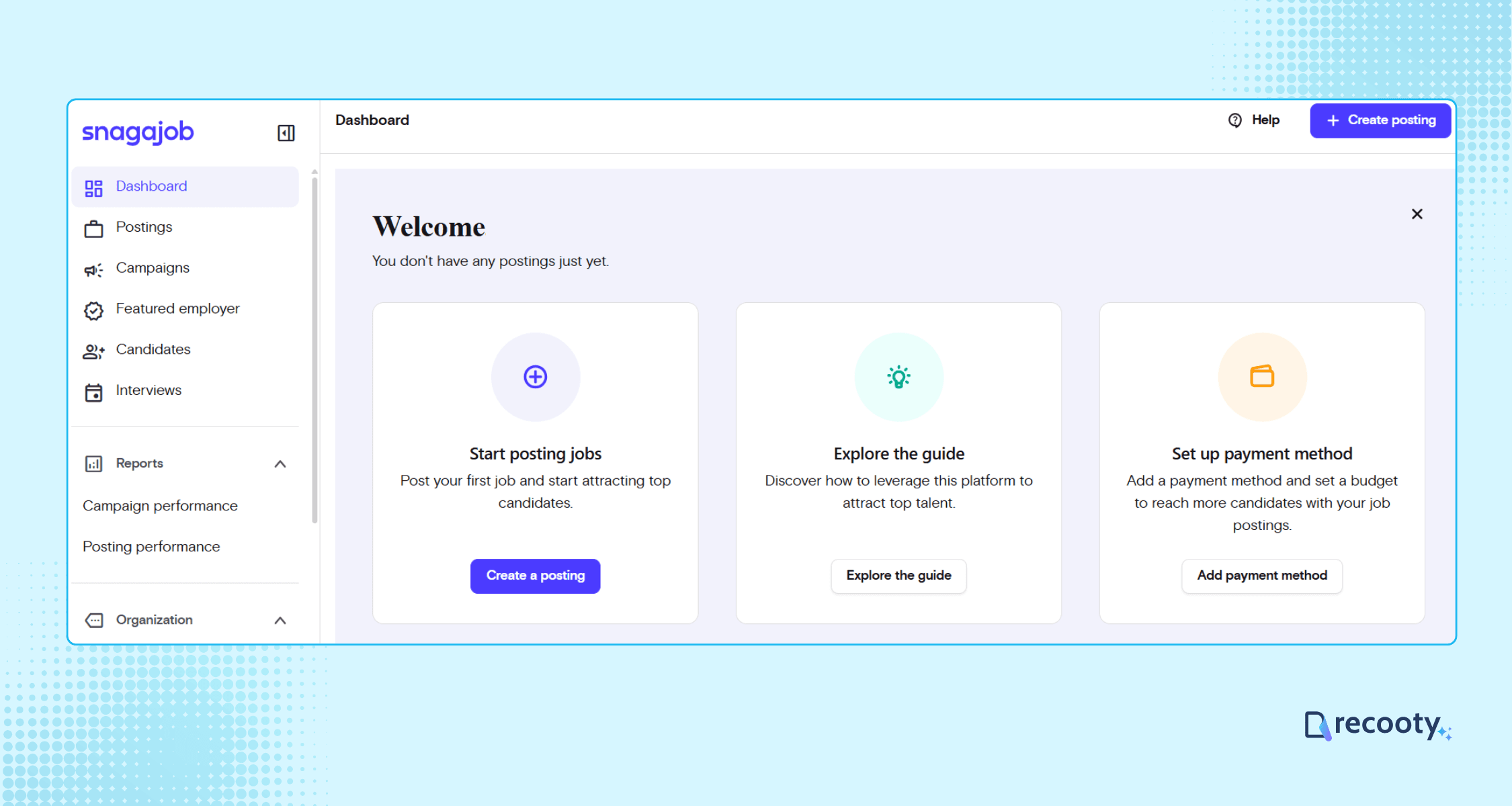
After setting up your account, you can begin creating your job listing. Click “Create Posting” on the Snagajob dashboard.
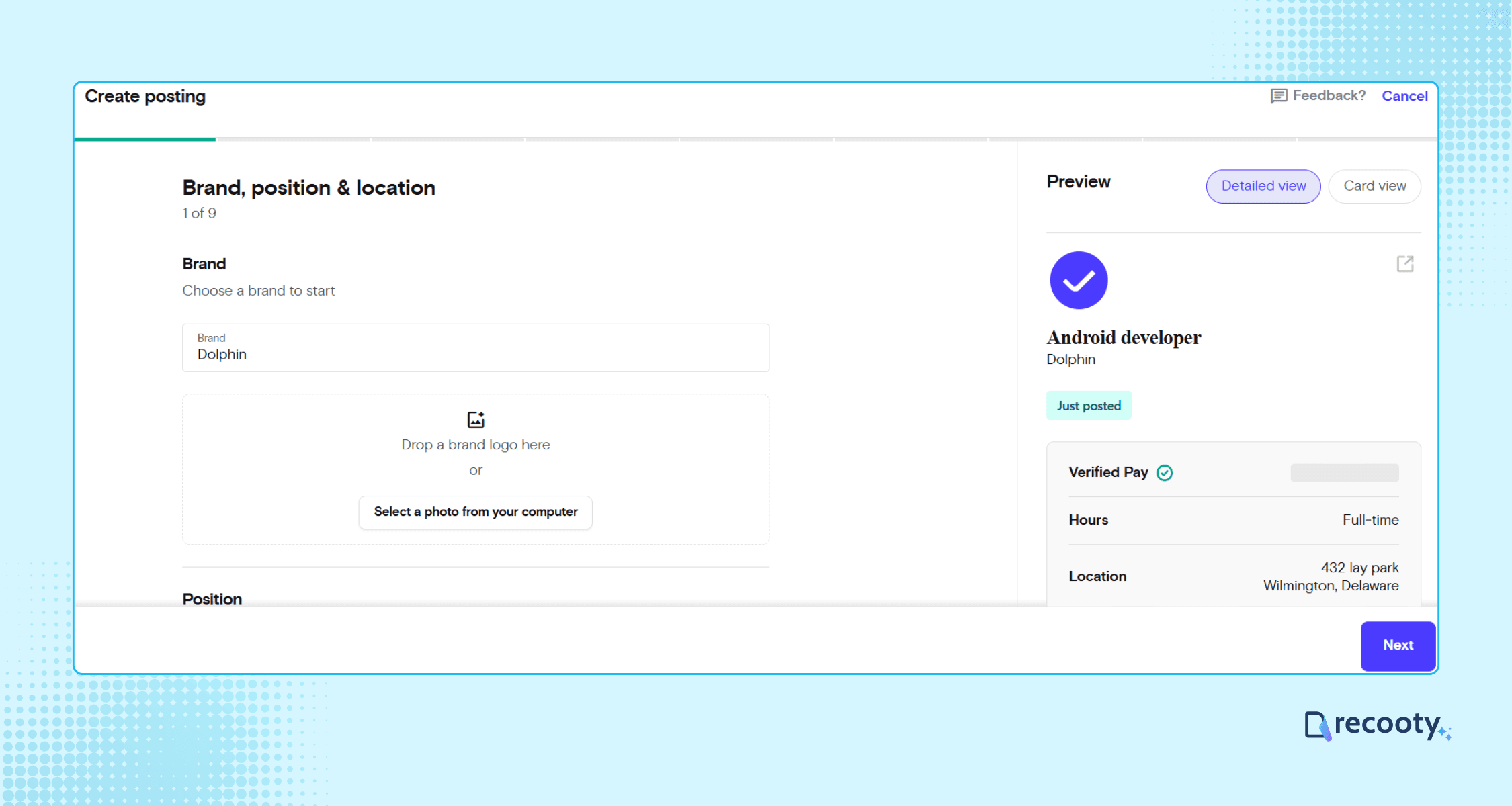
Snagajob’s posting wizard guides you to enter essential information, including:
- Brand Name, Position, and Location
- Industry, Job Title, and Category
- Wage Structure (hourly, daily, monthly)
- Working Hours (part-time or full-time)
- Qualifications and Age Requirements (up to five recommended)
- Job Description
If you’re unsure about writing the job description, consider using a free AI job description generator available online.
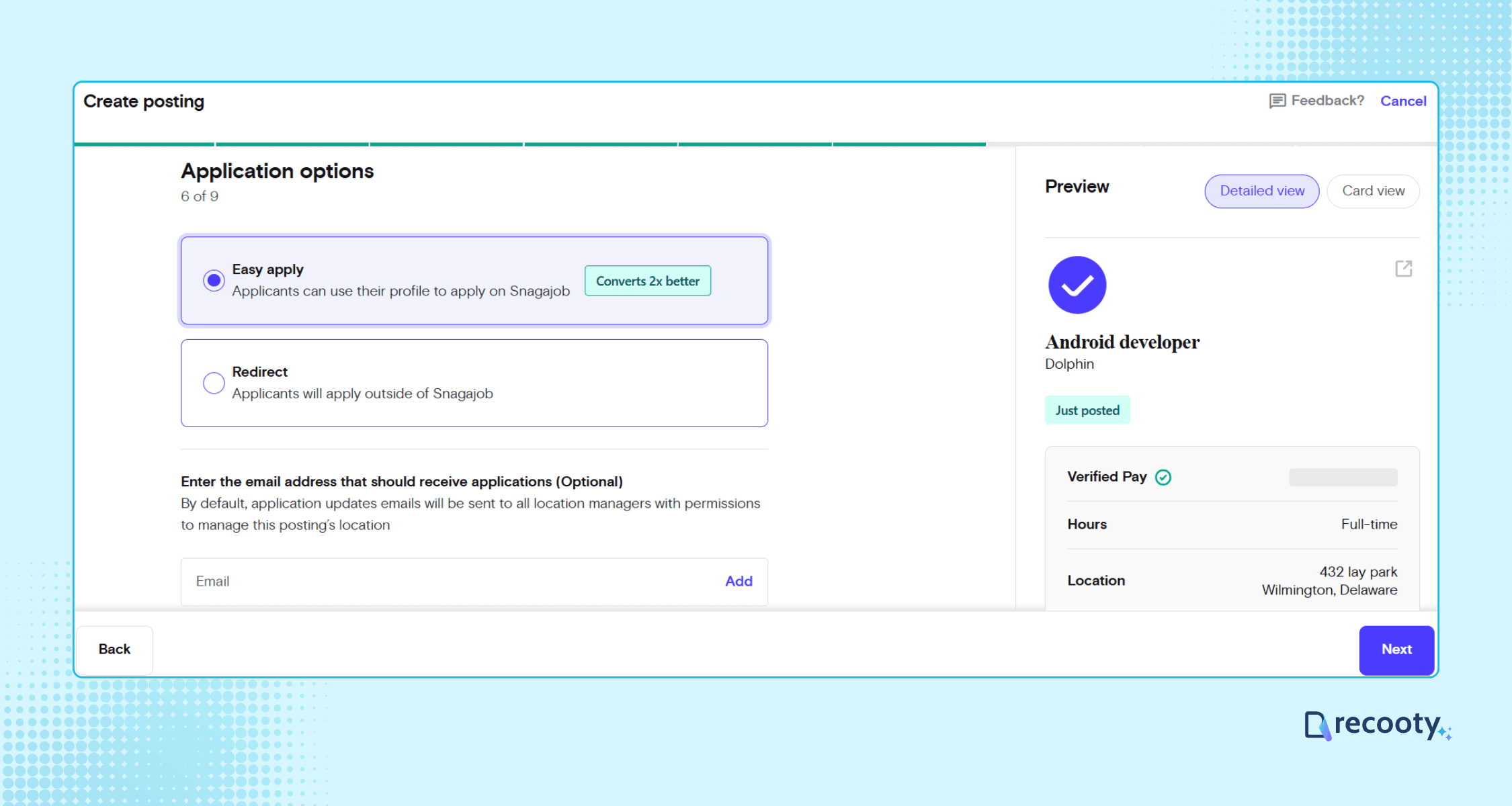
You also have the option for “easy apply” or redirect.
After inputting your details, you’ll get a preview of the job posting.
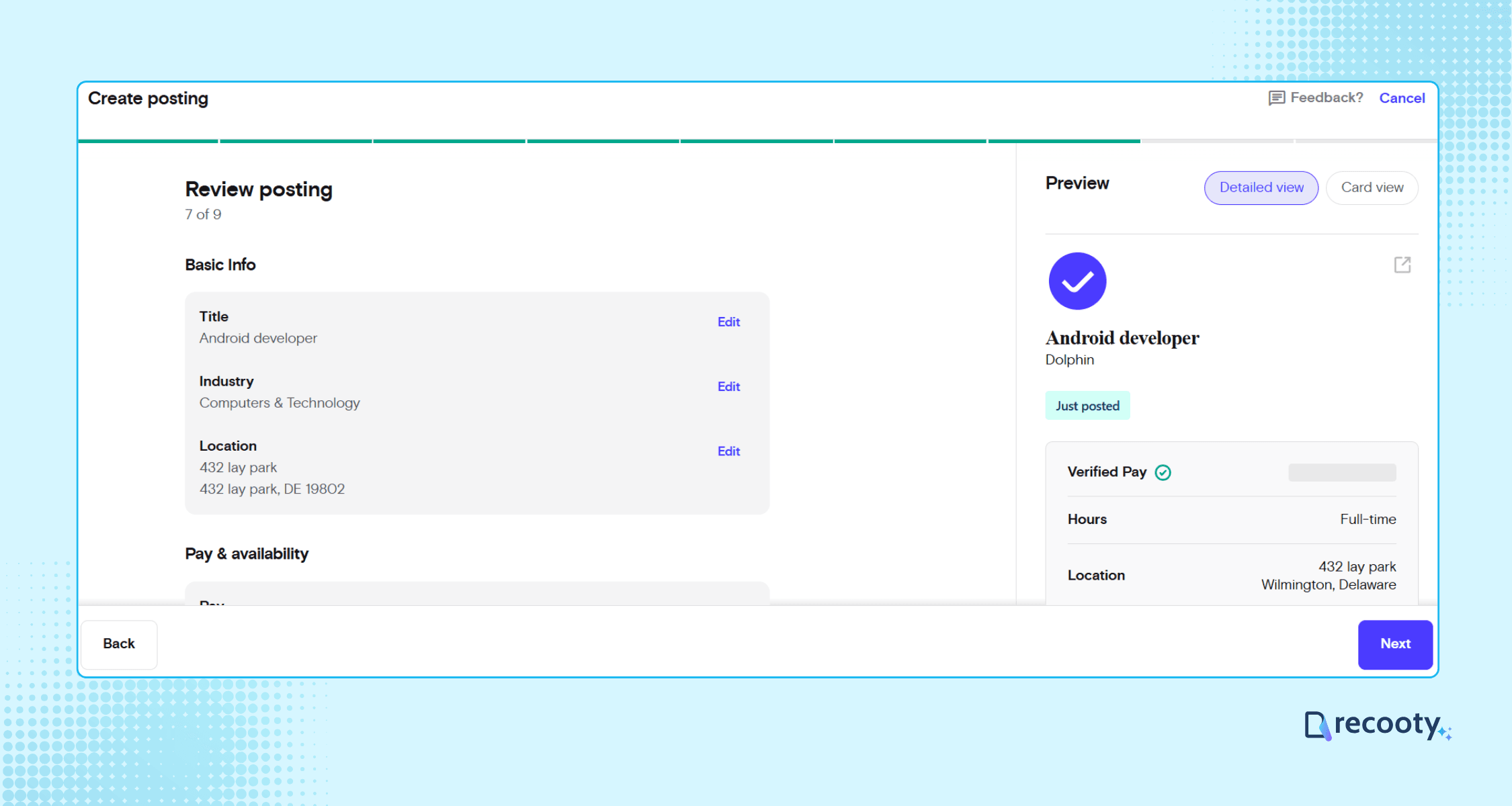
Step 3: Fill in Your Posting Budget and Billing Information
Once your job posting is ready, you’ll have the option to either sponsor the job posting or post it directly for free.
If you choose to sponsor your post, you will need to provide your posting budget and select the end date for the sponsorship.
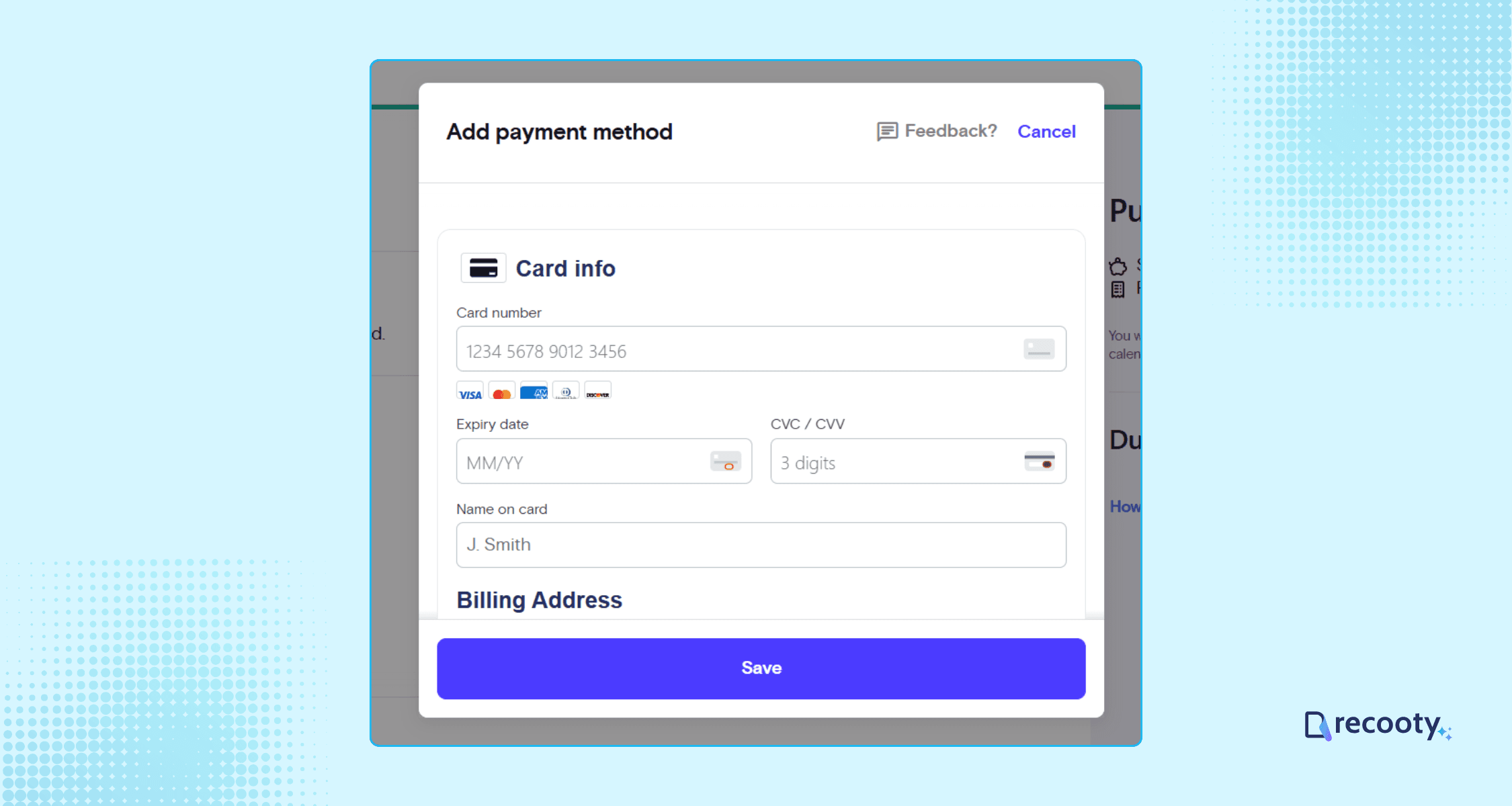
Step 4: Submit Your Job Posting for Review
After entering your billing details, submit your job posting for review with just one click. Snagajob’s team will verify your information and approve it before publication.
Step 5: Start Attracting Candidates
Once approved, your job posting will be live on Snagajob. Your job will remain active for 30 days, during which you can wait for applicants and screen potential candidates for interviews.
How Does Snagajob’s Job Posting Work?
Once you post a job on Snagajob, here’s what happens:
- Active job seekers in your area will receive notifications about your posting.
- Your job will be visible in relevant search results on the Snagajob website and mobile app.
- Local job seekers will receive the job listing via Daily Job Alert emails.
- You’ll receive a unique URL for sharing your job posting on social media platforms.
How to Manage Candidates on Snagajob
Snagajob provides tools for effective candidate management. You can sort, filter, and review candidates on both desktop and mobile platforms. For optimal results, consider broadcasting your job across multiple job boards.
Using an Applicant Tracking System (ATS)
can help consolidate your recruitment efforts, allowing you to manage applications from various job boards in a streamlined dashboard.
Cost of Posting a Job on Snagajob
The cost for posting on Snagajob depends on whether you opt for a free listing or choose to sponsor your job.
If you elect to sponsor your job on Snagajob, you will pay based on ‘Apply Now’ button clicks, with charges incurred only when candidates apply.
Your first invoice will be sent when your account balance reaches $25 to validate your payment method. Invoices are subsequently sent on the first day of each month for clicks received during the previous month.
Recruitment software and Snagajob: build an hourly hiring workflow
The posting form is only the first decision. Choose whether Snagajob should manage applications or send candidates to your ATS. Easy Apply suits a short mobile process; an external ATS fits roles that need structured screening, scheduling, onboarding, or reporting across several boards.
| Hiring need | Snagajob route | Best workflow choice | Measure |
|---|---|---|---|
| One local hourly role | Free listing with Easy Apply | Review applications in Snagajob and set a response deadline | Completed applications and qualified rate |
| Urgent or hard-to-fill shift | Sponsored job with an apply-click budget | Add a stop rule and compare paid versus free quality | Cost per qualified application and time to fill |
| Several locations or brands | Templates, brand selection, and multiple postings | Use an ATS to preserve location, shift, and source | Qualified applicants by location and role |
| Hiring with assessments or onboarding | External ATS or career-page route | Keep screening, interview, documents, and status in one record | Stage conversion and no-show rate |
Snagajob’s current posting guide describes the posting fields and reports that Easy Apply has averaged a 2x higher conversion rate in its guidance. Treat that as a platform-reported benchmark and compare it with your own completed applications and hires.
Snagajob free versus sponsored posting: current rules
Snagajob’s employer sponsorship guide says sponsored jobs receive preferential placement, may display an "Urgently Hiring" badge, and charge when a candidate clicks Apply Now. The apply-click cost varies with title, location, and market conditions, and some roles may require sponsorship.
| Question | Free post | Sponsored post |
|---|---|---|
| Visibility | Standard search visibility and local alerts where eligible | More prominent placement and increased exposure |
| Cost | No posting fee when eligible | Pay when a candidate clicks Apply Now; rate varies |
| Eligibility | Some roles or employer types may be restricted | May be required for generic-company or hard-to-fill roles |
| Budget control | No paid campaign budget | Set a budget and duration, then monitor the balance |
| Best fit | Stable local hiring with enough organic demand | Urgent, competitive, or underexposed hourly roles |
The current Snagajob employer page lists industries such as restaurants, hospitality, logistics, e-commerce, grocery, and cleaning. Check the employer account for the route and rate shown for your role.
Snagajob job posting quality checklist for hourly roles
- Brand and location: Select the correct brand and exact worksite so candidates know who is hiring and where the shift occurs.
- Job title and category: Use a common title and the closest O*NET category to improve search and matching.
- Wage: State the hourly wage or salary range, currency, overtime or tips context, and any shift differential.
- Schedule: Add days, hours, shift type, start date, seasonal dates, and expected availability.
- Qualifications: Keep requirements job-related and realistic. Use the platform’s screener questions consistently.
- Application choice: Use Easy Apply for a short mobile process or an ATS redirect for longer assessments and shared hiring stages.
- Candidate promises: Explain training, benefits, uniforms, transportation, scheduling, and advancement when they are genuinely available.
- Lifecycle: Update or close the post when the shift is filled, the wage changes, or the location is no longer hiring.
Candidates often decide on wage, commute, schedule, and start date before they read a long employer story. Put those fields near the top, then use the employer profile to answer the next questions.
Snagajob hiring metrics to connect to recruitment software
| Metric | Why it matters | Action |
|---|---|---|
| Apply clicks to completed applications | Shows whether the application route works | Reduce mobile friction or clarify requirements |
| Applications by shift and location | Shows where demand or supply is strongest | Adjust schedule, wage, or location targeting |
| Qualified-application rate | Shows whether the listing attracts workable candidates | Improve category, title, and screening |
| Interview show rate | Shows candidate commitment and reminder quality | Confirm schedule and send timely reminders |
| Offer acceptance and first-shift attendance | Shows whether the promise matches reality | Review pay, hours, expectations, and follow-up |
| Cost per qualified applicant and hire | Compares free and sponsored routes | Keep the route that produces reliable staffing |
For the shared workflow, link Snagajob to Recooty’s applicant tracking system and compare the requirements with how to choose the right recruitment software. For the role copy, how to create a career page that converts helps keep the apply destination consistent.
A practical Snagajob publishing decision
Publish the clearest hourly job you can, then choose free or sponsored placement based on the role’s visibility and urgency. After launch, compare completed and qualified applications, interviews, hires, and first-shift attendance before increasing spend.
Frequently Asked Questions
Is Snagajob free for employers?
Eligible employers can post jobs for free, but Snagajob’s current guide says some jobs may require sponsorship, including generic-company and hard-to-fill roles. Confirm the status shown in your employer account instead of assuming every role has the same free route.
How much does Snagajob sponsorship cost?
Sponsored jobs use apply-click pricing. The cost varies with job title, location, and market conditions, so there is no reliable universal daily price. Set a budget, record the rate shown in your account, and compare cost per qualified application.
What jobs are best for Snagajob?
Snagajob is most relevant for hourly, part-time, seasonal, shift-based, and frontline roles in areas such as restaurants, retail, hospitality, logistics, grocery, cleaning, and healthcare. For senior salaried roles, compare the audience with LinkedIn, specialist boards, referrals, and your career site.
Should I use Easy Apply or an ATS link?
Use Easy Apply when the job can be screened with a short, mobile-friendly application and the team can review candidates quickly. Use an ATS link when you need structured assessments, document collection, interview scheduling, onboarding, or one pipeline across several job boards.
Why did Snagajob estimate the wage on my listing?
Snagajob’s current posting guide says that when no wage is provided, it may display an estimate based on Bureau of Labor Statistics data, location, and job category. Add the actual wage or range when possible so candidates are not evaluating an estimate instead of the employer’s offer.
How do I know whether sponsorship worked?
Compare apply clicks, completed applications, qualified-application rate, interview show rate, hires, and cost per hire with the free-post baseline. More clicks are useful only when the additional traffic produces candidates who can work the shift and meet the role requirements.
What can I expect after posting a job on Snagajob?
Eligible listings can appear in relevant search results and local alerts. The exact reach depends on the role, location, application route, and whether the post is sponsored.
Additional Resources on Job Postings
Source: https://recooty.com/blog/how-to-post-a-job-on-snagajob/
Practical recruiting playbooks, HR tutorials and hiring trends from the team behind Recooty — hiring software for growing teams.


