How to Post a Job on Monster | Monster for Employers 2026
Here is a step-by-step guide on how to post a job on Monster. Setup your Monster for Employers account and start posting jobs on Monster.

CONTENTS
- 01Key takeaways
- 02How to post a Job on Monster
- Posting Indirectly via an Applicant Tracking System (ATS)
- Directly through Monster for Employers
- 03Tips to Successfully Post a Job on Monster
- 04Pricing of Posting a Job on Monster
- 05Recruitment software and Monster+: choose free, promoted, or resume sourcing
- The Recooty editorial view
- 06Monster job post checklist for better candidate quality
- 07Monster and ATS measurement plan
- 08Conclusion: choose the Monster route that fits the role
- 09Frequently Asked Questions
- More Resources on Job Posting
Key takeaways
- Monster’s current U.S. employer pages use the Monster+ model. The live plan page describes one free job posting every 30 days, up to three applicants per free post, and publication on Monster’s site and mobile app.
- Monster+ Standard currently starts at $18 per day with a flexible daily budget, unlimited applicants, partner-network distribution, and charges for candidate interactions. Monster+ Pro is listed at $299 per month and adds resume-database access, proactive messaging, promoted posts, and monthly credits.
- A fixed “Monster job posting price” can become outdated because promotion budgets, interaction charges, plan availability, and market terms can change. Verify the live pricing page before using the numbers in a hiring budget.
- Recruitment software is the better workflow layer when you publish on Monster and other boards, need shared screening, or want to connect applications to a branded careers page. Monster visibility does not replace candidate tracking.
- Measure qualified applications, interview rate, hire rate, and cost per qualified applicant. More clicks or applicants do not automatically mean a better hiring result.

Posting a job on Monster involves choosing a Monster+ route, setting up the employer account, completing the listing, and managing applications. This guide walks through the direct form and the ATS route, then explains how to review visibility, applicant limits, and cost.

How to post a Job on Monster
You can publish directly through Monster+ or use a supported Applicant Tracking System (ATS) when you need one workflow across several boards.
Posting Indirectly via an Applicant Tracking System (ATS)
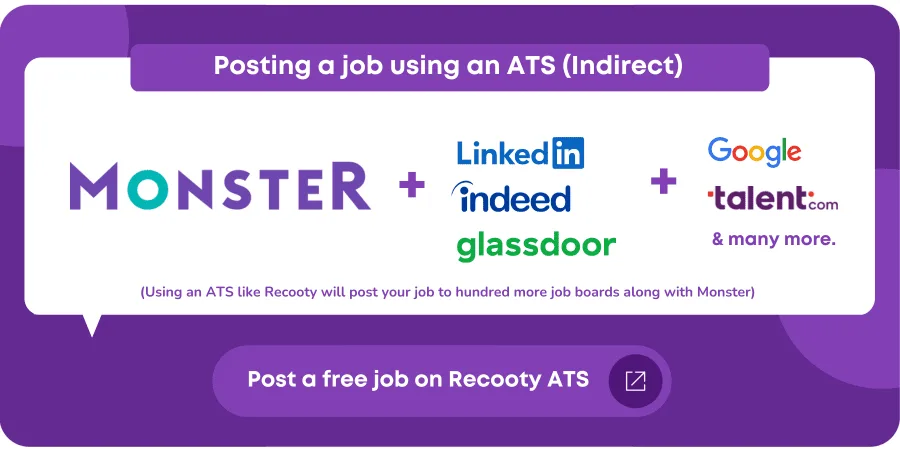
Utilizing a Monster-partnered ATS like Recooty enables you to streamline job postings to Monster, CareerBuilder, and other job boards.
Benefits of an ATS:
- Simplifies the hiring process by helping you screen applicants and schedule interviews.
- Reduces hiring costs by up to 40%.
- Trusted by many top companies for effective talent acquisition.
Directly through Monster for Employers
To post a job directly on Monster, follow these step-by-step instructions:
Step 1: Start with the Monster for Employers page

Visit the Monster for Employers Page and click Post a Job.
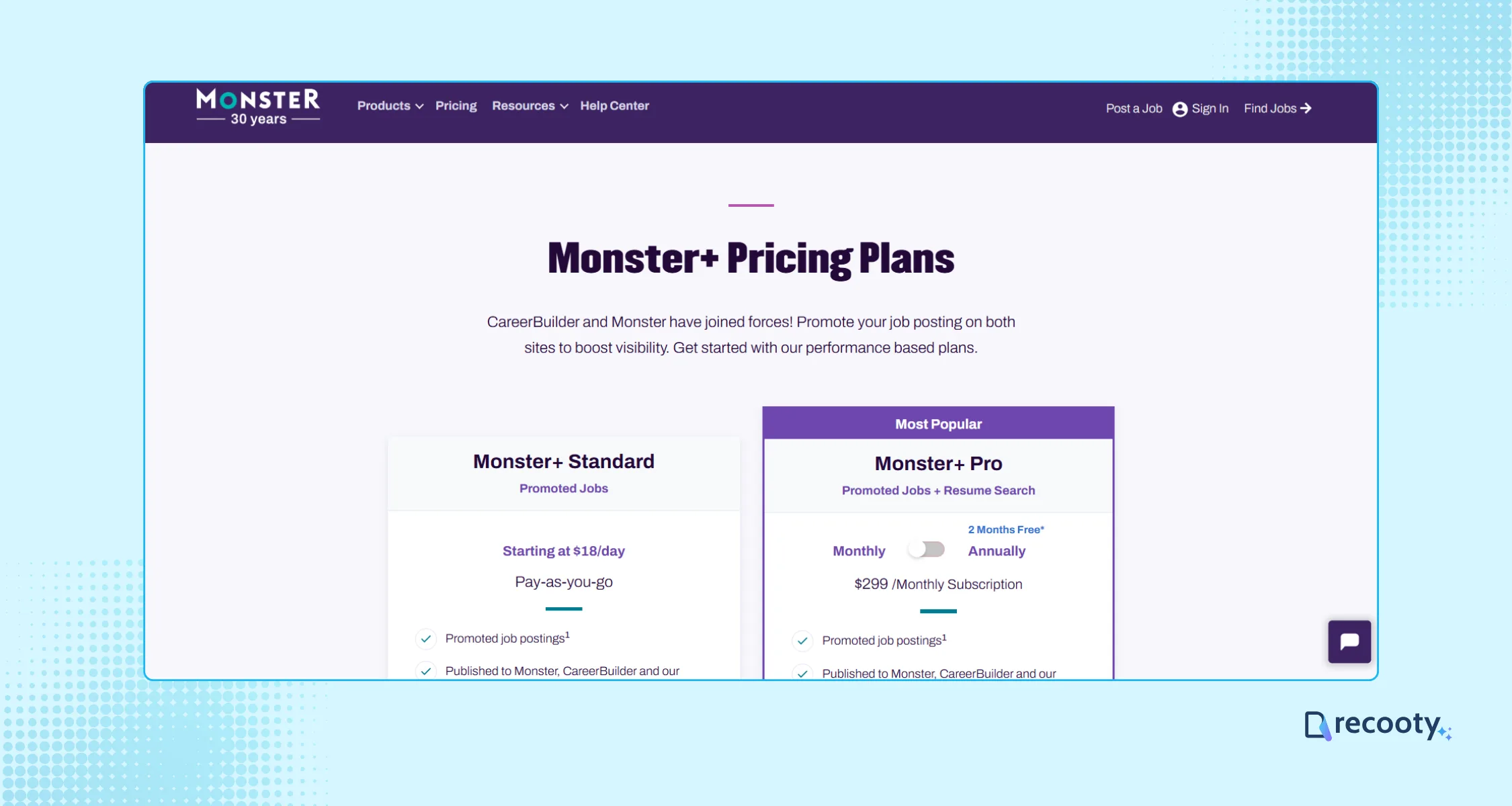
This will take you to the Monster pricing page to select a plan that fits your recruiting needs. Once you select a plan, click Get Started Now.
Step 2: Create a Monster+ employer account
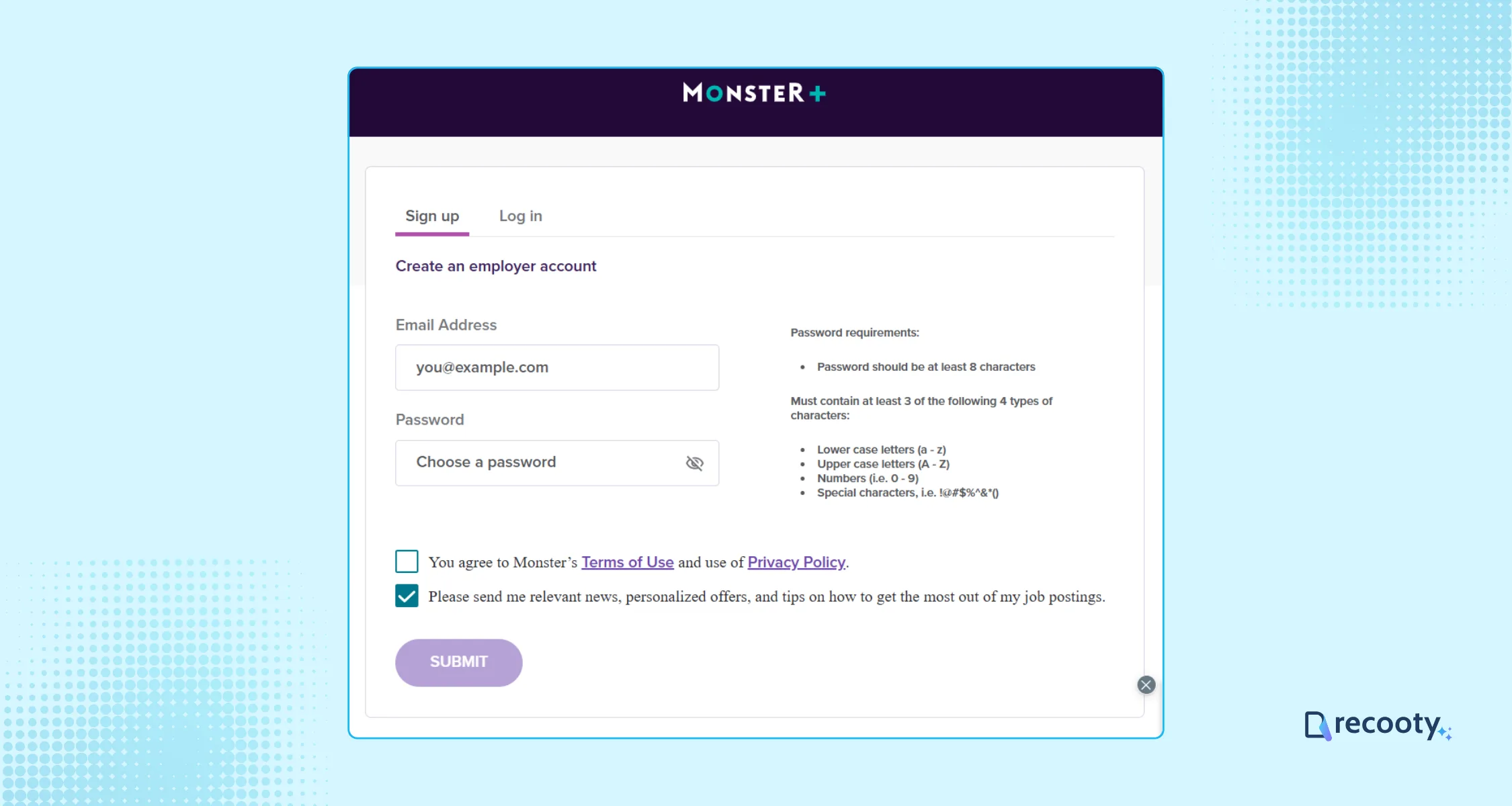
Set up your employer account and create a secure password. This is crucial for protecting your company’s sensitive information.
Step 3: Complete Your Company Profile & Payment Process
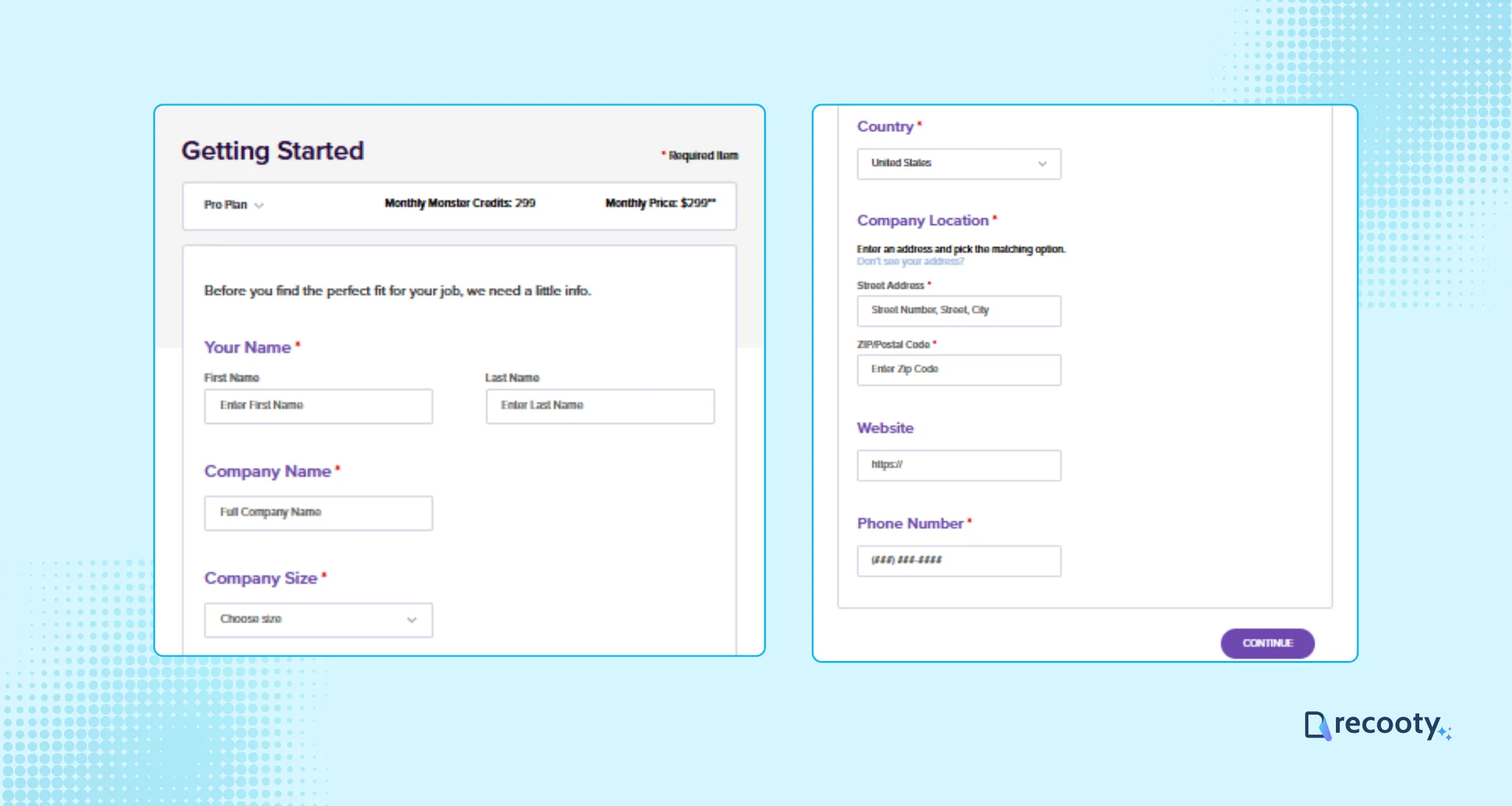
You will be redirected to the Monster employer account, and input your company’s details. Review and update your profile carefully to avoid errors.
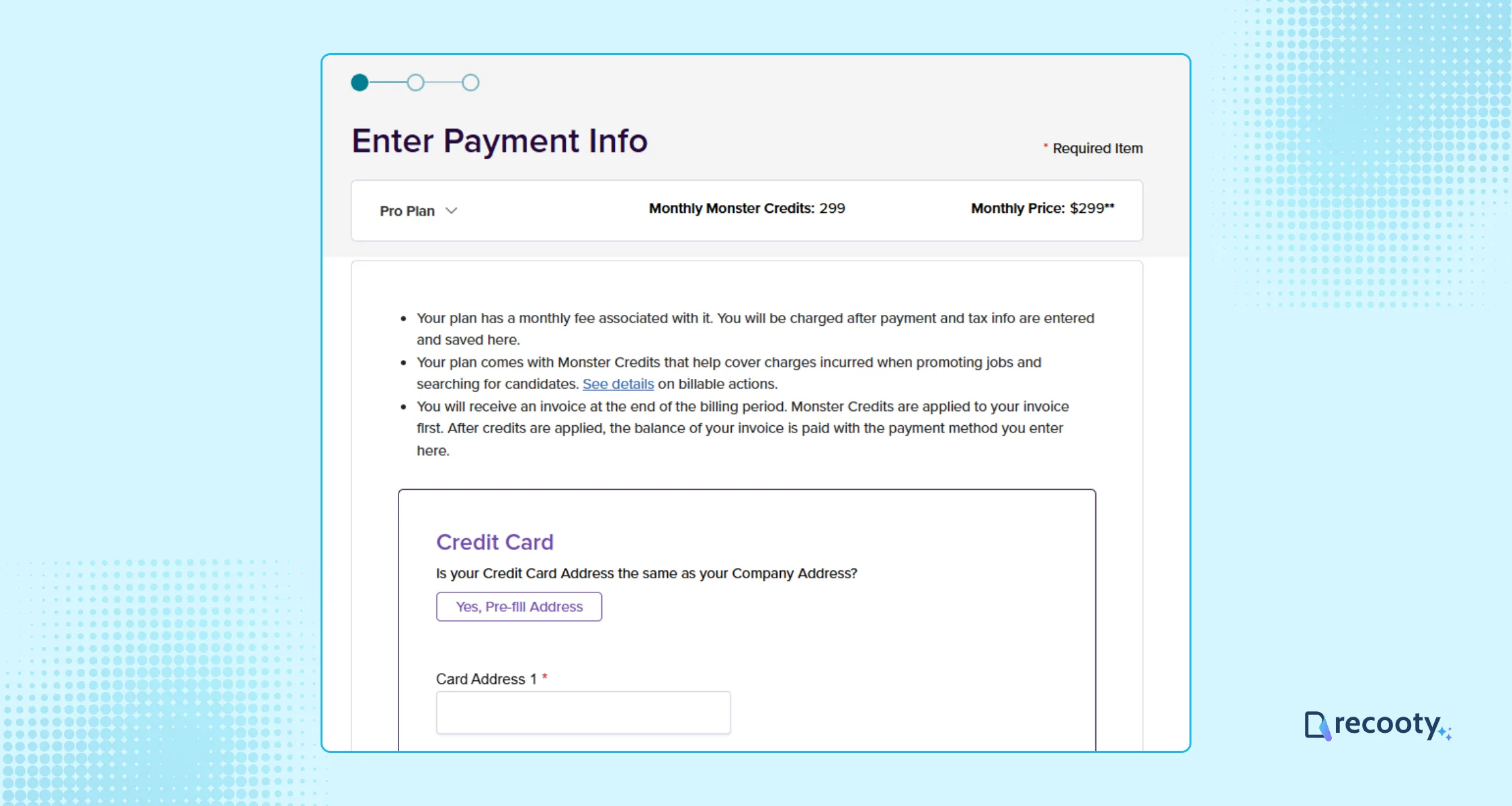
If you have selected the pro or pro annual plan, you need to complete the payment process at this step.
Step 4: Craft an Engaging Job Post
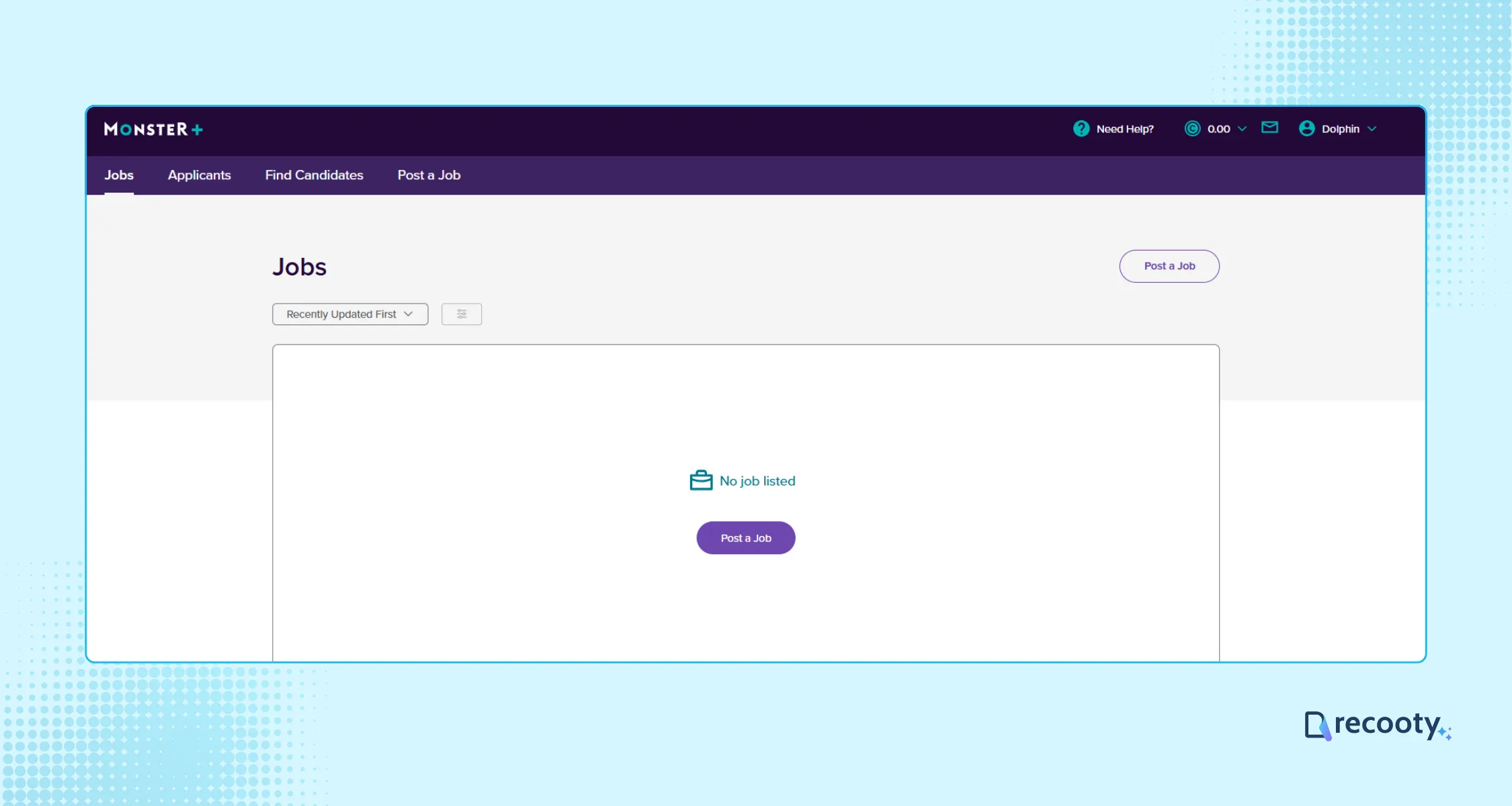
Click “Post A Job” to access the job details form through the dashboard.
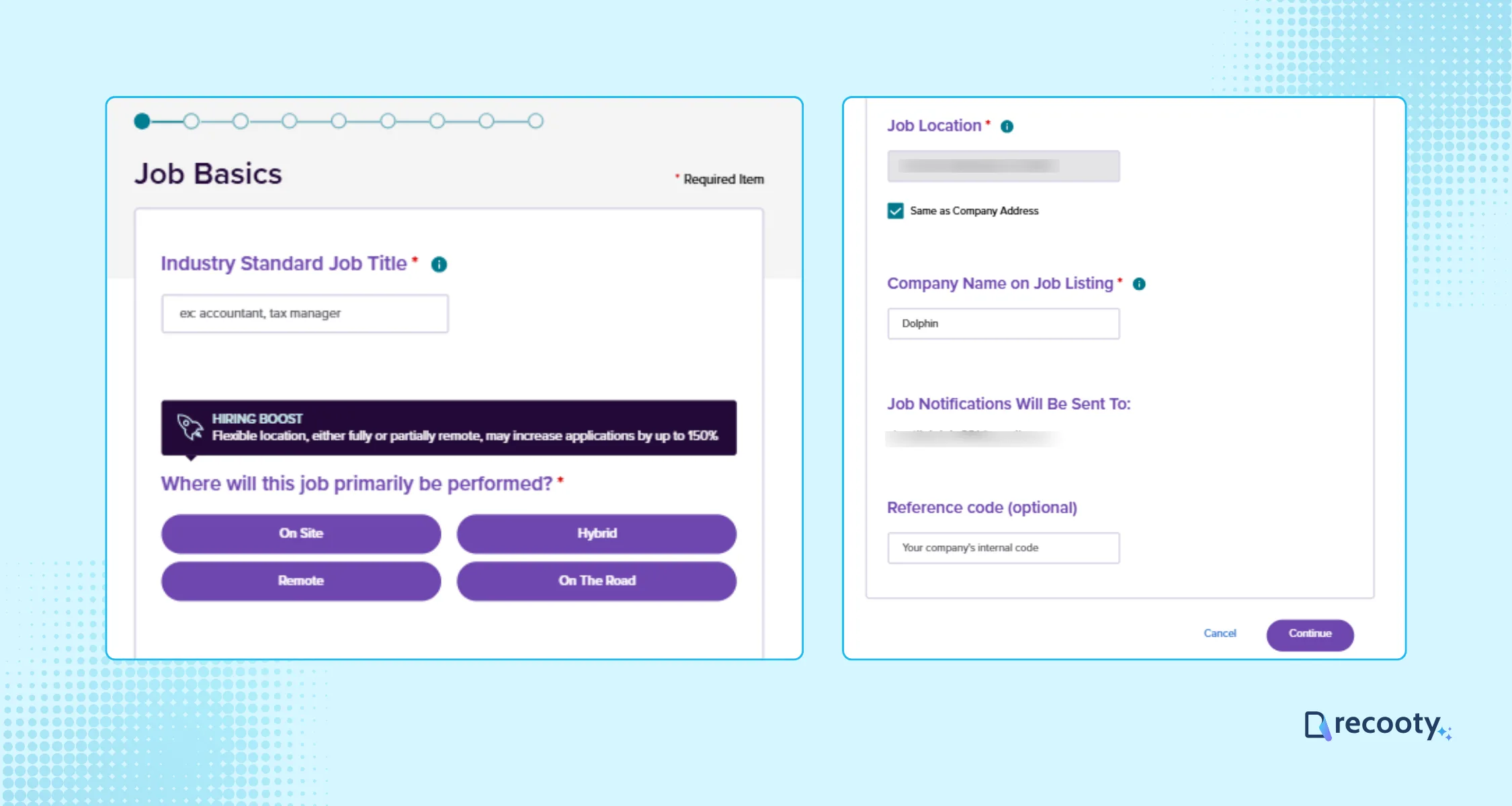
Input required information like:
- Job title
- Job Location
- Company Name
- Mail where you want to receive job notifications
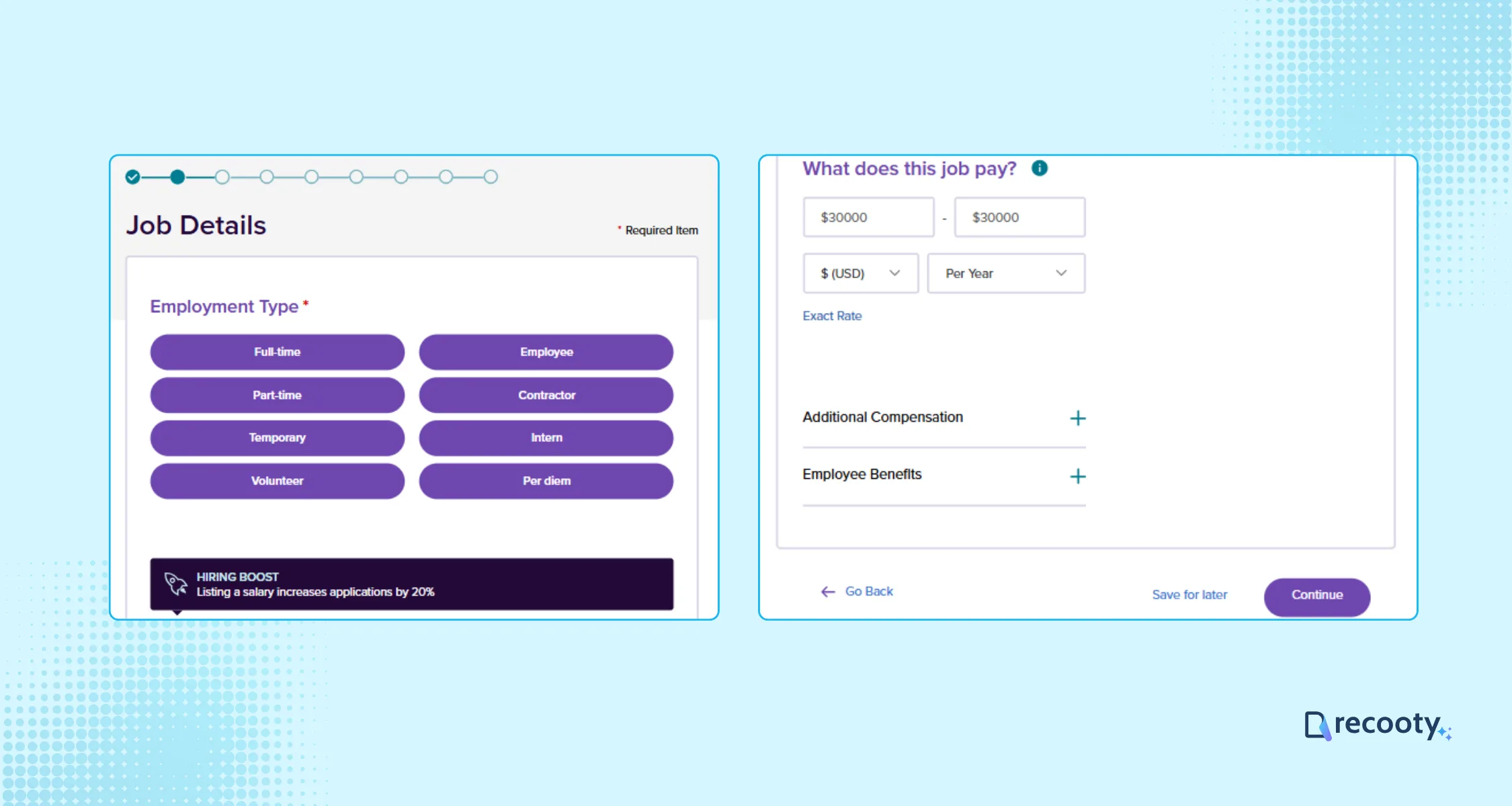
Choose the employment type, pay range, and describe the employee benefits as well; these things help candidates make a better decision.
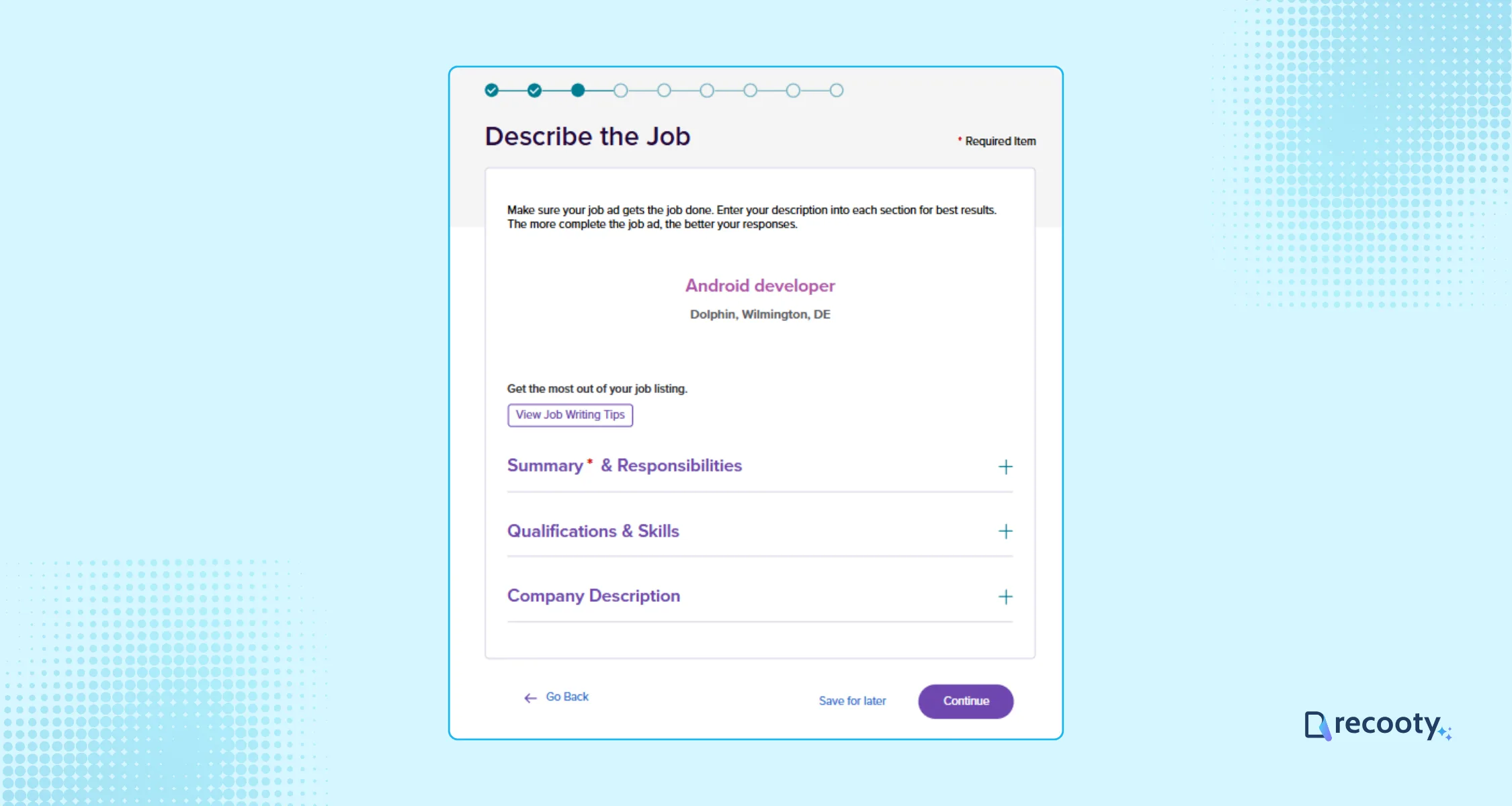
Write a compelling job description; it attracts qualified candidates and effectively communicates your company culture and the role’s responsibilities.
You can also use Recooty’s free AI job description generator to write an SEO-optimized and bias-free job description.
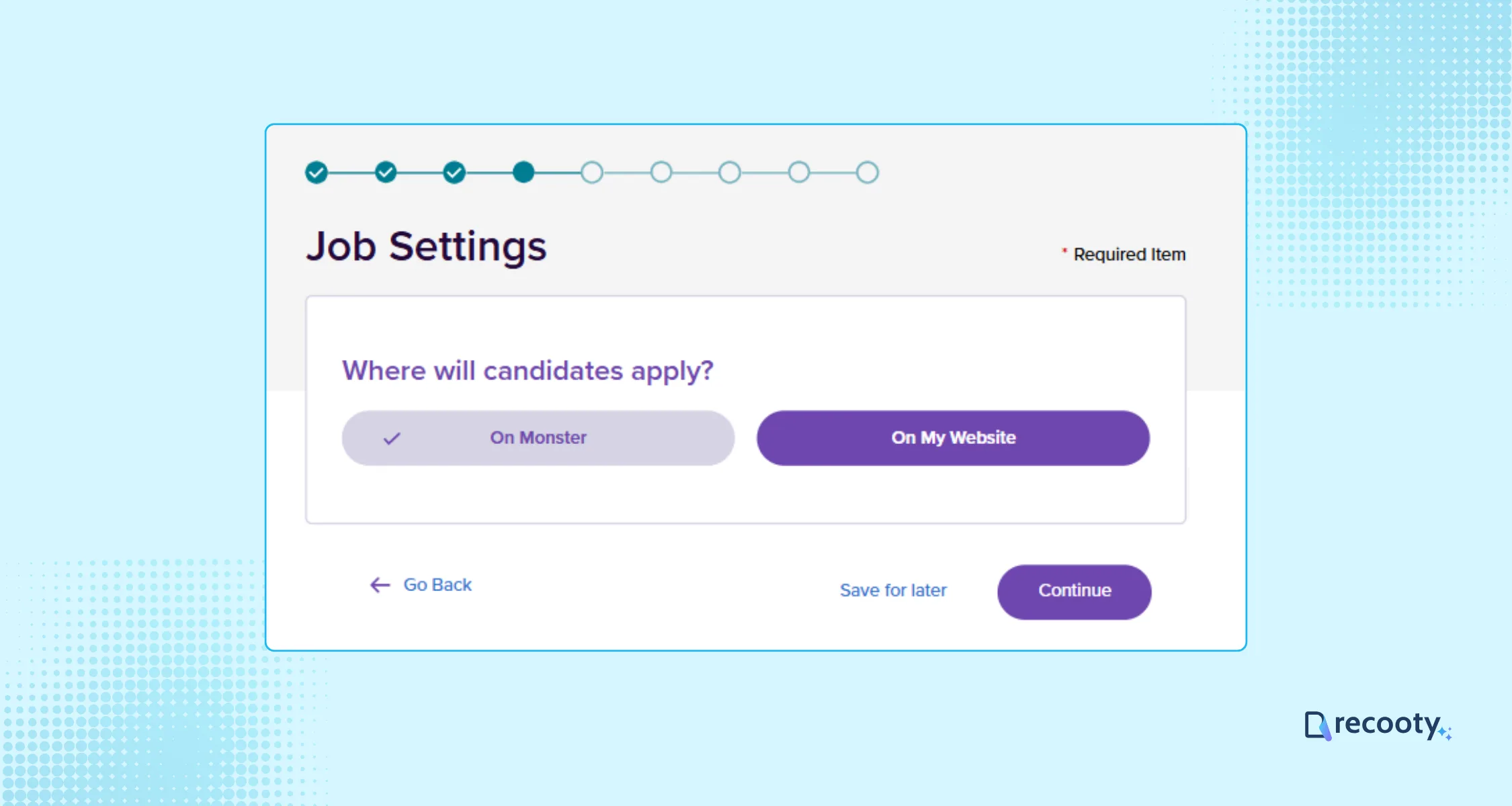
Now choose whether you want the candidates to apply via Monster or through your website.
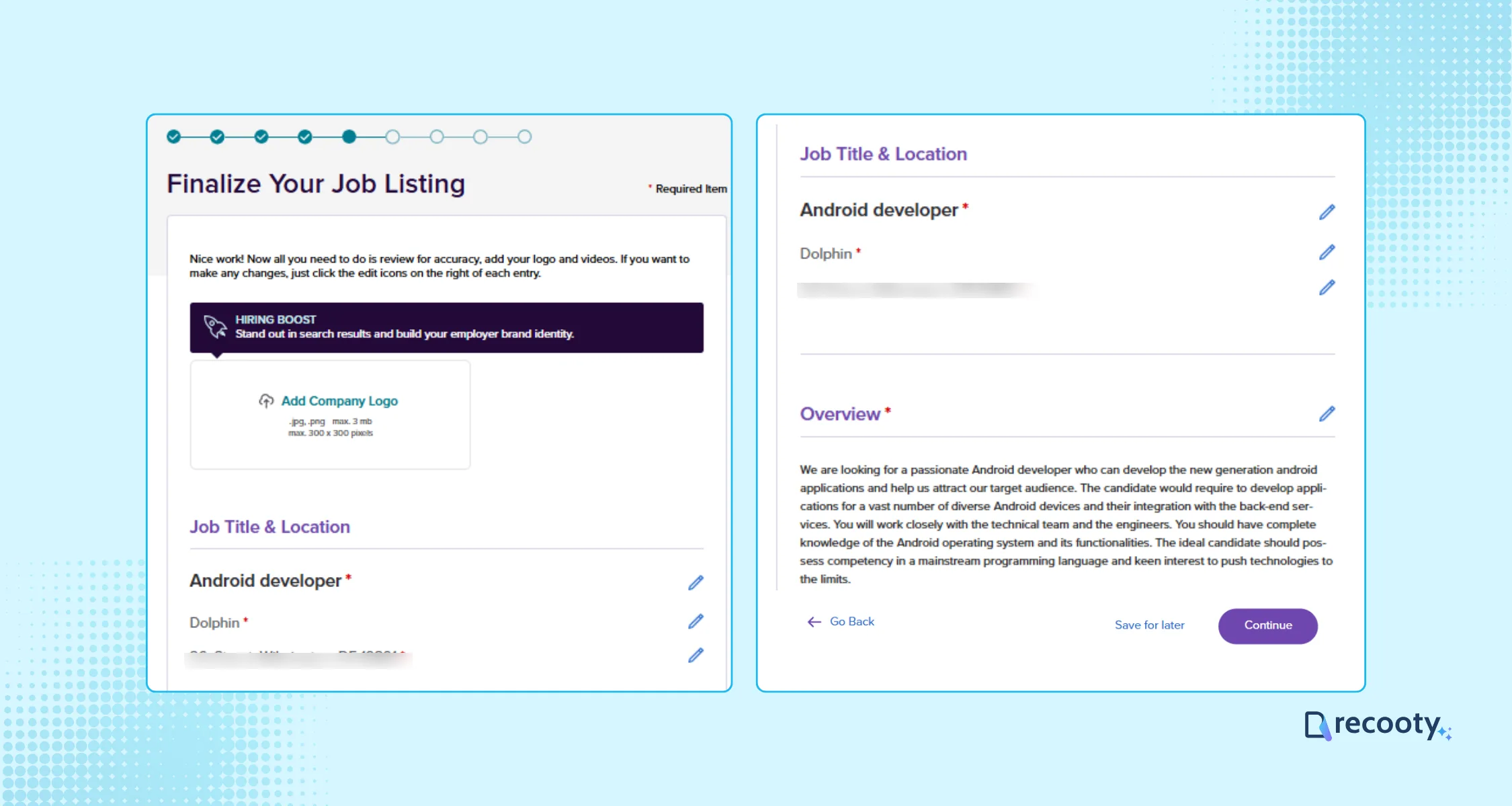
Finalize the job listing, preview it, and make sure you have filled in all the details accurately.
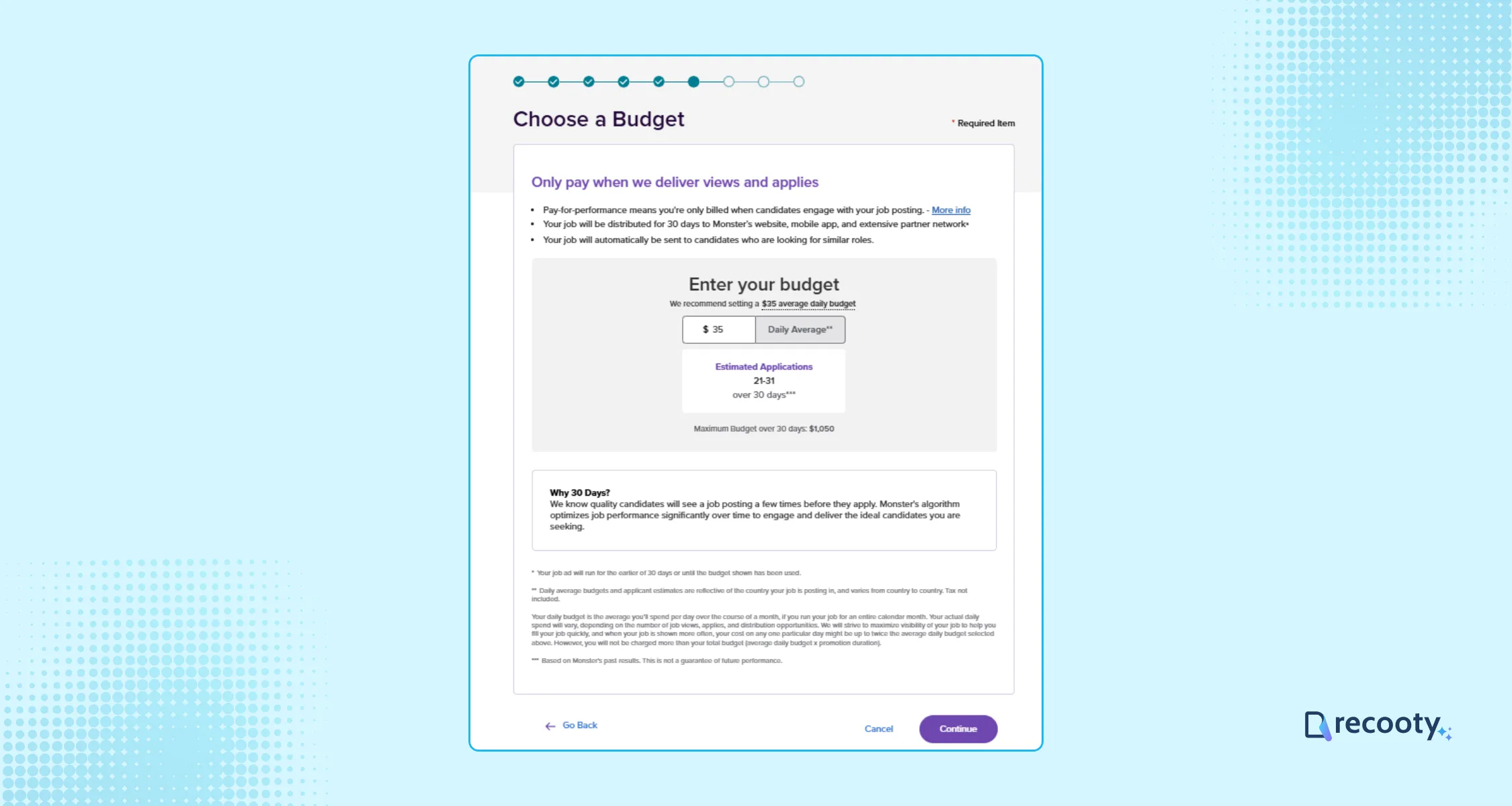
Now, if you have selected the standard plan, you need to set the daily budget here and complete the payment process.
Step 5: Publish Your Job and Manage Applications
Posting Your Job: Confirm your job ad details and click Post. You can save drafts in Monster’s library for future use.
Managing Candidates: Access candidate applications instantly through the “Applicants” tab.
Tips to Successfully Post a Job on Monster
Craft Attention-Grabbing Job Postings: Examine high-performing job descriptions to refine yours.
Include Compensation Information: This attracts more candidates and sets clear expectations.
Utilize Relevant Keywords: Incorporating specific keywords helps your job postings rank better in search engines.
Engage with Unique Selling Points: Highlight your company culture, growth opportunities, and benefits in your job ad.
Pricing of Posting a Job on Monster
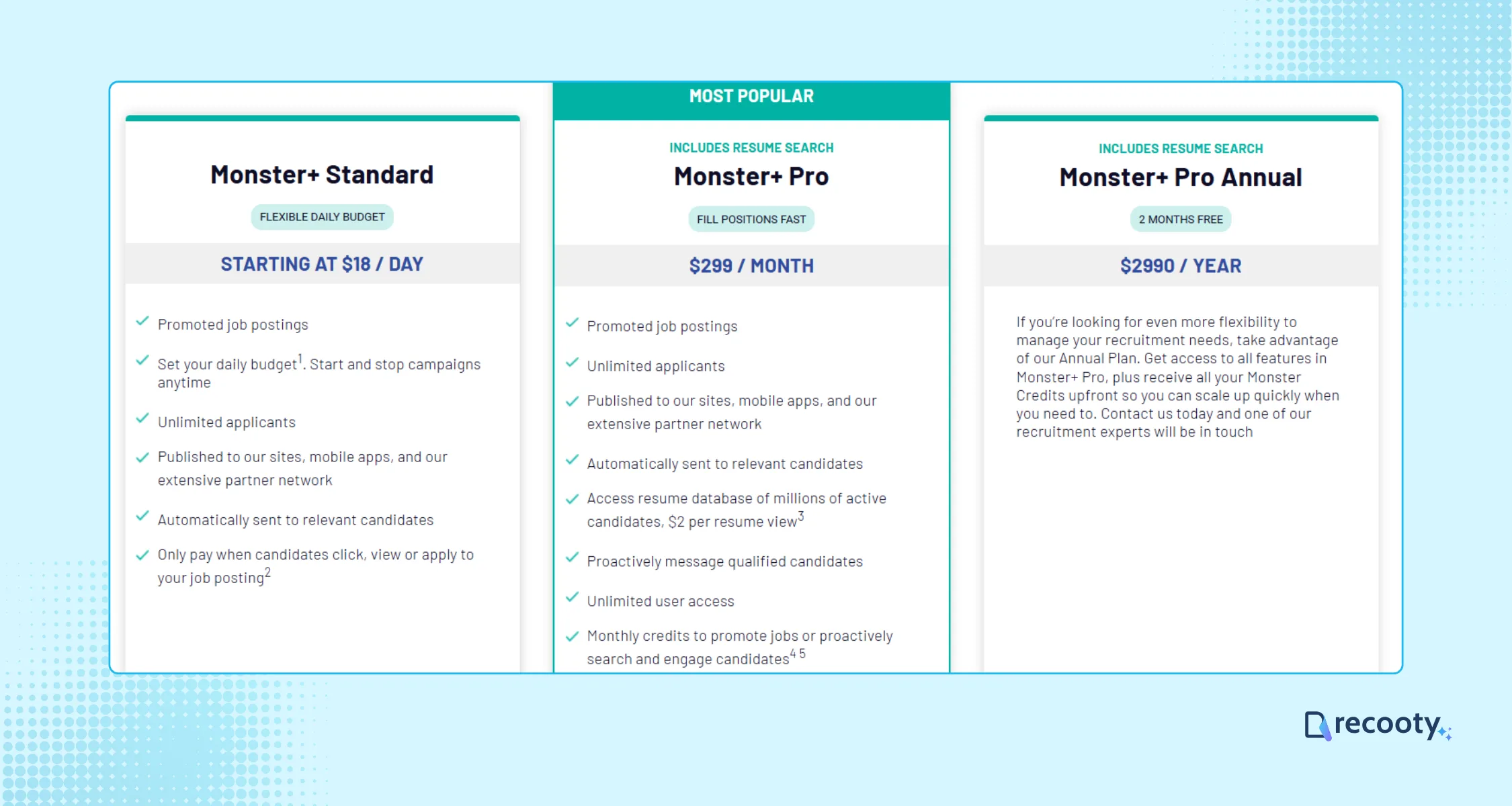
Monster offers three main pricing plans:
Monster+ Standard: Starts at $18 per day. Flexible daily budget, unlimited applicants, and you only pay when candidates interact with your job post.
Monster+ Pro: $299 per month. Includes all Standard features plus resume database access ($2 per view), proactive messaging, and unlimited user access.
Monster+ Pro Annual: $2,990 per year. All Pro features, with annual credits provided upfront for maximum flexibility.
These options let you choose a plan that fits your hiring needs and budget.
You can connect with candidates by following these steps and choosing the Monster+ route that fits the role. Review the listing after launch and post a job on Monster when you are ready.
Recruitment software and Monster+: choose free, promoted, or resume sourcing
Monster+ combines free posting, paid promotion, candidate distribution, resume search, and outreach. Choose the route from the hiring bottleneck, then connect the source to a shared hiring workflow when several people review applications.
| Hiring need | Current Monster+ route | What it adds | What to verify |
|---|---|---|---|
| Test a single opening | Monster Free | One free job every 30 days and up to three applicants on the current U.S. plan page | Eligibility, free-post duration, and applicant cap |
| Increase visibility | Monster+ Standard | Flexible daily budget, unlimited applicants, mobile and partner distribution, and interaction-based charges | Daily budget, estimated applications, and stop rules |
| Source and contact candidates | Monster+ Pro | $299/month, resume database, proactive messaging, promoted posts, and monthly credits | Credit expiry, resume-view usage, and renewal terms |
| Manage several channels | Monster plus recruitment software or ATS | Shared job record, application stages, scorecards, and source reporting | Application handoff and duplicate listing control |
Monster’s current plan page is the source for live U.S. plan details. Its promotion and payment help page says employers can adjust budgets and that closing a job ends associated promotions. Check those pages before using older screenshots or prices in a hiring budget.
The Recooty editorial view
Use the free option to test a role when the applicant cap fits the plan. Promote when the role needs more reach and the team can respond quickly. Choose resume sourcing when active applicants are scarce, then measure qualified candidates rather than activity alone.
Monster job post checklist for better candidate quality
Before publishing or setting a budget, review the listing against these checks:
- Role title: Use the standard market title and include the genuine specialty or seniority level.
- Salary and benefits: Include the range, currency, pay period, bonus or commission structure, and material benefits.
- Location: State the exact work location, remote or hybrid model, time-zone requirement, and travel expectation.
- Description: Put the role outcome, responsibilities, must-have skills, preferred skills, schedule, and application steps in a clear order.
- Keywords: Use the technologies, certifications, tools, and industry terms candidates actually use without repeating them unnaturally.
- Application method: Decide whether Monster should receive the application or send it to your ATS or careers page. Test the route on mobile.
- Candidate ownership: Assign a reviewer and response deadline before buying more reach.
- Closure: Close the post and stop promotion when the role is filled, paused, or materially changed.
Monster’s current FAQ says skills are aggregated from job-description keywords and standardized for candidates. Some locations also require a good-faith salary range before the job can move forward, so structured role details support both matching and candidate trust.
Monster and ATS measurement plan
| Funnel stage | Metric | Decision rule |
|---|---|---|
| Reach | Views, clicks, and partner-network activity | Improve title, location, or budget if the role is underexposed |
| Response | Apply starts and completed applications | Fix the application route or mobile friction |
| Quality | Qualified-application rate and screening pass rate | Tighten requirements or screening questions |
| Selection | Interview, offer, and acceptance rate | Check scorecard consistency, pay, and follow-up speed |
| Economics | Spend, resume credits, cost per qualified applicant, cost per hire | Keep the route only if quality justifies the spend |
For the workflow layer, link Monster to Recooty’s applicant tracking system and compare the requirements with how to choose the right recruitment software. If the career page is the application destination, use how to create a career page that converts to keep the job promise consistent after the click.
Conclusion: choose the Monster route that fits the role
Start with a clear listing and the smallest Monster+ route that can reach the right candidates. Assign ownership for reviewing applications, close the job when the status changes, and use qualified-application and hire data before increasing spend.
Frequently Asked Questions
Can I post a job on Monster for free?
The current U.S. Monster+ plan page describes one free job posting every 30 days, with up to three applicants per free post and publication on Monster’s site and mobile app. Eligibility and product terms can vary, so confirm the offer shown in your employer account.
How much does it cost to post a job on Monster?
The current U.S. page lists Monster+ Standard starting at $18 per day and Monster+ Pro at $299 per month. Standard uses a flexible budget and charges for candidate interactions, while Pro includes monthly credits and resume-sourcing features. These are current plan-page examples, not a universal global price.
What is the difference between Monster Free, Standard, and Pro?
Free is for a limited test with a small applicant allowance. Standard buys more visibility, unlimited applicants, and partner distribution. Pro adds promoted posts, resume search, proactive candidate messaging, and monthly credits. Select the plan based on whether your problem is reach, applicant volume, or sourcing.
Does Monster connect to an ATS?
Monster can be used with ATS workflows and external application links, but the exact integration depends on your product and account. Confirm whether applications, source data, screening questions, and close status return to your ATS before publishing.
When should I promote a Monster job?
Promote when the role is urgent, competitive, or not receiving enough relevant views and applications. First fix the title, compensation, location, description, and application path. Promotion cannot compensate for a poor candidate experience.
How do I stop Monster charges after hiring?
Close the job or stop its promotion in Monster+. Monster’s payment help says changing the job status from Open to Closed removes it from the site and ends associated promotions. Confirm the status change and review the next invoice or credit balance.
More Resources on Job Posting
Source: https://recooty.com/blog/how-to-post-a-job-on-monster-free-job-posting/
Practical recruiting playbooks, HR tutorials and hiring trends from the team behind Recooty — hiring software for growing teams.


